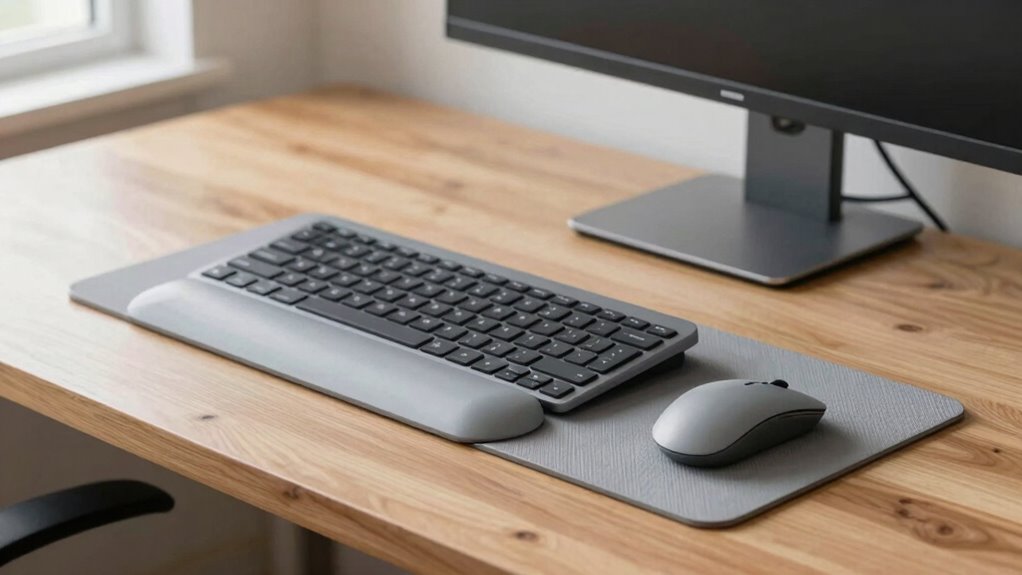

Before reaching for your mouse, start by placing your keyboard directly in front of you at a comfortable height, keeping your wrists neutral and hover-ready. Adjust your monitor so the top edge is at eye level and about an arm’s length away to prevent neck strain. Use ergonomic accessories like wrist supports and guarantee your work surface promotes proper wrist alignment. Setting up this way helps prevent strain from the start; discover more tips to protect your wrists long-term.
Listen free for 30 days with Audible
Thousands of audiobooks and originals — cancel anytime.
As an affiliate, we earn on qualifying purchases.
Key Takeaways
- Position the keyboard at elbow height with a neutral wrist posture to prevent strain before using the mouse.
- Use an ergonomic mouse pad with wrist support to maintain proper wrist alignment during mouse use.
- Ensure the monitor is at eye level, reducing neck and shoulder strain that can affect wrist comfort.
- Keep the keyboard and mouse close together to minimize reaching and maintain a neutral wrist position.
- Incorporate adjustable ergonomic accessories, like keyboard trays and monitor stands, to support proper wrist positioning from the start.

If you spend long hours at your desk, setting up your workspace to protect your wrists is vital. The foundation of a wrist-friendly setup begins with your keyboard and monitor placement. An ergonomic keyboard is a game-changer—it’s designed to reduce strain by encouraging a natural hand position. Unlike traditional keyboards, ergonomic models often feature a split or curved layout, allowing your wrists to stay in a more neutral, comfortable posture. When you use an ergonomic keyboard, you’re less likely to develop repetitive strain injuries and discomfort that can linger after long work sessions.
Using an ergonomic keyboard promotes natural hand posture and reduces strain during long work hours.
Next, focus on your monitor. An adjustable monitor is essential because it guarantees your screen is at eye level, preventing you from tilting your head or hunching forward. When your monitor is positioned correctly, it minimizes neck and shoulder strain, which indirectly affects your wrist health. A good rule of thumb is to place the top of your screen roughly at eye level and about an arm’s length away. This setup encourages proper posture, reducing the need for awkward wrist angles caused by looking down or up at your screen.
Your workspace layout should also account for your keyboard and mouse placement. Keep your keyboard directly in front of you, close enough so you don’t stretch your arms out or hunch your shoulders. Your wrists should hover comfortably above the keyboard, not rest on the desk or keyboard tray, which can cause unnecessary pressure. When you’re ready to switch to the mouse, position it close to your keyboard, at a height where your wrist remains straight and relaxed. Using a mouse pad with wrist support can further alleviate pressure during extended use.
Adjustability is vital to customizing your workspace. An adjustable monitor stand allows you to tweak the height and angle of your screen, aligning it with your eye level. Similarly, an adjustable keyboard tray helps you set the perfect height and tilt, ensuring your wrists stay in a neutral position. Incorporating ergonomic accessories can enhance comfort and support proper alignment throughout your workday. Furthermore, paying attention to proper wrist posture can make a significant difference in preventing fatigue and injury. Maintaining a neutral wrist position during work can significantly reduce fatigue and the risk of injury over time.
In essence, starting with an ergonomic keyboard and an adjustable monitor sets the stage for a wrist-friendly workspace. When your equipment is correctly positioned, your wrists stay in a natural, relaxed posture from the moment you begin working. This proactive approach reduces strain, boosts comfort, and helps you maintain productivity without sacrificing your health. Remember, the key is to prioritize proper alignment from the start, creating a desk setup that supports your wrists long-term. Proper workspace ergonomics can significantly improve your comfort and prevent long-term injuries.
ergonomic keyboard with split design
As an affiliate, we earn on qualifying purchases.
As an affiliate, we earn on qualifying purchases.
Frequently Asked Questions
How Long Should I Take Breaks During Desk Work?
You should take a break every 30 to 60 minutes during desk work. During these breaks, incorporate wrist stretching exercises and adjust your ergonomic accessories to prevent strain. Use this time to stand, move around, and relax your muscles. Regular breaks help reduce fatigue and discomfort, keeping you productive and healthy. Remember to listen to your body and take longer breaks if you notice soreness or stiffness.
Are Ergonomic Chairs Necessary for Wrist Health?
Ergonomic chairs aren’t strictly necessary for wrist health, but they definitely help by providing proper back and lumbar support, encouraging good posture. To further protect your wrists, incorporate ergonomic footrests and adjustable monitor stands into your workspace. These accessories help you maintain a neutral wrist position and reduce strain. By combining ergonomic seating with these tools, you create a more comfortable, health-conscious environment that supports your overall wrist and body well-being.
What Type of Keyboard Reduces Wrist Strain?
A split or ergonomic keyboard reduces wrist strain by promoting better keyboard ergonomics and wrist support. These designs allow your hands to stay in a more natural position, decreasing pressure on your wrists. Look for keyboards with adjustable tilt and wrist rests, which help maintain proper alignment. By choosing a keyboard that prioritizes wrist support, you’ll minimize discomfort, prevent repetitive strain injuries, and enhance your overall typing comfort during long work sessions.
How Can I Prevent Wrist Fatigue During Extended Use?
Did you know that prolonged computer use can increase wrist fatigue by up to 40%? To prevent this, take regular breaks to do wrist stretches, which improve circulation and reduce strain. Invest in ergonomic accessories like wrist rests and adjustable keyboard stands to support proper positioning. These simple adjustments help you stay comfortable, reduce fatigue, and maintain productivity during long hours at your desk.
Does Desk Height Affect Wrist Comfort Significantly?
Yes, desk height considerably affects wrist comfort by influencing your wrist posture and overall ergonomics. When your desk is too high or low, it forces you into awkward angles, increasing strain. Ideally, your desk should be at a height where your elbows are at a 90-degree angle, allowing your wrists to stay straight and relaxed. Proper desk ergonomics helps prevent fatigue and promotes better wrist health during long work sessions.
As an affiliate, we earn on qualifying purchases.
Conclusion
By starting with a wrist-saving desk setup before even touching your mouse, you’re not just preventing discomfort—you’re safeguarding your entire future of computer use. Think of it as building an unbreakable fortress around your wrists, so they stay strong and pain-free for decades to come. Don’t wait until pain strikes like lightning; take action now and transform your workspace into a haven of comfort. Your wrists will thank you, and you’ll never look back!
As an affiliate, we earn on qualifying purchases.
As an affiliate, we earn on qualifying purchases.
Fall Picks
fall essentials
As an affiliate, we earn on qualifying purchases.