

To stop looking tired on calls, position your light source in front and slightly above eye level for even, flattering illumination. Use soft, diffused lighting like ring lights or LED panels and avoid harsh, direct lights or bright backgrounds behind you. Maintain consistent, warm-white lighting (around 3,000–4,000 Kelvin) to create a healthy glow, and adjust brightness based on your environment. Keep distractions away and explore more tips to guarantee you look energized and professional.

Get the little things that make your day delivered free — and shop member deals
- Fast, free delivery on millions of items
- Access to Prime Big Deal Days deals on October 6–7
- Prime Video, Amazon Music and more included
Key Takeaways
- Position your light source in front and slightly above eye level for even, flattering illumination.
- Use soft, diffused lighting to minimize shadows and create a natural, healthy glow.
- Avoid placing bright lights behind you to prevent your face from appearing dark.
- Match light temperature to your environment, preferably warm white (3,000–4,000K), for a vibrant look.
- Regularly test your lighting setup with your camera to ensure your face looks well-lit and balanced.
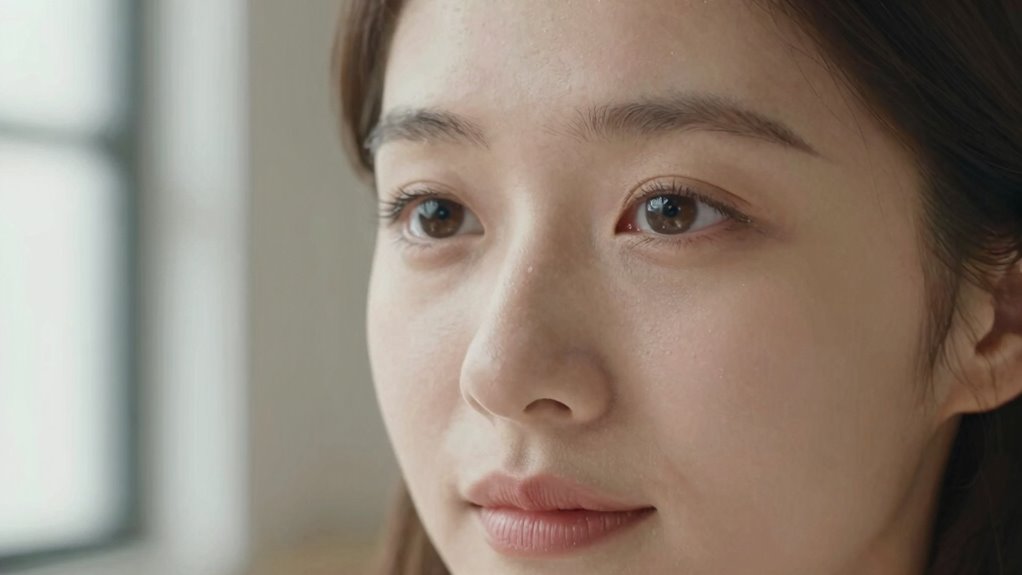
If you’ve ever felt like you look exhausted during video calls, the problem might be your lighting. Choosing the right lighting setup can make a significant difference in how energized and alert you appear. Proper lighting helps eliminate shadows that cast tired-looking lines and dull your complexion. To start, position your light source in front of you, slightly above eye level, so it illuminates your face evenly. Natural light is ideal when available—sit facing a window, but avoid direct sunlight that causes harsh shadows. If natural light isn’t an option, invest in a soft, adjustable ring light or a diffused LED panel that provides even coverage.
Position your light slightly above eye level for a natural, even glow during video calls.
When setting up your lighting, be mindful of common mistakes to avoid. One frequent error is placing a bright light directly behind you, which causes your face to appear dark and creates a silhouette effect. This backlighting not only makes you look tired but also diminishes your facial features. Another mistake is using overly harsh or direct lighting, which can wash out your skin tone or produce unflattering shadows. Instead, opt for diffused light sources that soften your features and provide a natural glow. Avoid mixing different types of light—such as warm and cool tones—as this can result in uneven coloring on your face, making you look more fatigued.
Dimming or brightening your lights to match your environment is key. Too dim, and your face appears shadowed and dull; too bright, and it can cause glare or highlight imperfections. Balance is essential. Additionally, consider the color temperature of your lights. A warm white (around 3,000 to 4,000 Kelvin) tends to create a welcoming, healthy glow, while cooler temperatures (above 5,000 Kelvin) can make your skin look washed out and tired. Positioning your light source slightly off-center from your camera angle helps avoid flat, unflattering illumination. Using proper lighting techniques can significantly enhance your appearance and confidence on camera. Being aware of lighting placement is as important as choosing the right equipment for a flattering look. Paying attention to lighting consistency can help you maintain a natural and professional appearance throughout your calls. Regularly adjusting your setup based on lighting conditions ensures your face remains well-lit in various environments.
Finally, test your setup before your call. Use your camera to see how your face appears in real-time and make adjustments accordingly. Avoid cluttered or distracting backgrounds that pull attention away from your face. By choosing the right lighting setup and steering clear of common mistakes, you’ll look more vibrant, alert, and ready for your meetings. Proper lighting isn’t just about aesthetics—it’s about presenting yourself confidently and avoiding the tired, exhausted look that can undermine your professional presence.
As an affiliate, we earn on qualifying purchases.
Frequently Asked Questions
Can Natural Sunlight Improve My Phone Call Appearance?
Yes, natural sunlight can improve your phone call appearance. It provides soft, even indoor lighting that enhances your skin tone and reduces shadows, making you look more vibrant and alert. Position yourself near a window to maximize sunlight, but avoid direct glare. Balanced indoor lighting combined with natural sunlight helps your face look healthier and less tired, giving you a more confident and energetic appearance during calls.
What Lighting Color Is Best for a Professional Call?
A neutral, soft white light with a color temperature around 4000K to 5000K works best for professional calls. Investigate the theory that cooler tones boost alertness—it’s true. Position your lighting at a 45-degree angle to avoid harsh shadows and guarantee your face is evenly lit. You’ll look more polished, alert, and professional, helping you make a confident impression on every call.
How Often Should I Adjust My Lighting Setup?
You should adjust your lighting setup as needed, ideally every few minutes or whenever you notice your face looks uneven or tired. Maintaining lighting consistency is key for a professional appearance, so avoid over-adjusting. Regular small tweaks help keep your face well-lit and vibrant during calls. Pay attention to how the light hits your face, and make quick adjustments to preserve an even, flattering look throughout your conversation.
Does Background Lighting Affect How Tired I Look?
Think of your background lighting as the sun behind a cloud, shaping your face shadows and overall glow. Bright, warm background light reduces harsh face shadows, making you appear more refreshed. Conversely, dim or uneven lighting intensifies face shadows, emphasizing tiredness. Adjust the lighting intensity behind you to balance shadows and highlights, ensuring your face looks vibrant and alert, and you avoid the tired appearance during calls.
Can Makeup Help Enhance My Face Under Different Lighting?
Yes, makeup techniques can definitely enhance your face under different lighting. Focus on matching your foundation to your skin tone for a natural look, and use highlighters to add a subtle glow. Light concealer helps brighten tired areas, while matte powders reduce shine. By adjusting your makeup based on the lighting, you can achieve a fresh, energized appearance during calls, making your face look vibrant and well-rested.
As an affiliate, we earn on qualifying purchases.
Conclusion
Now, imagine your face bathed in soft, even light, like the gentle glow of dawn filtering through a window. When you light your face thoughtfully, your features brighten, shadows fade, and fatigue melts away. Your eyes sparkle with energy, inviting connection rather than exhaustion. With just a few simple tweaks, you’ll shine confidently on every call, your face glowing with refreshed liveliness—ready to face the day with a vibrant, lively presence that speaks volumes.
As an affiliate, we earn on qualifying purchases.
warm white LED lighting for video
As an affiliate, we earn on qualifying purchases.
As an affiliate, we earn on qualifying purchases.
NFL season / tailgating Picks
team gear
As an affiliate, we earn on qualifying purchases.