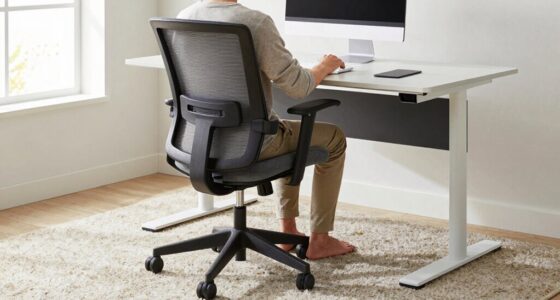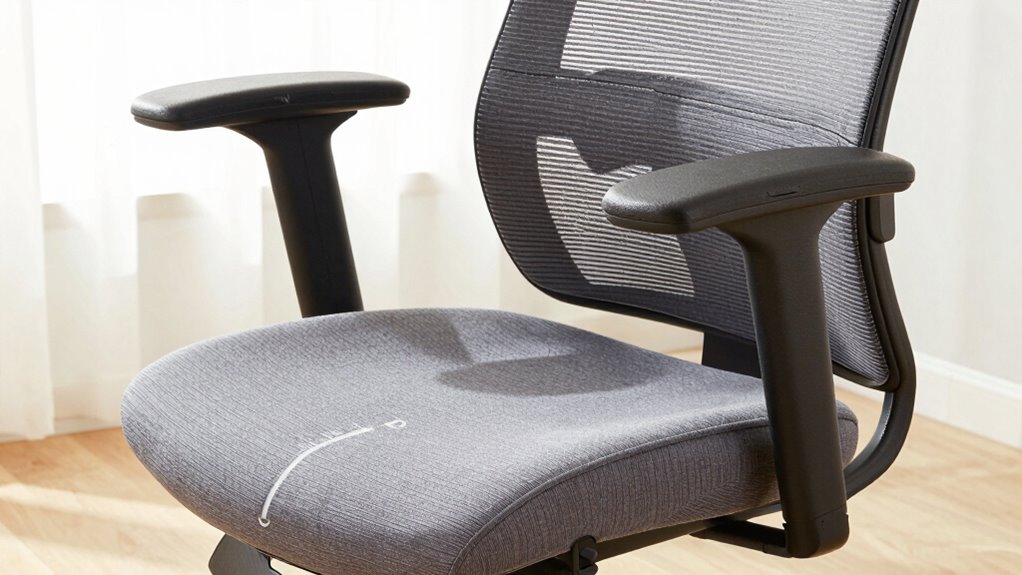

To choose a chair that fits your body, start by measuring your seat depth—sit back with lumbar support aligned and measure from your pelvis to your knees, ensuring it cushions your thighs without restricting movement. Adjust lumbar support to fit your lower back’s natural curve and set armrests at elbow height for relaxed shoulders. If you want to learn how to fine-tune your setup and identify signs of improper fit, keep exploring these tips.
Key Takeaways
- Measure your seat depth by sitting with lumbar support aligned, then check that the cushion supports thighs without restricting movement.
- Adjust lumbar support to fit the natural curve of your lower back, ensuring it provides firm, comfortable support.
- Set armrests at elbow height to keep shoulders relaxed and prevent tension, using adjustable features for a personalized fit.
- Ensure the chair’s seat height allows feet flat on the floor with knees at a 90-degree angle for proper posture.
- Test the chair for comfort by assessing pressure points, lumbar support, and armrest positioning before making a final decision.
Why Proper Chair Fit Is Essential for Your Health and Comfort
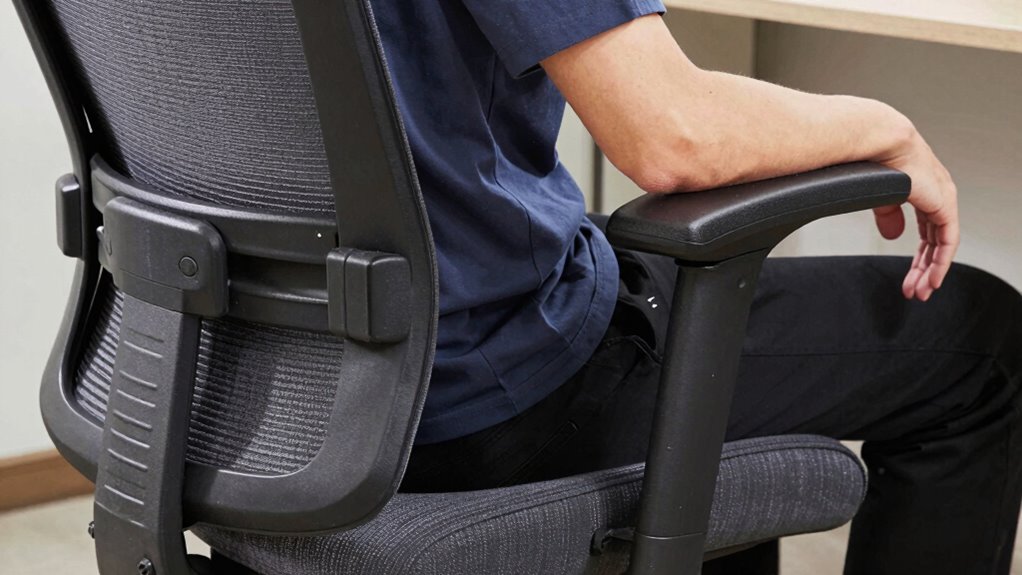
Proper chair fit is essential because it directly impacts your posture, comfort, and overall health. When selecting a chair, consider color options and material choices that suit your style and environment. Bright colors can energize your workspace, while neutral tones promote calmness. The material you choose—whether breathable mesh, plush fabric, or sleek leather—affects comfort and durability. A well-fitting chair encourages proper spinal alignment, reducing strain and preventing discomfort over time. Comfort isn’t just about softness; it’s about support tailored to your body. Additionally, understanding ergonomic features can help you select a chair that promotes better posture and reduces fatigue. Proper seat depth ensures your thighs are fully supported without pressure behind the knees. An adjustable lumbar support can further help maintain correct spinal curvature, contributing to long-term back health. By choosing the right color and material, you create an inviting space that boosts your mood and productivity. Investing in a chair that fits well ensures you stay comfortable and healthy during long hours at your desk.
How to Measure Your Seat Depth for the Perfect Fit
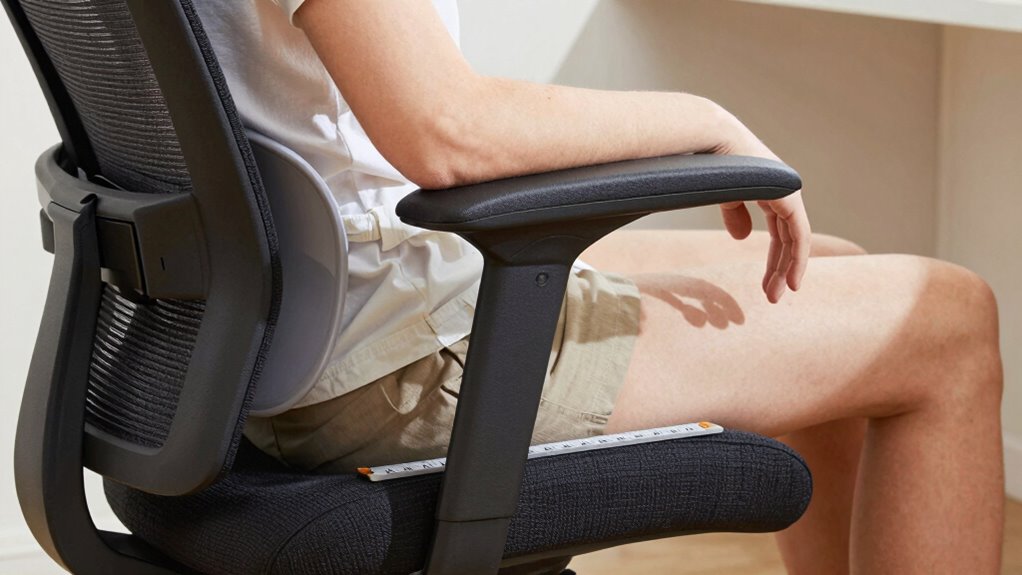
To guarantee your chair provides the right support, measuring your seat depth accurately is essential. Start by sitting back comfortably in the chair, ensuring your back is aligned with the lumbar support. Use a tape measure to determine the distance from the back of your pelvis to the back of your knees. For ideal comfort, your chair should have enough ergonomic padding to cushion your thighs without restricting movement. Additionally, consider fabric breathability; breathable materials prevent heat buildup during long periods of sitting. If the seat is too deep, it can restrict circulation and cause discomfort, while a seat that’s too shallow won’t support your thighs properly. Accurate measurement ensures your chair suits your body, promoting better posture and long-term comfort. Incorporating natural light and wellness touches into your space can also enhance overall comfort and well-being. Paying attention to ergonomic design features can further optimize your sitting experience and reduce strain. Properly adjusting the seat height is also crucial to ensure your feet rest flat on the ground and your knees are at a comfortable angle. Being aware of proper posture techniques can help prevent discomfort and improve your overall sitting habits. Additionally, selecting a chair with adjustable lumbar support can provide targeted back relief and support your spinal health.
How to Choose Lumbar Support That Supports Your Spine’s Natural Curve

Once you’ve measured your seat depth, it’s time to focus on lumbar support. Proper support helps maintain your spine’s natural curve, reducing the risk of lumbar injury and improving spinal alignment. Look for a chair with adjustable lumbar support that fits the inward curve of your lower back. To compare options, consider this table:
| Feature | Importance | Best for |
|---|---|---|
| Adjustable height | Customizes fit for your spine | Prevents strain |
| Firmness level | Supports spinal curves | Reduces lumbar injury |
| Shape of support | Matches your lower back’s curve | Maintains proper alignment |
Choosing the right lumbar support guarantees comfort and avoids long-term back issues. Always test for a snug, supportive fit that follows your spine’s natural shape. Incorporating essential airless paint spraying tips can help you create a comfortable workspace that supports proper posture during extended tasks. Additionally, selecting ergonomic features in your chair can further enhance comfort and spinal health. Proper chair design can also contribute to back pain prevention, making it an essential aspect of ergonomic seating choices. Understanding the importance of lumbar support is crucial for long-term comfort, as it directly affects spinal alignment and overall health.
What Armrests Support Your Shoulders and Reduce Strain
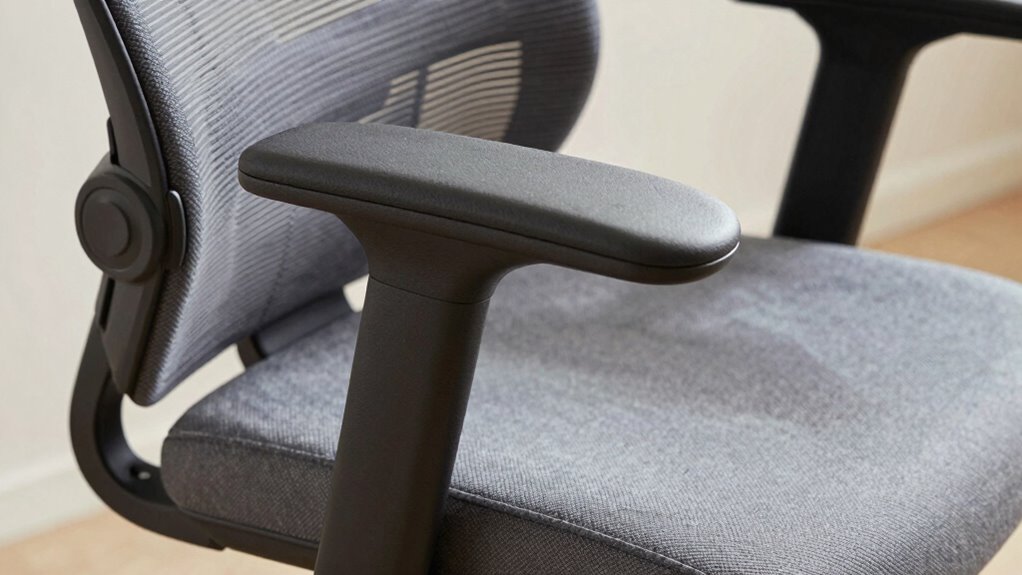
Your armrests should be set at the right height to keep your shoulders relaxed and prevent strain. Look for ergonomic designs that support your arms comfortably without causing tension. Properly adjusted armrests make a noticeable difference in reducing shoulder fatigue during long periods of sitting. Additionally, choosing supportive features with ergonomic benefits can enhance your overall travel experience. Incorporating adjustable DIY tools can also help you customize your workspace for better ergonomic support. Ensuring your armrests are correctly positioned is essential for maintaining proper posture and minimizing discomfort over extended use.
Proper Armrest Height
Proper armrest height is essential for supporting your shoulders and reducing strain during extended periods of sitting. When selecting a chair, consider ergonomic considerations to guarantee your arms rest comfortably without elevating or depressing your shoulders. Your armrests should be level with your elbows or slightly below when your arms are relaxed at your sides. This positioning helps prevent tension in your neck and shoulders. Additionally, choose armrests that complement the chair’s aesthetic appeal, blending functionality with style. Adjustable armrests provide flexibility, allowing you to fine-tune the height for ideal comfort. Properly positioned armrests not only support your body but also contribute to a visually balanced and attractive workspace. Incorporating ergonomic design principles into your chair selection can further optimize comfort and support. Paying attention to hive health can provide insights into maintaining a balanced environment, similar to creating a comfortable workspace. Ensuring that your armrest height aligns with body ergonomics enhances both comfort and the overall look of your chair setup. Considering individual body differences can help tailor your chair to better fit your unique needs. Additionally, understanding cable failures and proper installation techniques can improve the longevity and safety of your workspace setup.
Ergonomic Armrest Design
Ergonomic armrest design plays a crucial role in supporting your shoulders and minimizing strain during long periods of sitting. Look for adjustable features that let you modify height, width, and angle, ensuring your arms rest comfortably without elevating your shoulders. Proper adjustments help reduce tension and promote better posture. Additionally, consider armrest materials; soft padding or breathable cushioning can increase comfort, especially if you spend hours at your desk. Durable materials like high-quality foam or gel provide support without feeling hard or uncomfortable. Well-designed armrests support your forearms naturally, helping to alleviate shoulder and neck stress. When choosing a chair, prioritize these ergonomic features to keep your shoulders relaxed and avoid unnecessary strain during extended sitting sessions.
How to Adjust Your Chair for Better Posture and Comfort
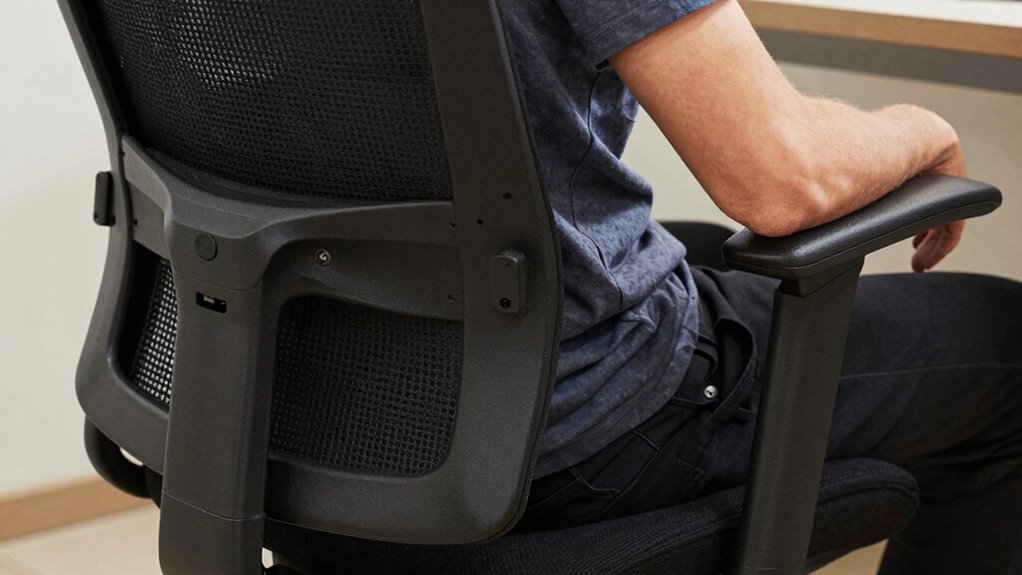
Start by setting your seat height so your feet rest flat on the floor and your knees are at a 90-degree angle. Then, adjust the lumbar support so it fits snugly against the curve of your lower back, promoting proper spinal alignment. These simple steps can make a big difference in improving your posture and comfort throughout the day.
Proper Seat Height Adjustment
Adjusting your chair to the right height is essential for maintaining good posture and comfort throughout your day. Sit with your feet flat on the floor, ensuring your knees are roughly level with your hips. Your thighs should be parallel to the ground, preventing pressure on your lower back. When adjusting, consider the chair material; softer cushions can influence how high or low you set the seat, and choosing a color that promotes focus can boost your mood. A proper seat height allows your spine to stay aligned, reducing strain. Make small adjustments until your elbows rest comfortably at a 90-degree angle when typing or working. Consistently maintaining this height helps prevent discomfort, supports better posture, and makes long hours at your desk more manageable.
Adjust Lumbar Support Correctly
To guarantee your lower back stays supported and reduces strain, you need to set your lumbar support correctly. Adjust the lumbar curve so it aligns with the natural arch of your lower spine, providing firm yet comfortable support. When your chair’s lumbar support fits properly, it encourages good posture, especially if you’re working at a desk with the correct height. If you use an ergonomic keyboard, maintaining proper lumbar support becomes even more essential to prevent back fatigue. Make small adjustments until you feel a gentle pressure that supports your lower back without pushing too hard. Remember, your lumbar support should complement your desk height and overall setup, helping you sit upright comfortably for extended periods.
How to Tell If Your Chair Isn’t a Good Fit and Needs Adjustment
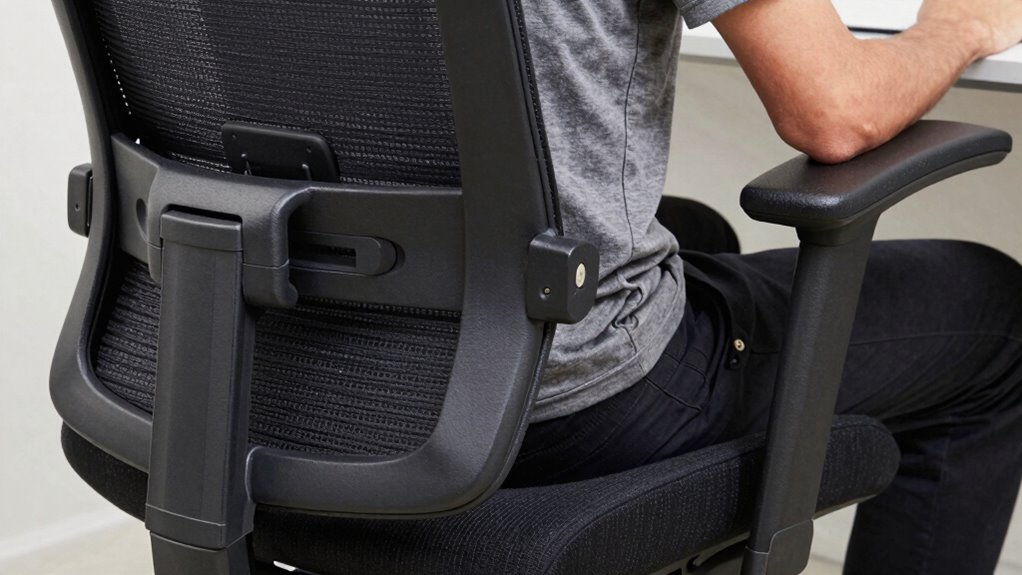
If your chair isn’t providing proper support, you’ll likely notice discomfort or pain after sitting for a while. One way to tell is through posture awareness—if you find yourself slouching or shifting frequently, your chair may not be fitting properly. Pay attention to cushion comfort; if the seat feels too hard, soft, or uneven, it could be causing strain. Additionally, if your lower back isn’t supported or you’re frequently adjusting your position, it’s a sign the lumbar support needs tweaking. Uncomfortable armrests or a seat depth that doesn’t align with your body can also contribute to discomfort. Ultimately, if you experience persistent aches or fatigue, your chair likely isn’t a good fit and needs adjustments to better support your body.
Tips for Testing Chairs Before Buying to Find the Best Fit
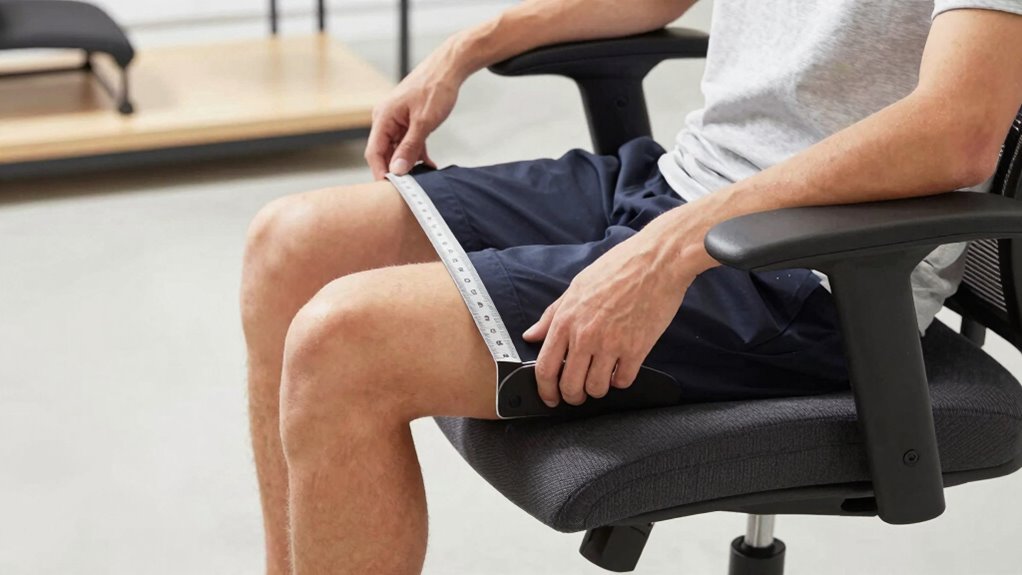
Before you commit to a new chair, it’s important to test it thoroughly to guarantee it fits your body comfortably. Sit in the chair and focus on key aspects like seat depth, lumbar support, and armrest positioning. Check the chair material—ensure it feels comfortable and breathable for long hours. Don’t forget to assess the aesthetic appeal, so it complements your workspace while still offering proper support. Adjust the height, tilt, and armrests if possible, to see how well they accommodate your body. Pay attention to how your back feels against lumbar support and whether your feet rest flat on the floor. Testing in person helps you identify potential pressure points and comfort issues, ensuring you select a chair that suits your body and style preferences.
Frequently Asked Questions
How Often Should I Replace My Ergonomic Office Chair?
You should replace your ergonomic office chair every 5 to 8 years to guarantee proper chair maintenance and ergonomic support. Over time, wear and tear reduce comfort and effectiveness, so consider ergonomic upgrades like new cushions or lumbar supports instead of full replacement. Regularly check for issues like broken armrests or unstable wheels, and replace the chair sooner if it no longer supports your posture properly.
Are There Specific Materials Better for Long-Term Comfort?
Did you know that 80% of people report increased comfort with breathable fabric? For long-term comfort, opt for chairs with memory foam cushions and breathable fabric covers. Memory foam molds to your body, providing tailored support, while breathable fabrics prevent overheating during long work sessions. Combining these materials guarantees you stay comfortable and focused, making your chair a reliable partner throughout your workday.
Can a Chair Be Adjusted for Multiple Users?
Yes, a chair can be modified for multiple users if it offers versatile adjustability options. Look for features like height, lumbar support, armrest positions, and tilt controls. These shared use considerations ensure everyone can customize the chair to their comfort. By choosing an adjustable chair, you make it easier for different users to find proper support, promoting better posture and comfort regardless of who’s sitting down.
What Are Signs My Chair Is Causing Back Pain?
If you’re experiencing back pain, your chair might be the culprit. Signs include persistent discomfort, poor posture correction, or numbness after sitting. You may notice your lumbar support isn’t adequate or your armrests don’t promote good alignment. Consider ergonomic accessories like lumbar cushions or adjustable armrests to improve support. Regularly check your posture and adjust your chair accordingly to prevent pain and promote better back health.
How Does Seat Height Affect Overall Posture?
Adjusting your seat height directly impacts your overall posture and ergonomic benefits. When your feet are flat on the ground and your knees are at a 90-degree angle, you promote proper alignment and reduce strain. This posture correction helps prevent discomfort and long-term issues. Make sure your chair height supports a natural, relaxed position, so you stay comfortable and maintain good spinal health throughout your day.
Conclusion
Did you know that sitting in an improperly fitted chair can increase your risk of back pain by up to 54%? Investing a little time to find a chair that fits your body isn’t just about comfort — it’s about protecting your health. By measuring your seat depth, choosing supportive lumbar and armrests, and adjusting your chair correctly, you’ll improve your posture and reduce strain. Your body will thank you for making these simple, smart adjustments.