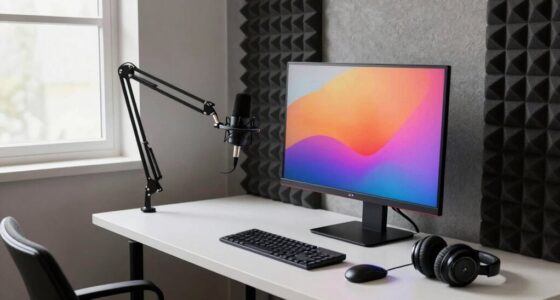
Better video calls rely more on good lighting than on camera specs. Proper lighting brightens your face evenly, reduces shadows, and makes you look more professional. Natural light near a window works best, but artificial lights like softboxes can help if needed. Avoid harsh overhead lights or backlighting, which can cause unflattering shadows. Small adjustments to your lighting setup can make a big difference—keep going to discover how to optimize your environment even further.

Get the little things that make your day delivered free — and shop member deals
- Fast, free delivery on millions of items
- Access to Prime Big Deal Days deals on October 6–7
- Prime Video, Amazon Music and more included
Key Takeaways
- Proper lighting enhances video clarity and professionalism, often outperforming high camera specs.
- Natural, soft light minimizes shadows and highlights features, improving overall image quality.
- Adjusting lighting conditions can significantly reduce glare, uneven brightness, and shadows.
- Good lighting ensures the face remains well-lit and in focus, regardless of camera quality.
- Optimizing background contrast and environment enhances visual focus and reduces distractions during calls.

When it comes to improving your video calls, focusing on lighting often makes a bigger difference than upgrading your camera. Good lighting helps you look clear and professional, no matter the quality of your camera. Natural illumination is especially powerful because it provides soft, even light that highlights your features without harsh shadows. If you can position yourself near a window during the day, you’ll benefit from bright, natural light that makes your face glow and reduces the need for artificial lighting. Avoid sitting directly under overhead lights, which can create unflattering shadows and wash out your appearance. Instead, aim for even, diffused light, which provides a natural look and reduces glare or uneven brightness on your face. Proper lighting setup can make a significant difference in how well you’re seen on camera. Background contrast is another critical aspect that influences how well you’re seen on camera. When your background contrasts with your face and clothing, you stand out more clearly and avoid blending into the scenery. For example, if you’re wearing dark clothing, try to position yourself against a lighter wall or background. Conversely, if your background is busy or dark, wear lighter colors to create a visual separation. This contrast makes your face the focal point of the shot, helping others focus on what you’re saying instead of getting distracted by clutter or poor lighting conditions. Adjusting your environment to enhance background contrast might involve simple steps like moving furniture or switching out curtains to better frame your face. Even lighting setup can significantly improve your video quality. Use lamps or softboxes if natural light isn’t enough, but keep the light source facing you to avoid shadows. Positioning the light slightly above eye level and pointing it downwards creates a natural, flattering look. Avoid placing lights directly behind you, as backlighting can cause your face to appear dark and underexposed. Instead, aim for a balanced, front-facing light that evenly illuminates your face and reduces shadows. Paying attention to lighting techniques that optimize natural and artificial light sources can further enhance your overall image. Additionally, understanding the impact of lighting conditions on your appearance can help you adapt quickly to different environments, ensuring your video quality remains consistent regardless of surroundings. Being aware of how lighting environments change throughout the day can help you plan your setup for the best results. Remember, even small adjustments to your lighting environment can make a noticeable difference in your video quality, making your calls more engaging and professional. When you pay attention to natural illumination and background contrast, your overall image becomes sharper, more inviting, and professional-looking—regardless of your camera’s specs.
As an affiliate, we earn on qualifying purchases.
Frequently Asked Questions
How Does Lighting Influence Video Call Quality Compared to Camera Specifications?
Lighting has a bigger impact on your video call quality than camera specs because it helps reduce background distractions and improve clarity. Good lighting ensures your face is well-lit, minimizes shadows, and prevents poor image quality. Proper shadow management and bright, even lighting make you look more professional and approachable. Focusing on lighting allows your camera to perform better, regardless of its specs, resulting in clearer, more engaging calls.
What Are the Best Lighting Setups for Professional Video Calls?
Your best professional video call setup beams brighter than a thousand suns. Use soft, even background illumination to eliminate harsh shadows, and position yourself near natural light sources like windows for a warm, inviting glow. Avoid direct overhead lighting that creates unflattering shadows. Adjust your screen brightness to complement the lighting, ensuring your face is well-lit and clear. This simple setup transforms your calls into a polished, engaging experience.
Can Improving Lighting Reduce the Need for High-End Cameras?
Yes, improving lighting techniques can reduce the need for camera upgrades. Good lighting enhances your image clarity and reduces graininess, making your video look professional even with lower-end cameras. When you prioritize lighting, you bring out natural skin tones and minimize shadows. This means you can invest less in camera upgrades and still achieve high-quality video calls. Proper lighting truly makes a significant difference in your overall video appearance.
How Do Different Light Colors Affect Video Clarity?
Different light colors act like a painter’s palette, shaping your video’s mood and clarity. Cooler tones, with higher color temperatures, provide crisp, professional visuals, while warmer hues create a cozy, inviting atmosphere. The right balance enhances your skin tone and reduces shadows, boosting clarity. So, choose your light colors wisely to set the perfect mood and make your video calls look sharp, natural, and engaging.
What Common Lighting Mistakes Degrade Video Call Quality?
You often degrade video call quality by using harsh, direct lighting instead of natural light, which creates unflattering shadows. Avoid positioning bright lights directly behind you, as this causes backlighting and reduces clarity. Instead, use soft shadows from diffused light sources or natural light coming from a window. Make certain your face is evenly lit to improve visibility and make your video appear more professional and engaging, enhancing overall call quality.
softbox lighting kit for streaming
As an affiliate, we earn on qualifying purchases.
As an affiliate, we earn on qualifying purchases.
Conclusion
So, next time your video call looks off, don’t rush to upgrade your camera. Turns out, it’s your lighting that truly makes the difference. Ironically, the flashy new camera won’t save the day if your room’s lighting is a mess. Instead of pouring money into specs, focus on the basics—you’ll be surprised how much clearer, more professional you look just by lighting your space better. Who knew? Sometimes, simple tricks beat high-tech upgrades every time.
desk lamp with adjustable brightness
As an affiliate, we earn on qualifying purchases.
As an affiliate, we earn on qualifying purchases.
As an affiliate, we earn on qualifying purchases.
Fall Picks
fall essentials
As an affiliate, we earn on qualifying purchases.