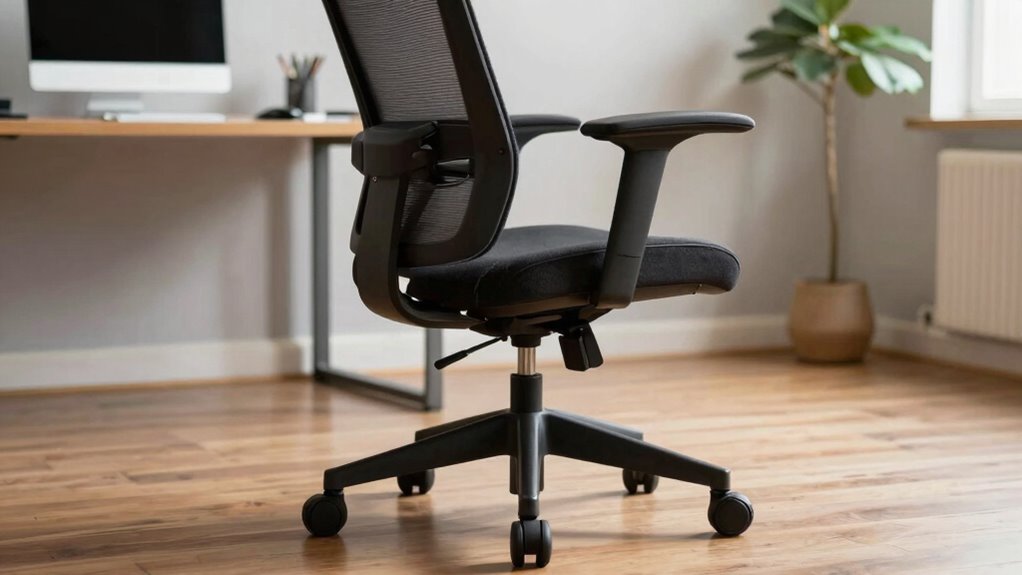

Most people skip the proper order when adjusting their office chair, causing discomfort and long-term issues. Start by setting the chair height so your feet rest flat and knees are at 90 degrees. Next, adjust the lumbar support to fit your lower back and find a comfortable tilt and seat depth. Adjust armrests to support your arms without raising your shoulders. Finally, position your monitor and keyboard at eye level and make sure your wrists stay straight. If you continue, you’ll discover how to optimize each step for lasting comfort.

Get the little things that make your day delivered free — and shop member deals
- Fast, free delivery on millions of items
- Access to Prime Big Deal Days deals on October 6–7
- Prime Video, Amazon Music and more included
Key Takeaways
- Prioritize chair height adjustment to ensure feet rest flat and knees are at 90 degrees before other settings.
- Proper lumbar support positioning prevents slouching and maintains spinal alignment during prolonged sitting.
- Adjust seat tilt, recline, and depth for optimal back support and circulation, avoiding excessive recline or pressure.
- Set armrests to support arms without raising shoulders, promoting relaxed and ergonomic arm positioning.
- Verify monitor and keyboard placement at eye level and with straight wrists, then perform a sit test for final ergonomic adjustments.
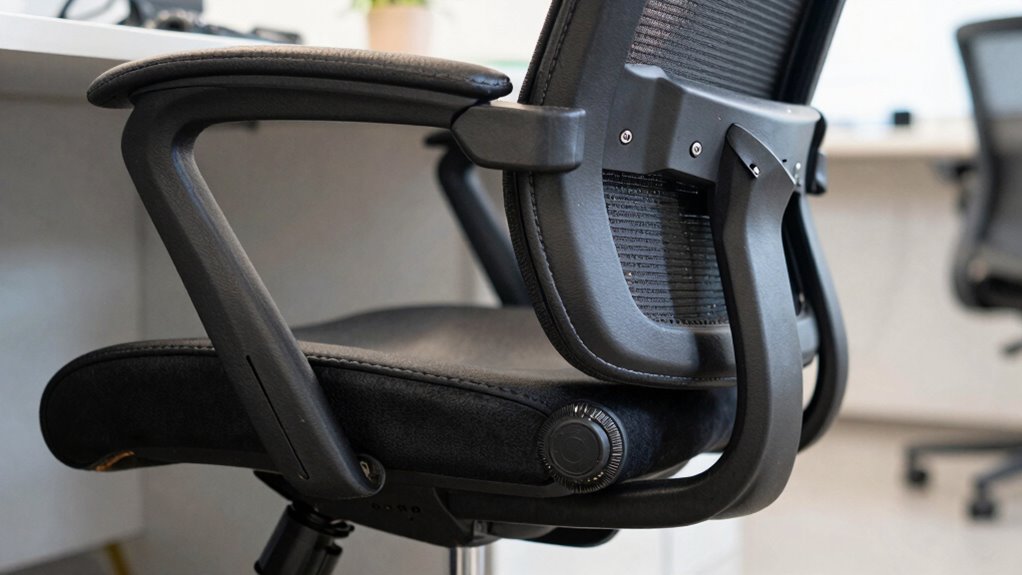
Adjusting your office chair properly is essential for comfort and productivity, yet many overlook the right sequence. When you sit down, it’s tempting to make quick adjustments to get comfortable, but skipping a proper order can lead to discomfort and even long-term health issues. To truly benefit from your office chair, you need to follow a specific sequence that prioritizes ergonomic posture and proper lumbar support.
Start by adjusting the height of your chair. Your feet should rest flat on the floor, with your knees bent at roughly a 90-degree angle. If your feet don’t reach the ground, use a footrest. This step ensures your hips are in the right position, which is the foundation for ergonomic posture. Once your height is set, move on to adjusting the lumbar support. Many chairs have built-in lumbar adjustments; if yours does, position the support so it fits snugly in the curve of your lower back. Proper lumbar support prevents slouching and reduces stress on your spine, which is vital for maintaining ergonomic posture throughout the day.
Next, adjust the tilt and recline of your chair. Find a position that allows your back to rest comfortably against the backrest while keeping your hips and knees aligned. A slight backward tilt can help reduce pressure on your lower back, but avoid excessive recline that might cause you to lean forward or strain your neck. Ensuring your ergonomic posture is correct is key to preventing discomfort over time. It’s also helpful to check that the seat depth allows a small gap between the edge of the seat and behind your knees, providing additional comfort. Proper seat adjustment can also help prevent pressure points and improve circulation during long periods of sitting. After this, fine-tune the armrests. They should support your arms without raising your shoulders or forcing your elbows into an awkward angle. Proper armrest height helps prevent shoulder tension and encourages relaxed, ergonomic posture.
Finally, check your monitor and keyboard placement. Your monitor should be at eye level, directly in front of you, to prevent neck strain. Your keyboard and mouse should be positioned so your wrists remain straight and your elbows stay close to your body. Once everything is aligned, do a quick sit test. Sit back in your chair and check if your back is supported, your feet are flat, and your shoulders are relaxed. If not, make small adjustments as needed.
ergonomic office chair with adjustable lumbar support
As an affiliate, we earn on qualifying purchases.
As an affiliate, we earn on qualifying purchases.
Frequently Asked Questions
How Often Should I Readjust My Office Chair During the Day?
You should readjust your office chair every couple of hours, especially if you’re moving around or changing tasks. This helps maintain ergonomic comfort and prevents strain. Keep ergonomic accessories like lumbar support handy, and make certain your office layout supports easy adjustments. Regularly reassessing your chair position ensures you’re seated properly, reducing discomfort and improving productivity throughout the day. Don’t forget to take short breaks to stretch and reset your posture.
Are There Specific Signs My Chair Is Improperly Adjusted?
A sign your chair is improperly adjusted is discomfort or pain after sitting, which may seem minor but affects your ergonomic benefits. Don’t buy into adjustment myths that your chair is fine without proper setup. If your feet don’t rest flat on the floor, your lower back aches, or your arms aren’t at desk height, it’s time to recheck and adjust. Remember, a well-adjusted chair keeps you comfortable and productive all day.
Can Incorrect Chair Adjustments Cause Long-Term Health Issues?
Yes, incorrect chair adjustments can cause long-term health issues. Poor ergonomic benefits from improper setup may lead to chronic back, neck, and shoulder pain, as well as repetitive strain injuries. When your chair isn’t adjusted for proper posture correction, it puts unnecessary stress on your spine and muscles. Over time, this can result in lasting discomfort and health problems. Ensuring your chair is correctly adjusted supports better posture and overall well-being.
What’s the Best Way to Remember Proper Adjustment Steps?
Ever imagine your body thanking you for proper support? To remember your adjustment steps, create an ergonomic tips routine or a quick adjustment checklist that you review daily. Keep this checklist handy, like on your desk or digital device, so you’re prompted each time you sit. Repetition builds muscle memory, ensuring you adjust your chair correctly every time, preventing discomfort and long-term health issues.
Do Different Chair Brands Have Unique Adjustment Procedures?
Yes, different chair brands often have unique adjustment procedures due to brand-specific ergonomics and design features. You’ll find adjustment customization varies, requiring you to familiarize yourself with each brand’s specific controls. To get the most comfort, read the user manual carefully, and practice the adjustments. This way, you guarantee your chair fits your body perfectly, reducing strain and improving your overall ergonomic setup.
height adjustable office chair with footrest
As an affiliate, we earn on qualifying purchases.
As an affiliate, we earn on qualifying purchases.
Conclusion
By following the proper adjustment sequence, you’ll reveal the secret to sitting like royalty—comfortable, supported, and ready to conquer your day. Think of your office chair as a trusty steed; when tuned just right, it’ll carry you smoothly through your tasks without a hitch. Don’t let this simple sequence be the forgotten map to comfort—embrace it, and turn your workspace into a throne room where productivity reigns supreme.
ergonomic armrest pads for office chairs
As an affiliate, we earn on qualifying purchases.
As an affiliate, we earn on qualifying purchases.
monitor stand for ergonomic setup
As an affiliate, we earn on qualifying purchases.
As an affiliate, we earn on qualifying purchases.
Fall Picks
fall essentials
As an affiliate, we earn on qualifying purchases.