To avoid spaghetti prints during prototype 3D printing, make certain your filament is dry, your bed is well-leveled, and your extruder is properly calibrated. Use supports for overhangs, optimize your print speed and temperature, and select the right filament type for your project. Carefully preview your models for overhangs and adjust orientation for minimal supports. Following these steps helps prevent tangled, stringy prints—stick with us to learn more about perfecting your prototypes.
Key Takeaways
- Ensure proper filament storage and use high-quality, dry filament to prevent moisture-related clogs and stringing.
- Calibrate the extruder and bed thoroughly to maintain consistent extrusion and strong bed adhesion.
- Adjust print speed, temperature, and layer height to optimize filament flow and reduce overhang sagging.
- Use software to identify overhangs exceeding 45° and add supports only where necessary.
- Regularly maintain and clean the extruder, and monitor printing environment for optimal conditions.
Why Do Spaghetti Prints Happen and How They Mess Up Your Projects

Spaghetti prints often happen when your 3D printer’s extruder moves erratically, causing the filament to string and tangle instead of depositing clean layers. Poor filament quality can lead to inconsistent melting and extruding, making it harder to control the flow. If the filament isn’t of good quality, it may clog or cause uneven extrusion, increasing the risk of spaghetti. Additionally, if your print bed doesn’t have proper adhesion, the model can shift or warp during printing, causing the extruder to make unpredictable movements. This lack of stability makes it difficult for the printer to follow precise paths, resulting in spaghetti messes. Ensuring high filament quality and solid print bed adhesion are essential steps to prevent these issues and keep your prototypes neat and accurate. Being aware of ethical considerations in material choices and printing practices can also help you make responsible decisions about the environmental impact of your prototypes. Moreover, using proper calibration techniques can significantly reduce the occurrence of spaghetti prints by improving overall print accuracy. Regular maintenance and monitoring print conditions can further help in avoiding these frustrating printing errors. Additionally, understanding the role of temperature control can help optimize filament flow and reduce stringing problems.
How to Prepare Your Models to Avoid Spaghetti Failures

To prevent spaghetti failures, start by simplifying complex geometries in your model; intricate details can cause your print to tangle. Always check for overhangs that might need supports or design adjustments, as unsupported angles can lead to stringing. By addressing these points before printing, you’ll improve your chances of a smooth, successful prototype.
Simplify Complex Geometries
When preparing complex models for 3D printing, simplifying geometries is vital to prevent failures and guarantee successful fabrication. Complex geometry can lead to unstable prints, excessive support needs, and spaghetti-like results. To avoid this, focus on design simplification by reducing intricate details, unnecessary features, and overly thin walls. Break down complex shapes into manageable sections or use chamfers and fillets to smooth out sharp angles. Removing non-essential elements helps improve print stability and reduces print time. Simplification also makes your model easier for the printer to handle, decreasing the risk of layer misalignments or print failures. Additionally, considering free floating structures ensures your design remains stable during printing, preventing collapse or warping. Remember, a streamlined design not only enhances print quality but also saves you time and material, ensuring your prototype is both functional and reliably produced.
Check for Overhangs
Have you checked your model for overhangs before printing? Overhangs are areas where the filament extends beyond the previous layer, risking spaghetti-like failures if unsupported. To prevent this, examine your model’s overhang angles; angles greater than 45° often need support structures. Using software tools, identify these problematic zones and add supports accordingly. Supports provide a temporary foundation for overhangs, ensuring layers print cleanly and accurately. Remember, the goal is to minimize support contact points to reduce post-processing, but enough to prevent sagging or collapsing. Always preview your sliced model to spot overhang issues early. Preparing your model with proper support structures and understanding overhang angles helps avoid messy prints and saves you time troubleshooting later. Additionally, understanding the importance of support structures can significantly improve your print quality and reduce errors, especially when considering the impact of print orientation on support needs. Being aware of print parameters such as temperature and layer height can also enhance your success rate in printing complex models. Moreover, familiarizing yourself with model design considerations can further help in minimizing overhangs and supports needed.
Choosing the Best Filament Types for Reliable 3D Printing

Selecting the right filament type is essential for guaranteeing reliable 3D printing results. To avoid issues like warping or weak prints, focus on filament strength, which determines how durable your prototype will be. For example, ABS offers high strength and impact resistance, making it suitable for functional parts, while PLA is easier to print and ideal for detailed prototypes. Equally important is material compatibility; ensure the filament works well with your printer’s hotend and build surface. Some filaments, like PETG, combine strength with ease of use, but may require specific settings. Choosing the correct filament for your project’s needs helps prevent print failures and guarantees your prototypes are both accurate and reliable. Always match filament properties with your printer’s capabilities for optimal results.
How to Set Up Your Printer to Prevent Tangled Prints
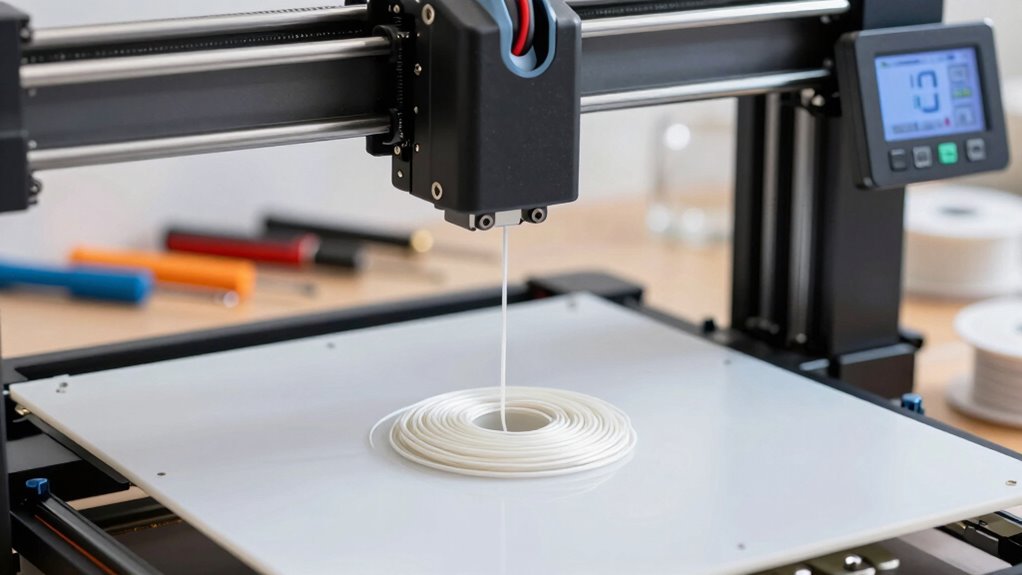
Tangled prints often result from improper filament feeding or inadequate setup, which can cause frustration and wasted material. To prevent this, start with proper filament storage—keep filament in a dry, airtight container to avoid moisture that can cause jams. Next, verify your nozzle is calibrated correctly; a misaligned nozzle can lead to uneven extrusion and tangles. Check that the filament spool spins freely without resistance, reducing tension that might cause tangling. Also, keep your filament path clear and free of knots. Regularly inspect and clean your extruder gear and filament guide. Incorporate these steps to improve filament flow and setup consistency, reducing the risk of spaghetti prints. Proper storage and calibration are key to smooth, successful 3D printing.
Fine-Tuning Print Settings: Layer Height, Speed, and Temperature
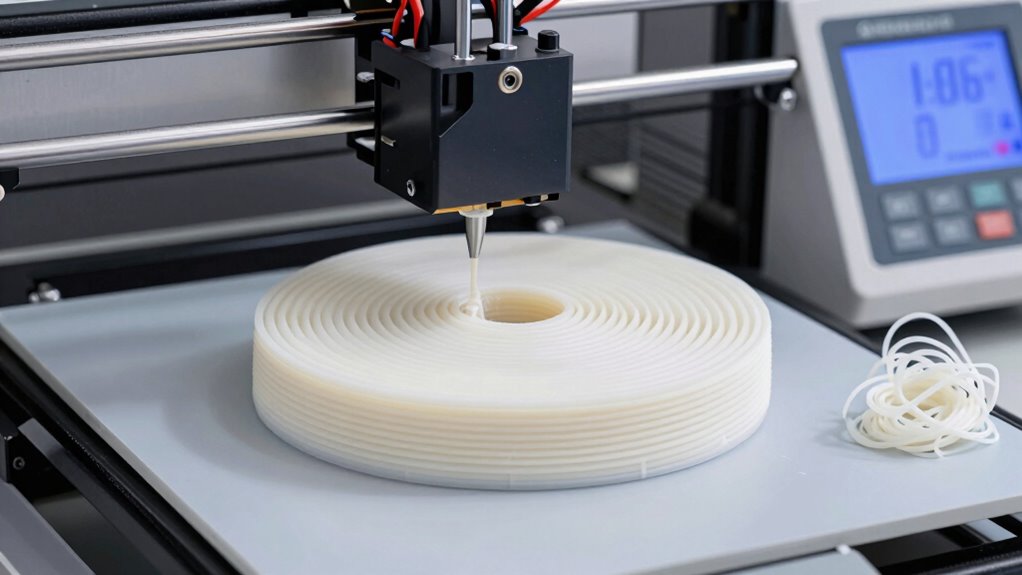
Adjusting your print settings is key to achieving high-quality prototypes. You’ll want to find the ideal layer height, control your print speed, and set the correct temperature for your filament. Getting these just right ensures smooth surfaces and strong, accurate parts. Additionally, selecting the right filament type can significantly impact the final quality of your print.
Optimal Layer Height
Choosing the right layer height is essential for achieving high-quality 3D printed prototypes. It affects surface detail, strength, and print time. For fine details, use a smaller layer height, but remember it increases print duration and uses more filament. Larger layers speed up printing but may sacrifice detail. Keep in mind that support structures work better with ideal layer heights, reducing post-processing effort. Proper filament storage prevents moisture absorption, which can cause uneven layering or spaghetti prints. Adjusting layer height also helps in minimizing issues related to over-extrusion or under-extrusion. When fine-tuning, experiment with different settings to find the perfect balance. This ensures your prototype maintains accuracy and structural integrity while avoiding common pitfalls like support failures or filament jams. Additionally, proper layer calibration ensures consistent quality and reduces the likelihood of print defects. Paying attention to print environment conditions such as temperature and humidity can further improve print results and prevent issues like warping or layer separation. Furthermore, monitoring microplastics in dust and other airborne particles in your workspace can help maintain a cleaner printing environment, reducing the risk of defects caused by contaminants.
Adjusting Print Speed
To achieve ideal print quality, you need to fine-tune your print speed alongside layer height and temperature. Adjusting your print speed directly impacts print bed adhesion and overall detail. If you print too fast, layers may not bond properly, risking spaghetti prints. Slowing down allows better filament bonding and improves detail, especially for complex prototypes. Proper filament storage guarantees your filament remains dry, preventing inconsistent extrusion that can affect speed and adhesion. Experiment with moderate speeds, typically between 40-60 mm/s, and observe how your printer handles different settings. Keep an eye on your print bed adhesion; a secure first layer prevents warping and minimizes errors. Fine-tuning these parameters helps you avoid spaghetti prints and produces clean, precise prototypes.
Correcting Temperature Settings
Since temperature directly influences filament flow and bond strength, guaranteeing your printer’s temperature settings are accurate is essential for high-quality prototypes. Proper temperature control prevents issues like spaghetti prints or weak layer adhesion. To optimize, start with your filament storage: keep filaments dry and properly stored to avoid inconsistent extrusion. Next, perform nozzle calibration regularly to ensure accurate temperature readings. Adjust your print temperature based on filament type and manufacturer recommendations, and fine-tune as needed. Remember, small changes can make a big difference in print quality. Monitor your prints closely and make incremental adjustments to temperature, ensuring your filament flows smoothly without over-melting or under-melting. Correct temperature settings lead to cleaner, stronger, and more precise prototypes.
Troubleshooting Common Causes of Spaghetti Prints During Printing

Spaghetti prints occur when your 3D print’s extruded filament becomes tangled or misplaced, resulting in a messy, stringy appearance. One common cause is poor filament storage, which can cause moisture absorption, making filament swell and clog the nozzle. Make certain your filament is dry and stored in a sealed container. Proper filament storage and maintenance can significantly reduce these issues. Another issue is print bed adhesion; if your print isn’t sticking well, the extruder might shift or wobble, leading to tangled filament. Double-check that your bed is level and clean, and use appropriate adhesion aids like a glue stick or painter’s tape. Additionally, inconsistent extrusion or retraction settings can cause stringing. Regularly inspect your filament spool for tangles and make sure your print bed provides a stable foundation, both of which of the critical importance in preventing spaghetti-like messes. Ensuring your extruder is properly calibrated and maintaining consistent extrusion settings can also help prevent these problems. Furthermore, understanding filament quality and choosing the right type for your project can improve print reliability and prevent common issues like spaghetti prints. Proper nozzle maintenance and ensuring the extruder is free of clogs are also crucial steps to achieve cleaner prints.
Post-Print Checks and Adjustments to Improve Future Results

After completing a 3D print, it’s essential to perform a series of checks to identify any issues and plan improvements for your next project. First, examine your print for surface imperfections, warping, or layer inconsistencies. Next, evaluate the material selection, ensuring you used the right filament for your application. Consider applying post processing techniques like sanding, smoothing, or painting to enhance the finish. Also, check for dimensional accuracy and structural strength to meet your prototype’s requirements. To improve future results, you might adjust print settings, switch to more suitable materials, or refine your post print techniques. Incorporating quality control measures can help you learn from each print, reduce errors, and produce cleaner, more precise prototypes aligned with your project goals. Additionally, reviewing your print environment conditions can significantly impact the consistency and quality of your results. Ensuring proper temperature and humidity control in your workspace can further enhance print reliability and finish quality.
Expert Tips to Keep Your Prints Clean and Precise

Maintaining cleanliness and precision in your 3D prints starts with careful preparation and ongoing attention during the printing process. First, ensure your filament material is compatible with your printer and suited for your project—using incompatible materials can lead to issues like stringing or warping. Regularly calibrate your printer to maintain accurate extrusion and bed leveling; miscalibration often results in messy, uneven prints. Keep your print bed clean and free of debris to prevent adhesion problems that cause messiness. Adjust print settings such as temperature, speed, and retraction based on your filament type to improve detail and reduce stringing. Monitoring your print closely allows you to catch issues early, ensuring your prototypes come out clean and precise every time. Paying attention to print environment conditions, such as temperature and drafts, can also significantly improve overall print quality. Additionally, using proper filament storage can prevent moisture absorption that affects print quality.
Frequently Asked Questions
What Are the Signs That a Print Is About to Turn Into Spaghetti?
You’ll notice your print is about to turn into spaghetti if it starts to lift from the print bed or shows poor adhesion early on. Also, inconsistent filament diameter can cause irregular extrusion, leading to tangled, stringy prints. Keep an eye on the first few layers, ensuring good bed adhesion and filament consistency. If you see warping or uneven lines, stop and adjust settings before spaghetti chaos takes over.
How Often Should I Calibrate My 3D Printer for Optimal Results?
You should calibrate your 3D printer regularly, ideally after every 10-20 prints or weekly if used frequently. Consistent calibration ensures maximum results by maintaining precise layer alignment and extrusion. Keep an eye on print quality; if you notice issues like uneven layers or poor adhesion, it’s time for an ideal calibration. Regular checks help prevent spaghetti prints and keep your printer running smoothly.
Can Environmental Factors Affect Print Quality and Cause Spaghetti Issues?
Yes, environmental factors like filament humidity and ambient temperature can influence your print quality and cause spaghetti issues. Humid filament tends to bubble and string, leading to messy prints, while fluctuating temperatures can cause warping and poor layer adhesion. To avoid this, store filament in a dry place and keep your print environment stable. Proper calibration and maintaining consistent conditions help ensure smooth, successful prints every time.
What Maintenance Routine Helps Prevent Tangled Filament or Print Failures?
Did you know that improper maintenance causes over 60% of print failures? To prevent tangled filament and spaghetti prints, you should regularly clean your nozzle to avoid clogs and guarantee smooth extrusion. Proper filament storage, like keeping spools in sealed containers away from humidity, also helps prevent jams. Make it a routine to check these aspects before each print, and you’ll reduce failures and achieve cleaner, more precise results.
Are There Specific 3D Printer Models Better Suited for Beginner Users?
You’ll want to choose beginner-friendly printers that prioritize user interface simplicity, making your first projects smoother. Models like the Creality Ender 3 V2 or the FlashForge Finder are excellent choices because they’re easy to set up and operate. These printers often feature intuitive controls and clear instructions, helping you avoid common issues like tangled filament or spaghetti prints. Starting with a straightforward, user-friendly device facilitates your confidence and ensures successful prototypes.
Conclusion
Remember, a well-prepared print is like a sturdy foundation—without it, everything can collapse. By understanding why spaghetti prints happen and taking proactive steps, you can turn chaos into precision. Don’t forget, practice makes perfect, and patience is key. Keep refining your setup and settings, and you’ll soon see your projects come out clean and professional. After all, as the saying goes, “A stitch in time saves nine”—investing effort upfront saves headaches later.