

You might think faster internet alone guarantees good call quality, but that’s not enough. QoS settings prioritize your voice and video traffic over less critical activities, like downloads or streaming, ensuring your calls stay clear and connected even during busy times. Without QoS, network congestion can cause lag, dropped calls, or echoes. Understanding how proper QoS configuration makes a difference can help you keep your calls smooth and dependable—more details await those who explore further.

Get the little things that make your day delivered free — and shop member deals
- Fast, free delivery on millions of items
- Access to Prime Big Deal Days deals on October 6–7
- Prime Video, Amazon Music and more included
Key Takeaways
- QoS prioritizes real-time voice and video traffic, ensuring call quality even during network congestion.
- Raw internet speed doesn’t control traffic flow; QoS manages bandwidth for critical calls.
- QoS reduces latency, jitter, and packet loss, which raw speed alone cannot address.
- Without QoS, background activities can interfere with calls, causing dropouts and poor clarity.
- Proper QoS configuration guarantees reliable, uninterrupted communication regardless of overall internet speed.
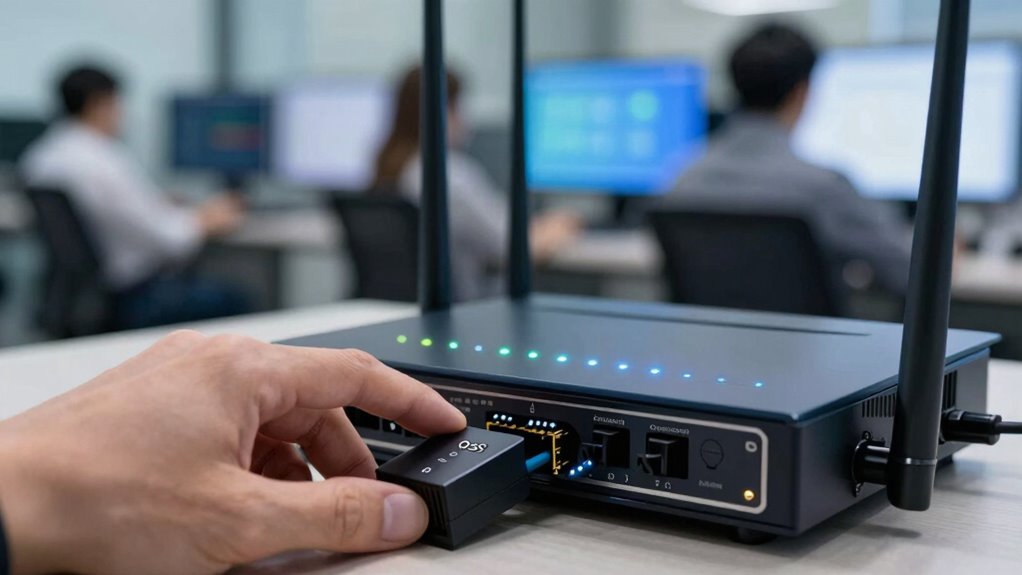
Have you ever experienced dropped calls or choppy audio during important conversations? It’s frustrating, especially when you’re trying to get work done or catch up with loved ones. Sometimes, it’s tempting to focus solely on increasing your internet speed, thinking that faster downloads and smoother streaming will solve everything. But the truth is, raw internet speed isn’t the only factor that matters for clear, uninterrupted calls. That’s where Quality of Service (QoS) settings come into play, specifically through techniques like network prioritization and traffic shaping.
Prioritizing voice and video traffic with QoS keeps calls clear, even on slower internet connections.
When you set up QoS on your network, you’re fundamentally telling your router which types of traffic are most important. For calls, that means prioritizing voice and video data over less critical activities like downloads or background updates. Network prioritization ensures that your voice packets always get the bandwidth they need, even when your network is busy. This way, your calls won’t get bogged down by high-volume file transfers or streaming videos. Traffic shaping, on the other hand, manages how bandwidth is allocated, smoothing out traffic flow to prevent congestion. It prevents your network from becoming overwhelmed, ensuring that your voice data gets a smooth, steady flow, regardless of other network activity.
Without these QoS features, all traffic is treated equally by your router. During peak usage times or when multiple devices are connected, critical calls can suffer. You might notice audio dropouts, lag, or echoes that disrupt your conversations. By configuring network prioritization, you tell your network to treat real-time communication data as high priority. Traffic shaping then fine-tunes this process, making sure that even if someone starts downloading a large file or streaming 4K video, your call quality stays intact. Additionally, understanding how QoS settings work can help you optimize your entire network’s performance for all kinds of online activities. Furthermore, the traffic management provided by QoS can reduce overall network congestion, leading to a more reliable connection for all users. Properly configuring bandwidth allocation ensures that your network resources are used efficiently, preventing bottlenecks during critical moments. Implementing these settings can also contribute to a better overall user experience, especially during high-demand periods on your network.
In addition, understanding the importance of traffic prioritization can help you make smarter decisions about your network setup, ensuring that essential services like calls are always given precedence. More than raw internet speed, it’s the intelligent management of traffic that keeps your calls clear. QoS settings don’t just improve call quality—they optimize your entire network experience by reducing latency, jitter, and packet loss during voice or video calls. This way, when the moment counts, your network is prepared to deliver a seamless, interruption-free conversation. Prioritizing your calls with proper QoS configuration makes all the difference, even if your internet connection isn’t the fastest available.
As an affiliate, we earn on qualifying purchases.
Frequently Asked Questions
Can Qos Settings Fix All Call Quality Issues?
QoS settings can’t fix all call quality issues, but they markedly improve your experience. They prioritize voice traffic during network congestion and optimize bandwidth allocation, reducing delays and jitter. However, issues like poor Wi-Fi signal or hardware problems still affect call quality. So, while QoS helps manage traffic effectively, you should also check your network infrastructure and device health for the best results.
Do Qos Settings Impact Video Streaming Performance?
Think of your network as a busy highway. QoS settings, like traffic cops, direct data flow through bandwidth prioritization and traffic shaping, ensuring critical traffic gets through smoothly. These settings do impact video streaming performance by prioritizing streaming traffic during peak times, reducing buffering. So, yes, proper QoS configuration can greatly improve your streaming experience, preventing interruptions and buffering by managing your network’s traffic more efficiently.
How Often Should Qos Configurations Be Updated?
You should update QoS configurations whenever your network experiences significant changes, like new devices or increased network congestion. Regular updates guarantee your QoS settings prioritize voice calls effectively, especially if device compatibility shifts or new gadgets are added. Keeping your QoS rules current helps maintain call quality, prevents lag, and manages network traffic efficiently, making sure your essential communications stay clear despite evolving network demands.
Are Qos Settings Necessary for Mobile Calls?
QoS settings are like traffic cops for your mobile calls, so they’re definitely necessary. They prioritize mobile bandwidth for voice calls over other data, ensuring clear sound and fewer dropped calls. Signal interference or congestion can cause disruptions, but QoS helps manage this by giving calls a higher priority. So, without QoS, your mobile calls could suffer from poor quality, especially in busy areas or when network conditions aren’t ideal.
Can Qos Prevent All Types of Network Lag During Calls?
QoS can greatly reduce network lag during calls, but it can’t prevent all types. By prioritizing voice traffic through network prioritization and bandwidth management, QoS guarantees your calls get the necessary resources. However, issues like signal interference, device limitations, or network congestion outside QoS control can still cause lag. So, while QoS improves call quality, it doesn’t guarantee a lag-free experience in every situation.
network traffic prioritization device
As an affiliate, we earn on qualifying purchases.
As an affiliate, we earn on qualifying purchases.
Conclusion
So, next time your call drops or lags, remember that prioritizing QoS settings can make all the difference. Isn’t staying connected with loved ones or colleagues worth a little extra effort? By tuning your network for calls, you’re ensuring smooth conversations and fewer frustrations. Don’t let your internet mishaps steal those important moments—take control now. After all, isn’t clear, uninterrupted communication worth prioritizing over just faster internet speeds?
quality of service network switch
As an affiliate, we earn on qualifying purchases.
As an affiliate, we earn on qualifying purchases.
As an affiliate, we earn on qualifying purchases.
NFL season / tailgating Picks
team gear
As an affiliate, we earn on qualifying purchases.