
TL;DR
Prebuilt AI workstations now often match or beat DIY on price, with the added benefits of validated thermals, warranties, and quick deployment. Building offers customization but requires time, expertise, and risk management. Your choice hinges on your priorities—speed versus control.
Imagine you need a powerful AI workstation yesterday. Do you assemble it yourself, or buy a ready-made machine? This isn’t just about saving a few bucks anymore. The landscape shifted with rising component costs, supply chain hiccups, and AI-specific tech needs. Your decision now hinges on more than just price—it’s about speed, reliability, and control.
In this guide, you’ll see exactly when to choose a prebuilt, when building makes sense, and how the heat and noise challenge changes the game. It’s a fresh look at a question that’s now more nuanced than ever.
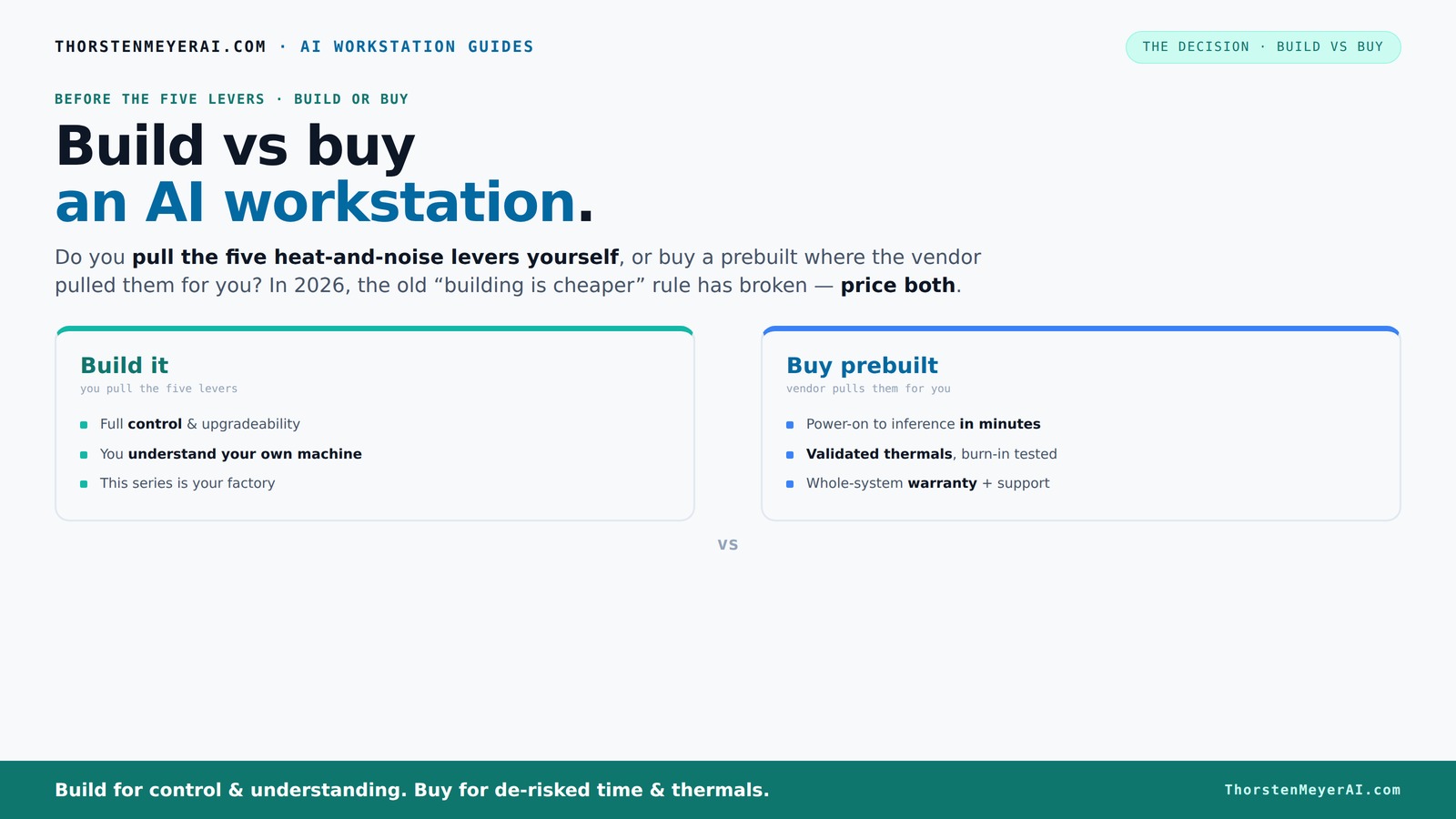
Build vs buy
an AI workstation.
The real question behind this whole series: do you pull the five heat-and-noise levers yourself, or buy a prebuilt where the vendor pulled them for you? And in 2026, the old “building is cheaper” rule has broken. Match your situation in Part 3.
Key Takeaways
- Component shortages and rising prices mean prebuilt AI workstations can match or beat DIY costs today.
- Prebuilts handle thermal tuning and noise reduction at the factory, saving you time and effort.
- Building offers maximum control, customization, and future upgradeability, ideal for enthusiasts.
- Quick deployment and support make prebuilts attractive for teams or users who need immediate setup.
- Always compare prices for your specific configuration before deciding—don’t assume build is cheaper.
As an affiliate, we earn on qualifying purchases.
Why the old rule — build is always cheaper — no longer holds in 2026
Building your own AI workstation used to be the no-brainer for saving money. Now, the rising costs of high-end GPUs, DDR5 RAM, and SSDs have flipped the script. A DIY rig that once cost $1,000 now often hits $1,250 or more, thanks to shortages and inflated prices.
Meanwhile, prebuilt vendors like Lambda and BIZON negotiated bulk deals before the component rush. They can offer ready-to-go systems at prices that challenge DIY parts totals. So, the old "build for less" mantra doesn’t hold water anymore. Instead, you need to compare actual prices for your specific setup, right now.
Beyond cost, consider the time and effort involved in building—troubleshooting hardware compatibility, BIOS settings, and thermal management. These factors can turn what seems like a savings into a costly delay or compromise on performance. Therefore, the decision becomes more about value and convenience rather than just initial cost.
As an affiliate, we earn on qualifying purchases.
The real heat is on: who pulls the five levers for cooling and noise?
When you’re running AI workloads, heat and noise become the constant companions. A prebuilt vendor handles these levers: they validate thermal performance, tune fan curves, and often include water-cooling options. For example, BIZON claims systems with "up to 30% lower noise and temperature" after factory tuning.
This factory validation isn’t just about comfort—it’s critical for maintaining hardware longevity and consistent performance. Overheating or excessive noise can lead to thermal throttling, reducing compute power exactly when you need it most, or even hardware failure over time. Prebuilts thus often strike a balance optimized for performance and durability, saving you the guesswork and trial-and-error tuning.
On the other hand, if you build your own, you become the thermal engineer: choosing cooling solutions, airflow layouts, and fan curves. While this offers the potential for quieter, more efficient systems tailored to your environment, it also introduces complexity and risk. Poor airflow or insufficient cooling can cause thermal throttling, which hampers training speed, or hardware damage. The tradeoff is control versus certainty—prebuilts offer tested solutions, while DIY requires expertise and ongoing adjustments.
high performance AI workstation build
As an affiliate, we earn on qualifying purchases.
As an affiliate, we earn on qualifying purchases.
Comparison table: Build vs Buy for AI Workstations
| Feature | Build Your Own | Buy Prebuilt |
|---|---|---|
| Cost | Often cheaper on parts, but depends on skills and time; potential hidden costs for troubleshooting and upgrades | Can be more expensive upfront, but includes assembly, validation, and warranty which mitigate hidden costs |
| Deployment speed | Weeks of sourcing, building, troubleshooting, and testing—delays can add up | Ready to deploy in days, with minimal setup required |
| Thermal and noise tuning | Hand-tune everything, gain deep understanding and customization, but risk misconfiguration | Factory validated, optimized for thermal performance and noise reduction, ensuring stability from day one |
| Customization | Full control over parts, upgrades, and configurations—ideal for specific needs | Limited to vendor options, possible proprietary components, but sufficient for most standard workloads |
| Support & warranty | DIY troubleshooting, no single point of support; support depends on individual parts warranties | Vendor support, warranties up to 5 years, providing peace of mind and quick resolution |
As an affiliate, we earn on qualifying purchases.
When building makes sense: you love control, tinkering, and tailored setups
If you enjoy the process and want a machine exactly tuned to your workload, building is still king. For example, a researcher running custom CUDA kernels or a hobbyist who loves tuning fan curves and undervolting GPUs will find building rewarding. You control every component, from choosing a quiet GPU like the RTX 4090 with 24GB VRAM to selecting a case with optimal airflow.
Plus, if you’re OK with spending extra time and troubleshooting, you can often get better hardware at the same price or less than prebuilt options, especially for specialized configs. Building also allows for easier upgrades down the line, as you’ll know every part intimately.
However, this approach is not just about saving money; it's about the satisfaction of optimizing your system for peak performance and efficiency. It requires patience, research, and a willingness to learn, but for the tech enthusiast, it’s a deeply rewarding process that results in a highly tailored machine that can evolve with your needs.
When a prebuilt is your best shot: speed, support, and validated performance
If you need to start training or running inference yesterday, prebuilt systems shine. They arrive ready with the latest drivers, optimized software stacks, and validated thermals. For instance, Lambda’s AI workstations undergo 24–48 hours of burn-in testing before shipping, reducing your risk of thermal throttling or hardware failure.
This pre-validation process ensures that the system performs reliably under load, providing confidence that your investment will deliver consistent results. It also minimizes setup time, allowing you to focus on your work rather than technical troubleshooting. Support is another big plus. A single vendor handles everything—warranty, troubleshooting, and upgrades—saving you hours of headaches. For busy teams or non-technical users, prebuilt is often the smarter choice because it reduces uncertainty and accelerates project timelines.
Upgradeability and future-proofing: what to watch for
Prebuilts often use proprietary parts or limited upgrade paths, making future upgrades tricky. A custom build with standard ATX components provides a clearer upgrade pathway—more RAM slots, PCIe slots, and accessible power connectors.
For example, a DIY rig with a standard motherboard lets you upgrade GPU or add more RAM easily, extending the lifespan of your investment. Conversely, many prebuilt systems from high-end vendors support upgrades, but they might include proprietary connectors, soldered components, or limited BIOS options that restrict future flexibility. Carefully reviewing upgrade policies and component compatibility before purchase is essential to ensure your system can grow with your needs.
Support, warranty, and peace of mind
Prebuilt systems often come with warranties that cover parts and labor—sometimes up to five years. This makes them attractive for teams that cannot afford downtime. Puget Systems, for example, rigorously tests their systems and offers expert support.
This support not only covers hardware repairs but also troubleshooting and software issues, providing a one-stop solution. DIY builds shift the troubleshooting burden onto you. While you save money on parts, you’ll need to be comfortable diagnosing issues, updating BIOS, or replacing hardware. Support quality can vary wildly, so reading reviews and choosing reputable vendors is crucial for peace of mind. Ultimately, the decision hinges on your comfort level with technical support and your need for uninterrupted productivity.
The final call: which fits your needs?
If rapid deployment, support, and validated stability matter most, a prebuilt AI workstation is often the best choice. It minimizes setup time and reduces risk, especially for teams or users without deep technical expertise. But if you love tinkering, want maximum control, or aim for a specific upgrade path, building your own might still be worth it, offering a tailored experience and potential cost savings for specialized configurations.
Remember, in 2026, the best choice depends on your workload, budget, and appetite for hands-on work. The key is to match your needs to the right approach, not just follow old assumptions.
Frequently Asked Questions
Is it cheaper to build or buy a prebuilt AI workstation?
It depends on current component prices and your technical skills. Recently, prebuilts can be as cost-effective as DIY because of bulk buying and shortages. Always compare real-time prices for your specific setup before deciding.
Which option offers better performance for the money?
Both can deliver similar performance, but prebuilts often include factory-validated thermals and optimized software, which can improve stability under heavy workloads. DIY allows custom tuning but requires expertise.
How much VRAM do I need for AI workloads?
For most local LLMs and inference tasks, 24GB VRAM (like on an RTX 4090 or A100) is a good baseline. Larger models or training may require 48GB or more, which is available on high-end GPUs.
Should I prioritize GPU, CPU, or memory?
For AI, GPU VRAM and compute power usually matter most. However, don’t neglect system RAM—at least 64GB for complex models—and fast SSDs for data loading. Balance depends on your workload.
Are prebuilts easier to upgrade later?
Prebuilts with standard parts offer better upgrade paths, but some vendors use proprietary components that limit future flexibility. Always check upgrade options before buying.
Conclusion
Choosing between build and buy in 2026 isn’t just about price anymore. It’s about what you value most: speed, support, or control. Your ideal setup depends on your workload, skills, and how much time you’re willing to invest.
Remember, the right machine is the one that fits your goals, not just the one that saves a few bucks. So, weigh your options carefully, and don’t be afraid to pick the path that makes you most confident and productive.