
To record better brand videos on your own, focus on simple lighting and sound setups. Use natural light or soften artificial lights at a 45-degree angle to get a professional, flattering look. Choose a quiet space and use a quality mic like a lapel or shotgun to improve audio. Keep your environment clutter-free and stabilize your camera with a tripod or sturdy surface. Small adjustments make a big difference—stick with us to discover more expert tips.

Get the little things that make your day delivered free — and shop member deals
- Fast, free delivery on millions of items
- Access to Prime Big Deal Days deals on October 6–7
- Prime Video, Amazon Music and more included
Key Takeaways
- Use natural light and position it at a 45-degree angle for flattering, professional-looking footage.
- Opt for a stable setup with a tripod or steady surface to keep shots clear and focused.
- Invest in a quality microphone and record in quiet environments to ensure clear, intelligible audio.
- Minimize background distractions by decluttering your space and framing the subject well.
- Edit your videos to add captions, trim unnecessary parts, and enhance lighting and sound for a polished finish.
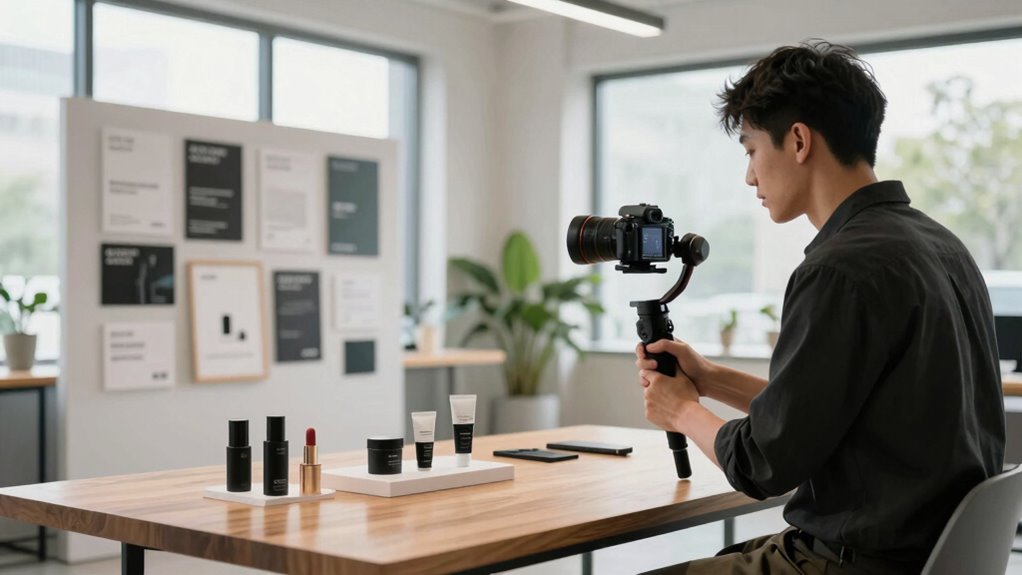
Creating professional-looking brand videos doesn’t require a big crew or expensive equipment. With a few smart adjustments, you can produce content that looks polished and sounds clear, even on a tight budget. The key is to focus on the essentials: lighting techniques and sound quality. These elements dramatically influence how your video is perceived and can be managed effectively without professional help.
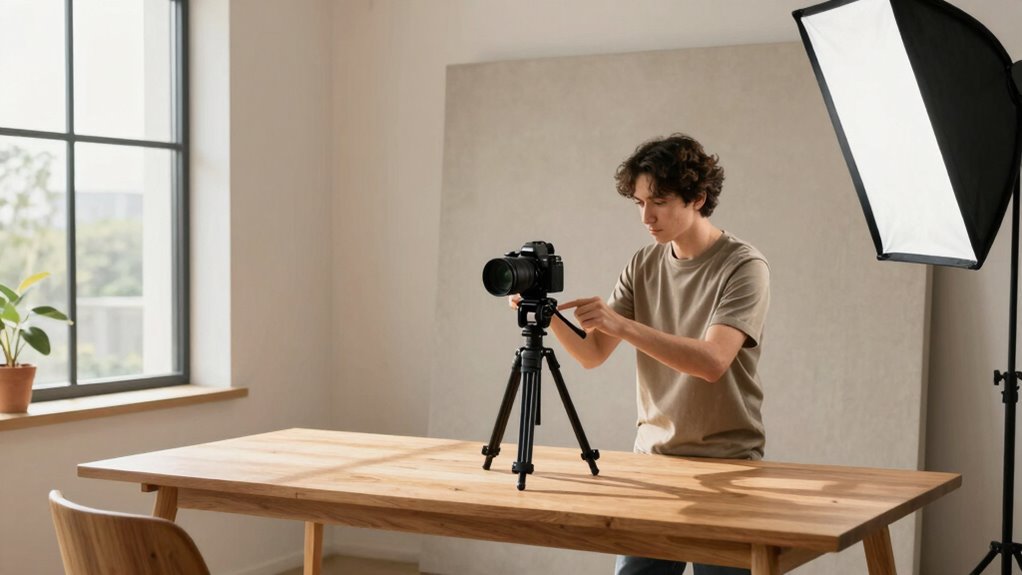
Start with lighting. Good lighting highlights your message and makes your video visually appealing. Natural light is your best friend—shoot during the day near windows or outdoors when sunlight is soft and even. If you’re filming indoors, avoid harsh overhead lights, which can create unflattering shadows. Instead, use soft light sources like lamps with diffusers or even inexpensive ring lights. Position your light source at a 45-degree angle to your face for a flattering, professional look. Experiment with different angles and distances to eliminate shadows or glare. Remember, consistent and balanced lighting enhances the overall quality and keeps your viewer focused on your message, not distractions. Proper lighting setup also helps prevent unwanted shadows and glare, ensuring your video looks professional. Additionally, understanding basic lighting techniques can help you achieve a more natural and appealing look. Practicing these methods can make a significant difference in your video’s overall appearance. Exploring different lighting methods can further improve your results and help you adapt to various filming environments. It’s also helpful to learn about light placement to optimize your setup for different scenes and settings.
Good lighting makes your message clear—use natural light or soft sources at a 45-degree angle for a professional look.
Sound quality often gets overlooked but is equally important. Clear audio ensures your message comes across without confusion or frustration. Use the best microphone you can afford—lapel mics or shotgun mics are excellent choices for capturing focused sound. If you don’t have access to specialized equipment, try to record in a quiet environment, turning off fans, HVAC systems, or any other noisy appliances. Speak directly into the microphone and keep a consistent distance to maintain even audio levels. If background noise is unavoidable, consider using simple noise reduction tools during editing. Good sound quality makes your videos feel more professional and trustworthy, encouraging viewers to stay engaged. Paying attention to audio clarity can greatly enhance your video’s effectiveness. You don’t need a full crew to implement these techniques. Pay attention to your environment—eliminate clutter and background distractions. Use a tripod or stable surface to keep your camera steady, and frame yourself well in the shot. Keep your message concise and authentic to connect with your audience. Editing can further refine your video—add captions, trim unnecessary parts, and correct lighting or sound issues if needed. Remember, the goal is clarity and professionalism, achieved through careful attention to lighting techniques and sound quality. With these simple steps, you can produce compelling brand videos that look and sound great, all on your own.
lapel microphone for smartphones
As an affiliate, we earn on qualifying purchases.
As an affiliate, we earn on qualifying purchases.
Frequently Asked Questions
What Equipment Is Essential for Solo Brand Video Production?
You need a good smartphone or camera with manual controls, a tripod for stability, and a portable microphone to capture clear audio. Lighting essentials like natural light or affordable LED panels help improve quality. These equipment essentials support your brand storytelling by ensuring your videos look professional and authentic. With the right gear, you can effectively share your message, even solo, creating engaging content that resonates with your audience.
How Do I Ensure Good Audio Quality Alone?
Sure, capturing crystal-clear audio solo is a breeze—just ignore background noise and hope for the best, right? Actually, you should invest in soundproofing techniques like foam panels or blankets, and record in a quiet space. Use a good external microphone close to your mouth, and consider a windscreen or pop filter. These steps help eliminate background noise and make your audio professional, even without a crew.
What Lighting Techniques Work Without Professional Help?
You can enhance your lighting with natural light, shooting during the day near windows for soft, even illumination. To control shadows, use DIY reflectors like white poster boards or aluminum foil-backed cardboard to bounce light onto your subject. Position them opposite your light source, and experiment with angles to achieve a professional look. These simple techniques help you get well-lit footage without needing professional equipment or crew.
How Can I Frame Shots Effectively Without a Crew?
You can frame shots effectively by experimenting with different camera angles and framing techniques. Use the rule of thirds to place your subject off-center and create balance. Adjust your height and perspective to add variety, like shooting from a low or high angle. Keep your shots steady with a tripod or stable surface. Planning your composition before filming helps guarantee your shots look professional, even without a crew.
What Editing Tools Are Best for Solo Video Creators?
You should use editing tools like Adobe Premiere Pro, Final Cut Pro, or DaVinci Resolve, which are great for solo creators. These tools help you apply storytelling techniques, like pacing and scene changes, to make your videos engaging. Focus on maintaining branding consistency by using the same colors, fonts, and style throughout. With these tools, you can craft professional-looking videos that effectively communicate your brand message, even solo.
As an affiliate, we earn on qualifying purchases.
Conclusion
By planning your shots, using the right equipment, and staying flexible on set, you can create compelling brand videos without a full crew. Focus on clarity, authenticity, and consistency to make your message stand out. Keep experimenting, keep learning, and keep improving. Because when you prioritize preparation, embrace simplicity, and stay creative, you’ll produce videos that connect, engage, and elevate your brand—every time.
As an affiliate, we earn on qualifying purchases.
As an affiliate, we earn on qualifying purchases.
Fall Picks
fall essentials
As an affiliate, we earn on qualifying purchases.