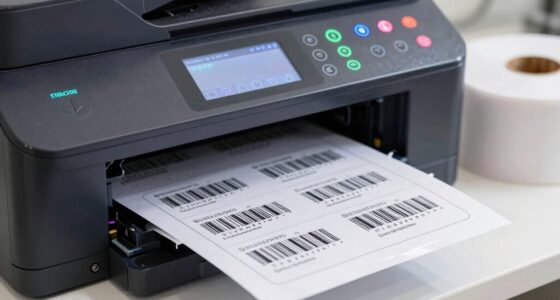
Understanding your printer’s cost per page helps you prevent hidden expenses from draining your budget. Factors like paper quality, printer efficiency, and supply choices can cause costs to spike unexpectedly. By calculating this figure and exploring money-saving technologies and tactics, you can better control expenses. Staying mindful of your printing habits and costs allows you to cut waste and save money long-term. Keep going to discover how to stay in control of your printing costs.
Key Takeaways
- Calculating cost per page involves dividing total printing expenses by total pages printed, revealing true printing costs.
- High paper or toner wastage increases per-page costs, impacting overall budget efficiency.
- Choosing energy-efficient, high-yield cartridges and optimizing printer settings can significantly reduce per-page expenses.
- Regular monitoring of print volumes and costs helps identify inefficiencies and areas for savings.
- Poor paper quality or lack of maintenance can inflate costs, making cost per page a critical budget management metric.
Many businesses overlook the true cost of printing because they focus only on ink and paper prices. However, paper quality substantially impacts your overall expenses. Lower-quality paper often requires more ink saturation to achieve clear images and text, which can lead to increased ink consumption and higher costs over time. Conversely, high-quality paper may cost more upfront but can reduce ink usage by providing better ink absorption, resulting in less wastage. Poor paper quality can cause smudging, jams, and uneven printing, forcing you to reprint and waste resources. Understanding how paper quality affects ink saturation helps you make smarter decisions, ensuring you optimize your printing process without unexpectedly inflating your costs. Additionally, paper quality can influence the longevity and durability of printed materials, affecting their overall value and usability. Selecting the right printing materials is essential to controlling long-term expenses and maintaining professional standards, especially considering that material durability plays a crucial role in cost efficiency over time. Being aware of printing technology can also help you choose equipment that maximizes efficiency and reduces waste, ultimately lowering operational costs.
Why Printer Cost Per Page Matters for Your Budget

Understanding your printer’s cost per page is essential because it directly impacts your overall budget. When you know this number, you can identify areas where costs spike and find ways to cut expenses, saving money in the long run. Additionally, a lower cost per page reduces environmental impact by decreasing waste and energy usage, supporting sustainability goals. It also helps you compare different printing solutions and gear options to choose the most cost-effective options. Monitoring your printing expenses can reveal patterns and help optimize resource allocation. Regularly reviewing these costs can also motivate the adoption of eco-friendly practices, further enhancing environmental benefits. Recognizing the importance of cost management can lead to better financial planning and resource efficiency. It additionally influences employee productivity; if printing costs are high, employees might delay printing or seek alternative methods, slowing workflow. By monitoring and managing your printer’s cost per page, you ensure your budget remains healthy while promoting eco-friendly practices and maintaining smooth operations. Ultimately, understanding this metric helps you make smarter decisions that benefit both your financial health and environmental footprint.
What Factors Make Your Printing Costs Go Up or Down?
Several factors can cause your printing costs to fluctuate, impacting your overall expenses. One major factor is paper quality; thicker or specialty papers often cost more and may require adjustments to your printer settings, increasing per-page costs. Additionally, the type of ink cartridge you use considerably affects costs. Original manufacturer cartridges tend to be more expensive but offer higher quality and efficiency, while refilled or compatible cartridges might lower expenses but can sometimes lead to increased wastage or printer issues. How often you print, the complexity of documents, and your printer’s efficiency also play roles. Being mindful of paper choices and ink cartridge options can help you control costs, ensuring your printing remains budget-friendly without sacrificing quality. Paying attention to printing efficiency can further reduce unnecessary expenses. Incorporating cost-effective printing practices can lead to significant savings over time. Regular maintenance, such as cleaning filters and ensuring proper pump protection, can prevent costly repairs and downtime, ultimately helping you manage your printing budget more effectively. Additionally, understanding your printer’s energy consumption can lead to further savings by reducing utility costs. Detecting passive voice in your writing can also improve clarity and engagement, making your content more compelling.
How to Calculate Your Office Printer Cost Per Page in Simple Steps

To accurately determine your office printer costs, start by calculating the total expenses for a specific period, such as a month or quarter. Add up costs like paper, toner, maintenance, and paper recycling. Next, estimate your total printed pages during that time. To find your cost per page, divide the total expenses by the number of pages printed. Keep in mind toner cartridge longevity, as a longer-lasting cartridge reduces costs over time. Also, consider how paper recycling can lower paper expenses. By tracking these figures regularly, you get a clear picture of your true printing costs. Regular monitoring can also help you identify cost-saving opportunities and manage your budget more effectively. This simple calculation helps you identify savings opportunities and manage your budget more effectively. It’s a straightforward method to keep printing expenses transparent and under control. Additionally, understanding your print volume can help optimize your printer usage and extend equipment lifespan. Being aware of maintenance costs can further improve cost efficiency over time, especially when considering potential warp issues that may arise from prolonged use. Moreover, aligning your printer management practices with software quality assurance principles ensures consistent performance and reduces unexpected breakdowns.
Which Printer Technologies Help You Save Money?

Choosing the right printer technology can markedly reduce your printing costs. Laser printers with high toner efficiency often deliver more pages per cartridge, lowering your cost per page. They use toner, which typically lasts longer and costs less over time compared to ink cartridges. Inkjet printers, while good for color images, tend to have higher ink cartridge replacement costs and lower ink efficiency, making them more expensive for high-volume printing. If your focus is on saving money, opt for monochrome laser printers, which are generally more cost-effective than color models. Additionally, consider printers with features that optimize toner usage and reduce waste. Understanding the odor characteristics of different substances can also help in managing maintenance and ensuring the longevity of your printer components. Proper maintenance practices can further improve toner efficiency and prevent unnecessary expenses. Regularly cleaning your printer’s internal parts and using appropriate cleaning solutions can help maintain optimal print quality and prevent costly repairs. By selecting the appropriate technology, you can significantly cut your printing expenses and improve overall budget efficiency.
Effective Strategies to Lower Your Printer Cost Per Page

To cut your printer costs, start by optimizing its settings for draft or economy mode to use less ink or toner. Next, choose compatible supplies that are designed to work efficiently with your printer, saving you money without sacrificing quality. Implementing these strategies can considerably lower your cost per page and improve your overall printing expenses.
Optimize Printer Settings
Adjusting your printer settings can substantially reduce your cost per page. Start by lowering the print quality to draft or economy mode—this uses less ink or toner without sacrificing readability for everyday documents. Next, pay attention to paper selection; using standard, cost-effective paper suitable for your printer helps minimize waste and reduces expenses. Avoid high-quality or specialty papers unless necessary, as they increase costs without significant benefit. Additionally, disable unnecessary features like double-sided printing if it’s not needed, and set default print options to grayscale when color isn’t required. These small adjustments ensure you’re using resources efficiently, cutting down on ink and paper consumption. Properly optimizing print quality and paper choices directly impacts your overall printer costs and helps maintain your budget.
Use Compatible Supplies
Have you considered how using compatible supplies can substantially cut your printing costs? Switching to compatible supplies is a smart way to improve printer efficiency without sacrificing quality. These supplies are often more affordable than brand-name cartridges, helping you save markedly over time. When you choose compatible supplies, you reduce your per-page costs, directly impacting your budget. Plus, many compatible options are designed to work seamlessly with your printer, ensuring smooth operation and consistent output. By making this switch, you eliminate unnecessary expenses while maintaining print quality. It’s a simple, effective strategy that can lower your overall printer cost per page and keep your printing expenses in check. Don’t overlook compatible supplies—they’re a key factor in smarter, more cost-effective printing.
How to Track and Manage Your Printer Costs Over Time

To keep your printer costs in check, you need to monitor your usage patterns regularly. By analyzing cost trends over time, you can identify areas where you’re overspending. This approach helps you make informed decisions to optimize your printing habits and reduce expenses.
Monitoring Usage Patterns
Tracking your printer usage over time is essential for managing costs effectively. By observing your usage patterns, you can identify periods of high or low print volume and adjust accordingly. Keep a record of how many pages you print daily, weekly, and monthly to spot trends and avoid unnecessary printing. Monitoring print volume helps you determine if employees are printing excessively or if certain departments need stricter controls. Use tools like print management software or built-in device counters to gather accurate data. Regularly reviewing this information allows you to implement targeted cost-saving measures, such as setting print quotas or encouraging double-sided printing. Staying aware of your usage patterns ensures you control expenses and prevent budget overruns caused by unmonitored printing habits.
Analyzing Cost Trends
Analyzing cost trends allows you to identify patterns in your printer expenses over time, helping you make informed decisions to control costs. Track your ink cartridge usage and note how much each replacement costs relative to pages printed. Pay attention to paper quality, as higher-quality paper may increase per-page costs, but could reduce jams and reprints. Monitoring these factors over months reveals whether certain settings or supplies are driving up expenses. Look for fluctuations in ink consumption or paper waste, and adjust accordingly. Regularly reviewing your printing habits helps you spot inefficiencies and optimize usage. This ongoing analysis empowers you to choose cost-effective supplies and settings, ultimately lowering your printer’s overall cost per page and keeping your budget in check.
Conclusion: Putting It All Together to Save on Printing Costs
By understanding the factors that influence printer costs per page, you can make smarter choices to reduce expenses. Focus on optimizing ink replacement habits to avoid unnecessary costs, and stick to recommended maintenance schedules to keep your printer running efficiently. Regular maintenance helps prevent costly repairs and extends the lifespan of your equipment, ultimately lowering your per-page costs. Evaluate your printing needs to select the most cost-effective printer and supplies. Consider high-yield cartridges or toner, which can reduce the frequency of replacements. Keep track of your usage patterns and adjust your approach accordingly. By managing these elements proactively, you’ll cut unnecessary expenses and stay within your budget, ensuring your printing costs stay predictable and manageable over time.
Frequently Asked Questions
How Can I Compare Different Printers’ Cost Efficiency Accurately?
To compare printers’ cost efficiency, you should look at their cost per page, factoring in ink cartridge prices and expected yield. Consider paper quality too, as higher-quality paper can increase costs but might be necessary for professional prints. Test different models, review their ink consumption, and calculate the overall expense per page. This approach helps you identify the most economical printer for your needs, saving you money in the long run.
What Hidden Fees Might Affect My Total Printing Costs?
You might overlook hidden fees like maintenance fees and service contracts that can inflate your total printing costs. Maintenance fees often cover repairs and parts, while service contracts can add ongoing expenses. Always read the fine print and ask vendors about these charges upfront. By accounting for these hidden costs, you guarantee your budget accurately reflects the true expense of your printer, preventing surprises down the line.
Does Color Printing Significantly Increase the Cost per Page?
Yes, color printing substantially increases the cost per page compared to black-and-white printing. When doing a cost comparison, you’ll notice that color ink and toner are more expensive and consume more quickly. If you print mostly text documents, sticking to black-and-white saves you money. Reserve color printing for essential projects, and always check your printer’s cost per page to keep your budget in check.
Can Switching to Refilled or Recycled Toner Reduce Expenses?
Switching to refilled toner or recycled cartridges can markedly slash your printing expenses. By choosing cost-conscious options like recycled cartridges, you save substantial sums and support sustainability. Refilled toner offers a reliable, budget-friendly alternative, reducing the cost per page without sacrificing quality. You’ll find yourself favoring these frugal, eco-friendly choices, transforming printing from a pricey problem into a pocket-friendly, planet-positive practice.
How Often Should I Review My Printer Costs for Optimal Savings?
You should review your printer costs at least quarterly to ensure peak savings. Set a regular monitoring schedule to track expenses, including toner, paper, and maintenance. By doing this, you catch any unnecessary charges early and identify opportunities for cost reductions. A consistent cost review helps you stay on top of your budget, adjust usage habits, and explore more affordable options, ultimately maximizing your savings over time.
Conclusion
Did you know that printing costs can account for up to 3% of your company’s revenue? By understanding and tracking your printer cost per page, you can uncover hidden expenses and make smarter choices. Implementing cost-effective printer technologies and strategies can save you hundreds or even thousands annually. Don’t let hidden printing costs drain your budget—take control today and watch your savings grow!