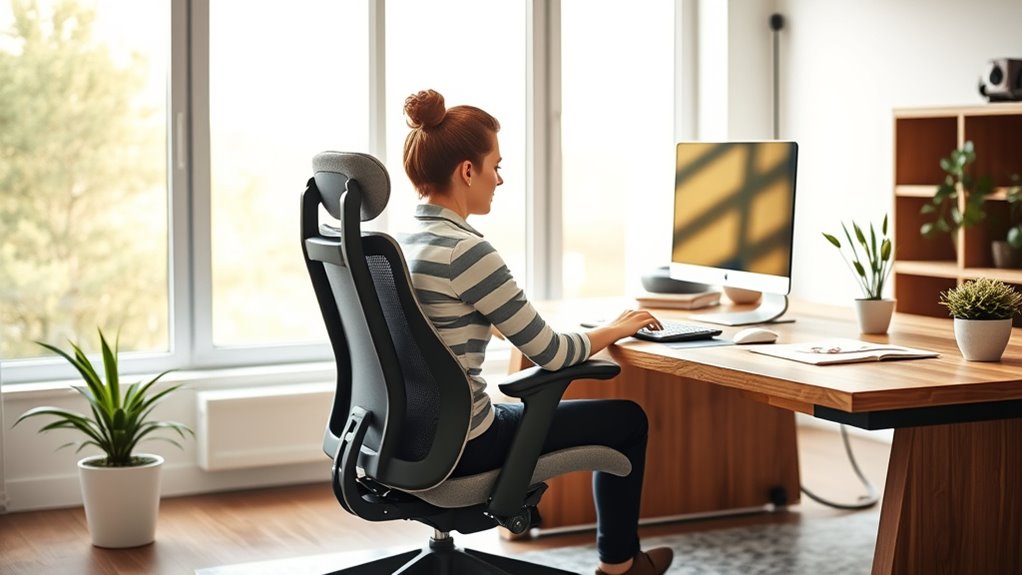

To optimize your workspace for productivity, focus on proper ergonomic setup. Keep your desk at a height that allows your elbows to rest comfortably at 90°, with your monitor directly in front of you at eye level about an arm’s length away. Confirm your keyboard and mouse are positioned to keep your wrists straight, and adjust your chair for good posture. Small changes can make a big difference—keep exploring for more tips to create a healthier, more efficient workspace.
Key Takeaways
- Ensure your desk height allows elbows to rest at a 90° angle for proper posture.
- Position your monitor directly in front, at eye level, about an arm’s length away to reduce neck strain.
- Keep the keyboard level and wrists straight, using wrist rests to prevent fatigue and repetitive stress injuries.
- Arrange all equipment within easy reach to minimize unnecessary movements and promote efficiency.
- Regularly evaluate and adjust your workspace to maintain ergonomic principles and accommodate changing needs.

A well-optimized workspace can considerably boost your productivity and reduce stress. When your environment is set up correctly, you’re less likely to experience discomfort or fatigue, allowing you to focus more on your tasks. One of the key elements in creating an ergonomic setup is paying attention to desk positioning. Your desk should be at a height where your elbows rest comfortably at a 90-degree angle when your hands are on the keyboard. This helps prevent strain in your shoulders and wrists, making long work sessions more manageable. Ensure that your desk surface is large enough to accommodate your monitor, keyboard, and any other equipment without cluttering your space. Keeping everything within easy reach minimizes unnecessary movements, which can lead to discomfort over time.
Equally important is keyboard alignment. You want your keyboard positioned so that your wrists remain straight and relaxed while typing. A common mistake is placing the keyboard too high or too low, which causes you to bend your wrists unnaturally. To avoid this, adjust your keyboard’s height so that your forearms are parallel to the floor, and your wrists stay in a neutral position. You might consider using a wrist rest if your wrists tend to bend upwards during prolonged typing sessions. Proper keyboard alignment not only reduces the risk of repetitive strain injuries but also enhances your typing efficiency. Remember, the goal is to create a natural, comfortable posture that encourages fluid movement and minimizes tension.
In addition, your monitor’s position plays a role in optimizing your workspace. It should be directly in front of you, about an arm’s length away, with the top of the screen roughly at eye level. This alignment prevents neck strain and encourages good posture. When the monitor is correctly positioned, you’re less likely to lean forward or tilt your head, which can cause discomfort over time. Combining this with proper desk positioning and keyboard alignment creates a harmonious setup that supports your body’s natural ergonomics. Paying attention to ergonomic principles can help ensure your workspace promotes comfort and productivity over time.
Finally, don’t forget to evaluate your workspace regularly. Small adjustments, like changing the height of your chair or repositioning your monitor, can make a significant difference. An ergonomic workspace isn’t static; it evolves as you find what works best for your body and workflow. By focusing on desk positioning and keyboard alignment from the start, you lay a solid foundation for a healthier, more productive work environment.
Frequently Asked Questions
How Often Should I Take Ergonomic Breaks During Work?
You should take ergonomic breaks every 30 to 60 minutes during work. During these breaks, do stretching routines to loosen up your muscles and improve circulation. Use posture awareness to guarantee you’re sitting correctly, preventing strain. Stand up, stretch, and move around to reduce fatigue and boost productivity. Regular breaks help maintain comfort, focus, and overall ergonomic health, making your workday more efficient and less stressful.
Can Ergonomic Adjustments Improve Mental Focus and Concentration?
Yes, ergonomic adjustments can boost your mental focus and concentration. When you prioritize posture correction, you reduce physical discomfort, which helps clear your mind. An ergonomic workspace encourages better blood flow and reduces fatigue, leading to improved mental clarity. By adjusting your chair, desk, and monitor to support proper alignment, you create a comfortable environment that keeps you alert and attentive throughout your workday.
What Are Cost-Effective Ways to Improve Workspace Ergonomics?
They say “a penny saved is a penny earned,” and that’s true for workspace ergonomics too. You can make budget modifications like adjusting your chair height or adding DIY ergonomic hacks such as cushion supports or monitor risers. These small, cost-effective changes boost comfort and productivity without breaking the bank. With a little creativity, you’ll create a healthier, more efficient workspace that keeps you focused and comfortable all day long.
How Do I Customize Ergonomic Solutions for Different Body Types?
To personalize ergonomic solutions for different body types, focus on tailored ergonomics by making body-specific adjustments. Adjust your chair height so your feet are flat on the ground, and guarantee your monitor is at eye level to reduce neck strain. Use ergonomic accessories like lumbar supports or footrests adapted to your needs. Remember, listening to your body helps identify what feels comfortable, allowing you to fine-tune your workspace for maximum comfort and productivity.
Are Ergonomic Chairs Suitable for Short-Term Desk Work?
Ergonomic chairs are like a gentle hug for your back, making short-term desk work comfortable and supported. You’ll find chair comfort improves with proper adjustments, especially when aligning your desk height. Even if you’re only working briefly, the right ergonomic chair helps reduce strain, keeps your posture aligned, and makes your workspace feel welcoming. So, yes, they’re suitable, turning even quick tasks into a cozy, productive experience.
Conclusion
Remember, a tidy workspace breeds a tidy mind. By applying ergonomic principles, you not only boost your productivity but also protect your health. Adjust your chair, monitor, and keyboard to fit your body perfectly, and take regular breaks to stay sharp. When your environment supports you, work becomes more enjoyable and efficient. As the saying goes, “A well-laid plan is the foundation of success”—so invest in your workspace today for a more productive tomorrow.