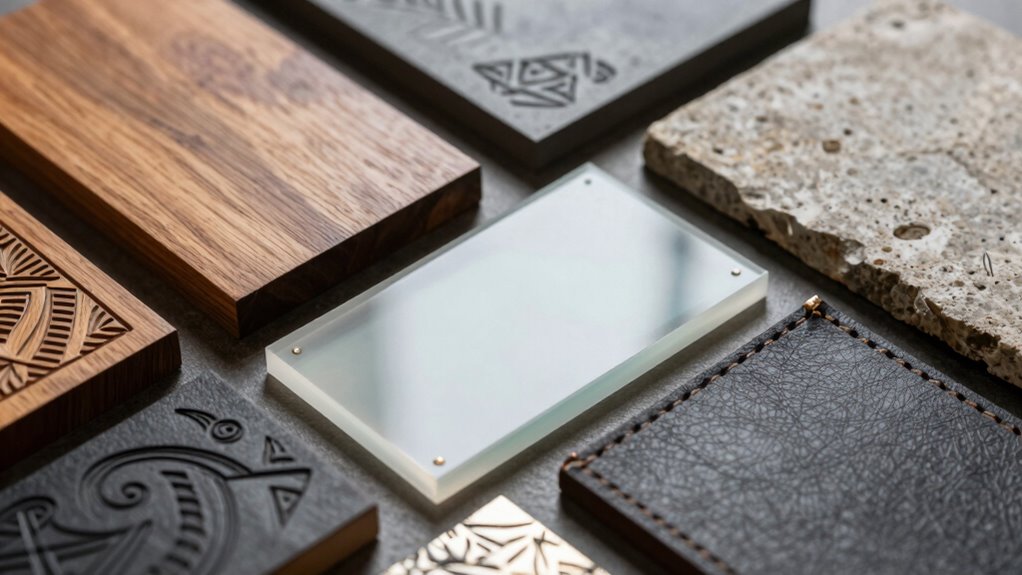
When starting laser engraving, choosing the right materials is key for safety and quality. Safe options like woods, metals, and leather give clean results without harmful fumes, while materials like PVC, vinyl, and certain plastics should be avoided because they release toxic gases. Proper testing, surface prep, and adjusting settings improve outcomes. If you keep exploring, you’ll discover how to select the best materials and troubleshoot common issues effectively.
Key Takeaways
- Choose materials like hardwoods and anodized aluminum that respond well to laser engraving for best results.
- Avoid plastics like PVC and vinyl, which emit toxic fumes when engraved.
- Proper surface preparation, such as cleaning and sanding, ensures cleaner and more precise engravings.
- Adjust laser settings (power, speed, focus) based on material type to prevent damage or incomplete engraving.
- Prioritize safe, low-emission materials and use ventilation to minimize health and environmental risks.
How Laser Engraving Works and What Materials You Should Use
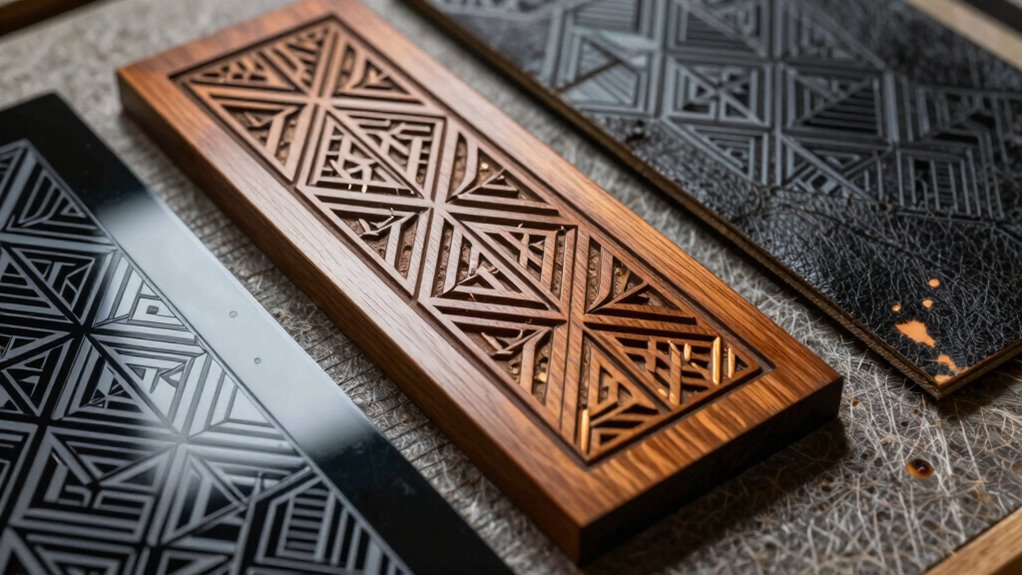
Laser engraving works by using a focused laser beam to precisely remove or etch material from a surface, creating detailed designs or markings. When choosing materials, consider material safety, ensuring that the substances are non-toxic and safe to handle during and after engraving. Some materials release harmful fumes or particles, which can pose health risks and impact your environment. It’s important to select materials with minimal environmental impact, such as sustainable or recyclable options, to reduce pollution and waste. Proper ventilation and safety equipment are essential when working with potentially hazardous materials. Being aware of material safety and environmental impact helps protect your health and the planet, making your laser engraving projects safer and more eco-friendly. Additionally, consulting lab and industrial measurement tools can help you assess the safety and environmental considerations of different materials before starting your project. Considering eco-friendly materials can further enhance the sustainability of your craft projects, especially when you understand how flame retardants or other chemical treatments might affect safety. Awareness of material durability is also important to ensure your engraved items last over time without degrading.
How to Test and Prepare New Materials for Laser Engraving

Before engraving new materials, you should start with small test runs to see how they respond. Check the material composition to understand its properties and potential challenges. Finally, adjust your laser settings to optimize results and prevent damage.
Conduct Small Test Runs
When working with new materials, it’s vital to start with small test runs to guarantee your settings produce the desired results. These tests help you evaluate material safety and make certain there are no harmful fumes or reactions. By keeping tests small, you minimize material waste and control costs, which is essential when trying new types. Adjust your laser power, speed, and focus based on initial results, noting how the material reacts. Document your settings for future reference. Small tests also allow you to identify if the material produces toxic smoke or discoloration, protecting your safety and environment. Understanding material behavior during laser engraving is crucial for achieving consistent and safe results. Additionally, paying attention to emotional resilience can help you stay patient and adaptable throughout the experimentation process. Ultimately, these early experiments save time and money, ensuring your final engraving meets quality standards without risking damage or safety hazards.
Examine Material Composition
To guarantee safe and effective laser engraving, you need to examine the material’s composition thoroughly before starting your project. Assess the material’s durability to ensure it can withstand the laser process without cracking or warping. Check surface reflectivity, as highly reflective surfaces like certain metals or glossy plastics can cause laser misfire or damage your equipment. Testing small samples helps determine how the material responds to laser engraving, revealing potential issues with burn marks, charring, or incomplete engraving. Understanding the composition also guides you in selecting appropriate laser settings later. Vetted – Floating on Water can provide insights into the compatibility of different materials with laser processes. Additionally, knowing the material properties can help you anticipate how the surface will react during engraving. Conducting material testing allows you to fine-tune your laser parameters for optimal results. Recognizing the laser-material interaction is essential for preventing damage and achieving high-quality engravings. Moreover, awareness of the best materials for laser engraving can help you choose options that yield superior results. By carefully evaluating these factors, you reduce the risk of damaging your materials and improve the quality of your finished project. Proper preparation is essential for consistent, professional results.
Adjust Laser Settings
Testing and adjusting your laser settings is a crucial step to guarantee ideal results when working with new materials. Start with a small test run, modifying the laser’s power, speed, and focus to prevent damage and ensure quality. Keep fiber optics in mind, as they can affect beam delivery and consistency. Always prioritize laser safety by wearing proper protective gear and verifying that the laser is properly calibrated. To optimize your results, use low power settings during initial tests, adjust focus for sharp engraving, document settings for future use, check for material-specific recommendations, and recognize that understanding laser-material interactions can improve your ability to select suitable materials and achieve desired engraving effects. Additionally, understanding fiber optics and their impact on laser performance can help in troubleshooting issues and enhancing precision during engraving.
Best Materials for Laser Engraving
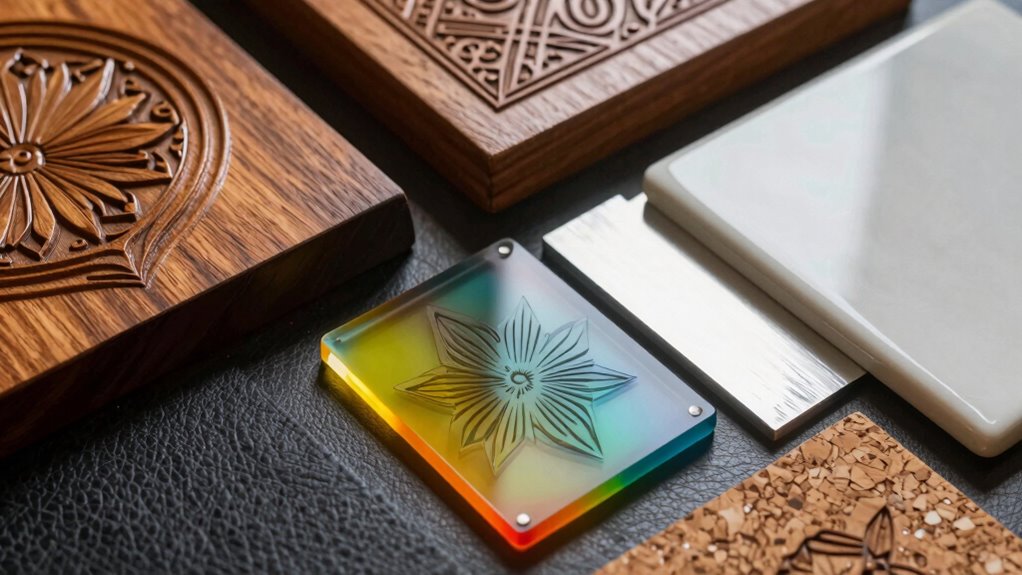
Choosing the right materials is essential for achieving clean, precise laser engravings. When selecting materials, consider their material safety to make certain they don’t release harmful fumes or residues during engraving. Many woods like maple and cherry are popular because they produce minimal smoke and are generally safe when properly ventilated. Metal options such as anodized aluminum and stainless steel work well and often have a lower environmental impact due to their durability and recyclability. Cardboard and leather are also suitable, offering vibrant results with fewer safety concerns. Always check the material’s safety data and environmental impact before engraving to protect yourself and the environment. Using appropriate, eco-friendly materials helps you create high-quality engravings while maintaining a responsible approach to sustainability. material safety is a key factor to consider when choosing your engraving substrates. Additionally, selecting materials with low emissions can further reduce health risks during the engraving process. Opting for materials with minimal hazardous fumes is also important to ensure a safer working environment, especially in enclosed spaces. Incorporating safe engraving practices can greatly enhance your safety and the quality of your work. Incorporating proper ventilation can significantly decrease airborne contaminants and improve safety during your engraving sessions.
Materials to Avoid in Laser Engraving and Why

Certain materials can release toxic fumes or pose safety hazards when laser engraved, so it is crucial to avoid them. These fumes can be harmful to your health and can damage your equipment. Additionally, some materials are highly flammable and may ignite during engraving, creating fire risks. To stay safe, steer clear of:
- PVC and vinyl, which emit chlorine gas and toxic fumes
- Polyurethane and certain plastics that release hazardous vapors
- MDF and pressboard, due to formaldehyde emissions
- Flammable materials like paper, cardboard, or thin plastics that can ignite easily
Always research materials thoroughly before engraving. Understanding the material properties helps prevent accidents and ensures safe operation. Avoiding these dangerous substances helps protect your health, your workspace, and your equipment from potential hazards.
Troubleshooting Common Material Issues in Laser Engraving

When material issues arise during laser engraving, you need to check if your material is compatible with your laser settings. Proper surface preparation can prevent problems like uneven engraving or burns, so make sure your surface is clean and prepared correctly. Adjusting your laser settings, such as power and speed, can also help resolve many common issues and improve your results.
Material Compatibility Issues
Material compatibility is a crucial factor in achieving successful laser engravings, as not all materials respond well to laser processing. Material incompatibility can lead to poor results, unexpected surface reactions, or damage to your material. To avoid these issues, consider the following:
- Certain plastics may melt or release toxic fumes, making them unsuitable.
- Metals might require specific laser settings or coatings for proper engraving.
- Wood with high moisture content can produce inconsistent results.
- Coated or painted surfaces can reflect laser energy or cause uneven engraving.
Being aware of these potential problems helps prevent surface reactions that could ruin your project. Always verify material specifications and test on scrap pieces before proceeding with your final piece. This proactive approach ensures cleaner, more precise engravings.
Surface Preparation Tips
Preparing your material correctly is essential for achieving clean and precise laser engravings. Start by ensuring the surface finish is smooth, as a rough or uneven surface can cause inconsistent engraving results. If the material has a coarse or textured surface, consider sanding or cleaning it to create a flatter, more uniform texture. Removing dirt, oils, or residues will help improve adhesion and prevent unwanted burns or discoloration. For materials with a glossy finish, lightly matte the surface or use a suitable primer to reduce reflectivity that can interfere with the laser. Adjusting the material texture beforehand guarantees the laser interacts evenly with the surface, resulting in cleaner lines and better detail. Proper surface preparation minimizes issues and enhances the overall quality of your engraving.
Laser Settings Optimization
Optimizing laser settings is essential for resolving common issues caused by different materials. Proper adjustments improve engraving aesthetics and guarantee laser safety. Start by fine-tuning the power, speed, and focus to match each material’s properties. Using too much power can cause burn marks, while too little results in faint engravings. Keep these tips in mind:
- Adjust laser power to prevent scorching or under-engraving
- Modify speed for sharper details and better depth
- Ensure proper focus for consistent results
- Test on scrap material before final engraving
These steps help you avoid material-specific issues and achieve professional results. Proper laser settings not only enhance the appearance of your engravings but also promote safe operation, reducing the risk of accidents or damage. Consistent testing and calibration are key to mastering laser engraving.
Tips for Choosing Materials for Precise Laser Results
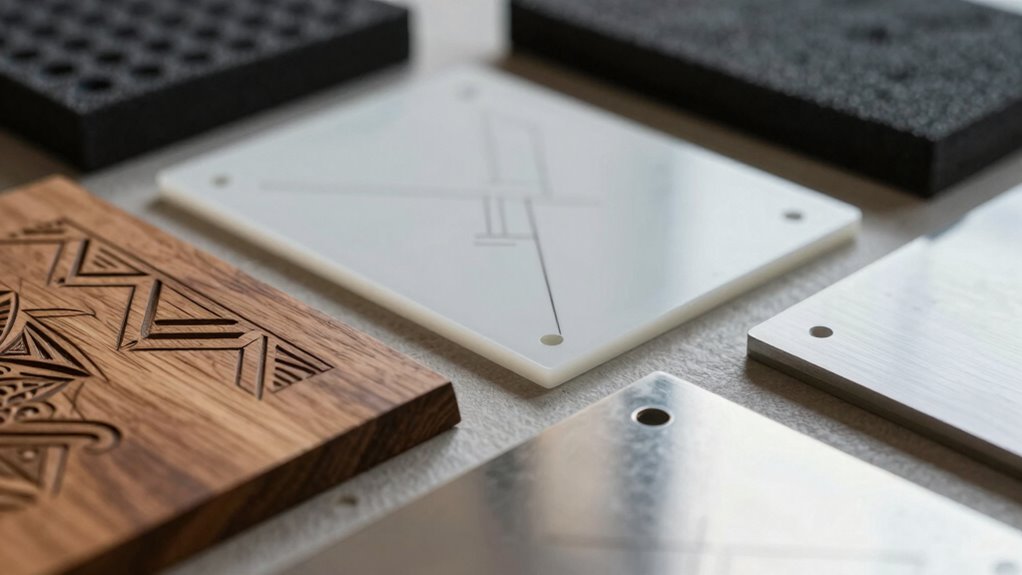
Choosing the right materials is essential for achieving precise laser engraving results. You want materials with good material durability to withstand the laser process without warping or cracking. This guarantees your engravings stay clean and detailed over time. Additionally, pay attention to color contrast; a high contrast between the material’s surface and the engraved areas makes your design stand out clearly. Light-colored materials often produce sharp, visible engravings on dark surfaces, while darker materials may require different settings or coatings. Avoid porous or uneven surfaces, as they can lead to inconsistent results. Testing small samples first helps you determine how a material reacts. By selecting materials with appropriate durability and strong color contrast, you maximize your chances of achieving precise, professional-looking engravings.
Frequently Asked Questions
How Do Different Laser Types Affect Material Compatibility?
Different laser types critically impact material compatibility through their unique material interaction. For instance, CO2 lasers are great for organic materials like wood and acrylic because they vaporize the surface efficiently. In contrast, fiber lasers excel with metals, offering precise engraving without damage. The laser type determines how well it interacts with your material, influencing engraving quality, depth, and potential damage, so choosing the right laser for your material is essential.
Can Recycled or Eco-Friendly Materials Be Used Safely With Laser Engraving?
You can definitely use recycled or eco-friendly materials with laser engraving, but recycling challenges may require extra caution. Confirm the materials are free of contaminants and coatings, especially eco-friendly coatings, which can produce hazardous fumes when burned. Always test small samples first, use proper ventilation, and select the right laser settings. This way, you safely create beautiful engravings while supporting sustainability efforts.
Are There Specific Coatings That Enhance Laser Engraving Results?
Yes, specific coatings can enhance your laser engraving results. Look for coatings that improve coating durability and provide a smooth surface for better precision. Proper surface preparation is essential; clean and dry the material thoroughly before applying the coating. Using the right coating not only boosts contrast and detail but also protects the material, ensuring consistent and high-quality engravings every time.
How Does Material Thickness Influence Engraving Quality?
Material thickness substantially impacts your engraving quality because thicker materials often have higher density, which can require more power and slower speeds for precise results. Additionally, surface texture plays a role; a smoother surface allows for cleaner, more detailed engraving, while rough textures may cause inconsistencies. To get the best results, adjust your laser settings based on the material’s thickness, density, and surface texture, ensuring sharp and clear engravings.
What Safety Precautions Are Recommended When Testing New Materials?
When testing new materials, you should always wear safety gear like goggles and gloves to protect your eyes and skin. Make certain proper ventilation requirements are met by working in a well-ventilated area or using an exhaust system to avoid inhaling fumes. Keep a fire extinguisher nearby, and test small sections first. Always follow manufacturer safety guidelines and stay attentive to potential hazards during the testing process.
Conclusion
Understanding which materials work best with laser engraving can save you time and prevent costly mistakes. Did you know that selecting the right material increases engraving success rates by over 50%? By testing, preparing, and choosing wisely, you’ll achieve cleaner, more precise results every time. Keep experimenting and learning to master the art. With the right materials, your laser projects will look professional and stand out—making your creative ideas come to life effortlessly.