
To make a strong first impression in virtual meetings, dress professionally and choose a tidy background. Make sure good lighting and position your camera at eye level. Maintain eye contact by looking into the camera, and use friendly facial expressions and natural gestures to show engagement. Test your tech in advance and review the agenda to stay prepared. Paying attention to these details will help you appear confident and approachable—keep going to discover more effective strategies.

Get the little things that make your day delivered free with Prime
- Fast, free delivery on millions of items
- Prime Video, Amazon Music and more included
- Member-only deals all year
Key Takeaways
- Dress professionally and ensure your appearance is neat to convey respect and credibility.
- Use good lighting, position your camera at eye level, and keep your background tidy for a polished look.
- Maintain eye contact by looking into the camera and use friendly facial expressions to show warmth.
- Practice strong body language, sit upright, and use natural gestures to appear confident and attentive.
- Prepare thoroughly, test your technology, and review the agenda to demonstrate professionalism and readiness.
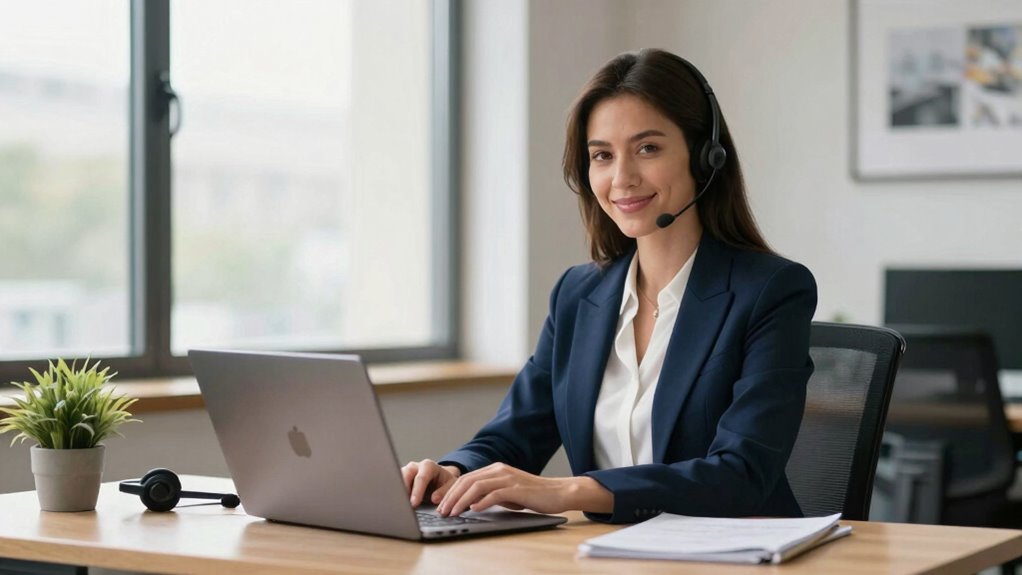
In today’s remote work environment, making a strong first impression in virtual meetings is more important than ever. When you log in, your appearance and demeanor set the tone for how others perceive you. Since you’re not physically present, your virtual handshake becomes a crucial part of establishing rapport. Instead of a traditional handshake, a warm, confident smile combined with direct eye contact and a friendly nod can communicate your openness and professionalism. This non-verbal cue helps bridge the distance, making others feel at ease and engaged right from the start.
A warm smile, eye contact, and friendly nod create a confident virtual handshake that builds rapport.
Your choice of professional attire also plays a significant role. Even though you’re at home, dressing appropriately demonstrates respect for the meeting’s purpose and your colleagues. Opt for neat, well-fitted clothing that aligns with your company’s dress code or the meeting’s formality. Avoid overly casual or distracting outfits, as they can undermine your credibility. When you dress professionally, you project confidence and seriousness about your work, which encourages others to take you seriously too.
Lighting and camera positioning are often overlooked but are vital in creating a positive first impression. Sit in a well-lit area where your face is clearly visible, and position your camera at eye level. This setup mimics face-to-face interaction, helping you appear approachable and engaged. Make sure your background is tidy and free of distractions, as clutter can divert attention away from your message and make you seem less professional. Maintaining good camera setup ensures your visual presence enhances your overall impression. Additionally, understanding remote communication skills can further improve how effectively you connect through the screen. Being aware of digital etiquette can help you navigate virtual interactions more smoothly and professionally. Simply put, mastering these virtual communication techniques can significantly elevate your presence in online meetings.
Your body language during the virtual meeting also impacts how others perceive you. Sit upright, avoid slouching, and keep your gestures natural. Maintaining eye contact by looking into the camera shows attentiveness, while smiling occasionally can convey warmth and friendliness. Be mindful of your facial expressions; a genuine smile and attentive demeanor communicate enthusiasm and openness, making others more receptive to your ideas.
Finally, prepare yourself before the meeting. Test your technology to avoid disruptions, review the agenda so you’re ready to contribute, and have notes handy for key points. When you’re present, attentive, and professional in appearance and manner, you make a memorable first impression that encourages collaboration and trust. In virtual meetings, these small but impactful details—your virtual handshake, professional attire, and overall presentation—set the stage for productive interactions and lasting professional relationships.
professional webcam for virtual meetings
As an affiliate, we earn on qualifying purchases.
As an affiliate, we earn on qualifying purchases.
Frequently Asked Questions
How Can I Improve My Virtual Meeting Background?
To improve your virtual meeting background, choose a clean, uncluttered virtual background that reflects professionalism. Keep your desk organized to avoid distractions and showcase a neat workspace. Position your camera at eye level for better engagement, and guarantee good lighting to highlight your face clearly. Avoid busy or distracting backgrounds, and opt for simple, tasteful options that enhance your presence and make a positive impression.
What Attire Is Appropriate for Virtual Meetings?
For virtual meetings, stick to a professional attire that aligns with your company’s dress code. Opt for neat, well-fitting clothes that look polished on camera. Avoid overly casual outfits like t-shirts or hoodies unless your workplace has a relaxed dress code. Choose solid colors or subtle patterns, and keep accessories minimal. Dressing appropriately shows respect for the meeting and helps you make a positive first impression.
How Do I Handle Technical Issues During a Meeting?
Imagine you’re a skilled pilot steering through stormy skies. When tech issues arise, stay calm and quickly troubleshoot by checking your internet connection and optimizing bandwidth. Use tech troubleshooting tips like restarting your device or switching to a wired connection. Communicate promptly with participants to manage expectations. Staying composed and proactive guarantees your virtual meeting stays on course, leaving a positive impression despite any technical turbulence.
How Can I Appear More Confident on Camera?
To appear more confident on camera, focus on your body language and vocal tone. Sit up straight, maintain eye contact, and use natural gestures to convey engagement. Speak clearly and with a steady, warm vocal tone to project confidence. Avoid filler words and practice your message beforehand. When you combine confident body language with a strong vocal tone, you’ll come across as more self-assured and credible in virtual meetings.
What Should I Do if I Arrive Late to a Virtual Meeting?
If you arrive late, start by quickly and sincerely apologizing to the group, demonstrating accountability. Use punctuality tips like setting reminders or alarms to prevent future delays. Keep your apology brief and avoid making excuses. Then, quietly catch up on what you missed without disrupting the flow. Showing humility and readiness to participate positively impacts your first impression, even if you’re momentarily behind schedule.
ring light for video conferencing
As an affiliate, we earn on qualifying purchases.
As an affiliate, we earn on qualifying purchases.
Conclusion
Remember, your first impression in virtual meetings sets the tone for all future interactions. According to recent studies, over 55% of communication is non-verbal, highlighting the importance of your appearance and body language. By dressing professionally, maintaining eye contact, and being punctual, you instantly convey confidence and credibility. Keep these tips in mind, and you’ll leave a lasting positive impression that fosters trust and collaboration from the very first virtual handshake.
ergonomic office chair for home office
As an affiliate, we earn on qualifying purchases.
As an affiliate, we earn on qualifying purchases.
As an affiliate, we earn on qualifying purchases.
NFL season / tailgating Picks
team gear
As an affiliate, we earn on qualifying purchases.