Among Amazon Kindle e-readers, I would put the Kindle Paperwhite Signature Edition (12th Generation, 2024) first for its 7-inch screen, 32 GB of storage, and premium convenience features. The standard Kindle Paperwhite is a better-value choice for readers who want a larger screen without the Signature Edition extras, while the Kindle Colorsoft suits people who want color for covers, illustrations, and other supported content. The main choice is between a more compact, simpler Kindle and a larger Paperwhite, with extra storage, color, or bundled accessories adding other tradeoffs. I compare all 12 options by who they serve best, what separates them, and what you give up with each. Read on for the full breakdown and a guide to choosing.

Get the little things that make your day delivered free with Prime
- Fast, free delivery on millions of items
- Prime Video, Amazon Music and more included
- Member-only deals all year
Key Takeaways
- The Paperwhite Signature Edition leads the lineup for readers who want a larger display and 32 GB of storage, but the standard Paperwhite covers the core reading experience with fewer extras.
- Color is a specialized benefit, not a universal upgrade: the Colorsoft adds a color display, while the Paperwhite models remain the more straightforward choice for text-focused reading.
- The standard Kindle models prioritize portability with 6-inch screens; that compact size is appealing for travel, though readers who prefer more text on screen may favor a 7-inch Paperwhite.
- Several listings represent the same basic tier in different colors, so buyers should compare generation, storage, screen, and included features rather than choosing by finish alone.
- The Kids and Essentials bundle serve different needs from a standalone reader: the Kids model is aimed at child-friendly use, while the Essentials bundle adds a cover and power adapter.
| Amazon Kindle Paperwhite Signature Edition (12th Generation, 2024), 32 GB, Metallic Black |  | Best Overall | Display: 7-inch Paperwhite, 300 ppi, 16-level grayscale | Storage: 32 GB | Dimensions: 5 x 7 x 0.3 inches (127.6 x 176.7 x 7.8 mm) | VIEW LATEST PRICE | See Our Full Breakdown |
| Amazon Kindle Paperwhite 16GB (12th Generation, 2024) – 7-inch Display, Jade |  | Best Value Paperwhite | Display: 7-inch Paperwhite, 300 ppi, 16-level grayscale | Storage: 16 GB | Dimensions: 5 x 7 x 0.3 inches (127.6 x 176.7 x 7.8 mm) | VIEW LATEST PRICE | See Our Full Breakdown |
| Amazon Kindle Colorsoft (16 GB, 1st Generation) – 7-inch Color Display, Black |  | Best for Color Reading | Display: 7-inch Colorsoft display | Resolution: 300 ppi black and white; 150 ppi color | Storage: 16 GB | VIEW LATEST PRICE | See Our Full Breakdown |
| Amazon Kindle Paperwhite Signature Edition (2024), 32 GB, Metallic Jade |  | Best Signature Edition for Jade Fans | Display: 7-inch Paperwhite, 300 ppi, 16-level grayscale | Storage: 32 GB | Dimensions: 5 x 7 x 0.3 inches (127.6 x 176.7 x 7.8 mm) | VIEW LATEST PRICE | See Our Full Breakdown |
| Amazon Kindle (Newest Model), 16GB, 6-inch Display, Ube |  | Best Compact Kindle | Display size: 6 inches | Display: High-contrast, glare-free with adjustable brightness | Storage: 16 GB | VIEW LATEST PRICE | See Our Full Breakdown |
| Amazon Kindle Paperwhite (2024), 16 GB, 7-inch Display, Raspberry | 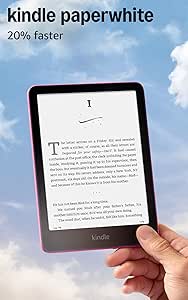 | Best Overall | Display: 7-inch Paperwhite, 300 ppi | Storage: 16 GB | Dimensions: 5 × 7 × 0.3 inches (127.6 × 176.7 × 7.8 mm) | VIEW LATEST PRICE | See Our Full Breakdown |
| Amazon Kindle (2024, 11th Generation), 16 GB, Matcha |  | Best Compact Pick | Display: 6-inch glare-free display, 300 ppi | Storage: 16 GB | Dimensions: 6.2 × 4.3 × 0.32 inches (157.8 × 108.6 × 8.0 mm) | VIEW LATEST PRICE | See Our Full Breakdown |
| Amazon Kindle Paperwhite Signature Edition (2024), 32 GB, Metallic Raspberry |  | Best Premium Pick | Display: 7-inch Paperwhite, 300 ppi, 16-level grayscale | Storage: 32 GB | Dimensions: 5 × 7 × 0.3 inches (127.6 × 176.7 × 7.8 mm) | VIEW LATEST PRICE | See Our Full Breakdown |
| Amazon Kindle (2024, 16 GB) – 6-inch E-Reader, Black |  | Best for Simple, Focused Reading | Model: Kindle, 11th Generation, 2024 release | Display: 6-inch glare-free display, 300 ppi, 16-level grayscale | Storage: 16 GB | VIEW LATEST PRICE | See Our Full Breakdown |
| Amazon Kindle Paperwhite (2024, 16 GB) – 7-inch Display, Black |  | Best Classic Paperwhite | Display: 7-inch Paperwhite, 300 ppi, 16-level grayscale | Storage: 16 GB | Dimensions: 5 × 7 × 0.3 inches (127.6 × 176.7 × 7.8 mm) | VIEW LATEST PRICE | See Our Full Breakdown |
| Kindle Essentials Bundle (2024), Black Kindle with Rose Fabric Cover and 9W Power Adapter |  | Best Ready-to-Read Bundle | Display: 6-inch glare-free display, 300 ppi, adjustable built-in light, 16-level grayscale | Storage: 16 GB | Battery life: Up to 6 weeks | VIEW LATEST PRICE | See Our Full Breakdown |
| Amazon Kindle Kids (11th Generation, 2024), 16 GB, Space Whale |  | Best Kindle for Young Readers | Display: 6-inch glare-free e-paper, 300 ppi, built-in light, 16-level grayscale | Storage: 16 GB | Dimensions: 6.3 × 4.5 × 0.53 inches | VIEW LATEST PRICE | See Our Full Breakdown |
| Amazon Kindle e reader | Display | Storage | Battery life | Dimensions |
|---|---|---|---|---|
| Amazon Kindle Paperwhite Signa | 7-inch Paperwhite, 300 ppi, 16-level grayscale | 32 GB | Up to 12 weeks under specified reading conditions | 5 x 7 x 0.3 inches (127.6 x 176.7 x 7.8 mm) |
| Amazon Kindle Paperwhite 16GB | 7-inch Paperwhite, 300 ppi, 16-level grayscale | 16 GB | Up to 12 weeks under specified reading conditions | 5 x 7 x 0.3 inches (127.6 x 176.7 x 7.8 mm) |
| Amazon Kindle Colorsoft | 7-inch Colorsoft display | 16 GB | Up to 8 weeks under specified usage conditions | — |
| Amazon Kindle Paperwhite Signa | 7-inch Paperwhite, 300 ppi, 16-level grayscale | 32 GB | Up to 12 weeks under specified conditions | 5 x 7 x 0.3 inches (127.6 x 176.7 x 7.8 mm) |
| Amazon Kindle | High-contrast, glare-free with adjustable brightness | 16 GB | Up to 6 weeks | — |
| Amazon Kindle Paperwhite | 7-inch Paperwhite, 300 ppi | 16 GB | Up to 12 weeks under specified reading conditions | 5 × 7 × 0.3 inches (127.6 × 176.7 × 7.8 mm) |
| Amazon Kindle | 6-inch glare-free display, 300 ppi | 16 GB | Up to 6 weeks under stated usage conditions | 6.2 × 4.3 × 0.32 inches (157.8 × 108.6 × 8.0 mm) |
| Amazon Kindle Paperwhite Signa | 7-inch Paperwhite, 300 ppi, 16-level grayscale | 32 GB | Up to 12 weeks based on 30 minutes of daily reading, wireless off, and light setting at 13 | 5 × 7 × 0.3 inches (127.6 × 176.7 × 7.8 mm) |
| Amazon Kindle | 6-inch glare-free display, 300 ppi, 16-level grayscale | 16 GB | Up to 6 weeks under specified conditions | 6.2 × 4.3 × 0.32 inches (157.8 × 108.6 × 8.0 mm) |
| Amazon Kindle Paperwhite | 7-inch Paperwhite, 300 ppi, 16-level grayscale | 16 GB | Up to 12 weeks per charge under specified conditions | 5 × 7 × 0.3 inches (127.6 × 176.7 × 7.8 mm) |
| Kindle Essentials Bundle | 6-inch glare-free display, 300 ppi, adjustable built-in light, 16-level grayscale | 16 GB | Up to 6 weeks | 6.2 × 4.3 × 0.32 inches |
| Amazon Kindle Kids | 6-inch glare-free e-paper, 300 ppi, built-in light, 16-level grayscale | 16 GB | Up to 6 weeks under specified reading conditions | 6.3 × 4.5 × 0.53 inches |
More Details on Our Top Picks
Amazon Kindle Paperwhite Signature Edition (12th Generation, 2024), 32 GB, Metallic Black
I’d make this the most versatile pick for readers who want a large, sharp screen without stepping up to a color model. Its 7-inch, 300 ppi glare-free display gives novels and nonfiction clear text, while the auto-adjusting front light adapts brightness as your surroundings change. Compared with the standard 16 GB Kindle Paperwhite, this Signature Edition doubles storage and adds wireless charging support, which suits readers with a substantial library or fewer cables on the nightstand. IPX8 waterproofing also makes it a more relaxed choice near water. The tradeoff is that wireless charging requires a separately sold dock, and the standard Paperwhite already covers the core reading experience. Battery life can also fall below the stated maximum with different use, especially audiobook streaming.
Pros:- 7-inch glare-free display with sharp 300 ppi text
- Auto-adjusting front light adapts to changing room brightness
- 32 GB storage gives more room for books and other downloads
- IPX8 waterproofing and wireless charging support
Cons:- Wireless charging dock is sold separately
- Battery life varies with reading habits and drops with audiobook streaming
Best for: Frequent readers with large libraries who want a roomy screen, automatic lighting, waterproofing, and wireless charging support.
Not ideal for: Readers who mostly keep a small book collection or want the simplest way to charge; the standard 16 GB Paperwhite offers the core experience without the Signature Edition extras.
- Display:7-inch Paperwhite, 300 ppi, 16-level grayscale
- Storage:32 GB
- Dimensions:5 x 7 x 0.3 inches (127.6 x 176.7 x 7.8 mm)
- Weight:7.5 oz (214 g)
- Battery life:Up to 12 weeks under specified reading conditions
- Charging:USB-C; wireless charging supported
- Waterproofing:IPX8; tested in 2 meters of fresh water for 60 minutes
- Wi-Fi:2.4 GHz and 5.0 GHz
- Generation and color:12th Generation, 2024 release; Metallic Black
Our verdict“Choose this Signature Edition if you want a full-featured Paperwhite with extra storage and wireless charging support, and skip it if the standard Paperwhite’s reading features are enough.”
Amazon Kindle Paperwhite 16GB (12th Generation, 2024) – 7-inch Display, Jade
This standard Paperwhite makes the strongest case for choosing the essentials over Signature Edition extras. It keeps the 7-inch, 300 ppi glare-free display, adjustable warm light, waterproofing, and long stated battery life, while its 16 GB storage is ample for readers who primarily download books. Compared with the 32 GB Paperwhite Signature Edition, it gives up wireless charging and automatic light adjustment, but retains the main features that shape everyday reading. Bluetooth audio adds another option for Audible listening, though streaming reduces battery life. I’d favor this model for a reader who wants a larger screen and flexible lighting without needing the Signature Edition’s extra storage. One connectivity limitation is its lack of support for ad-hoc Wi-Fi networks.
Pros:- 7-inch glare-free display with 300 ppi resolution
- Adjustable warm light supports comfortable reading in different settings
- IPX8 waterproofing for reading near a pool or bath
- 16 GB storage and Bluetooth audio support
Cons:- No wireless charging support or auto-adjusting front light
- Does not support ad-hoc Wi-Fi networks
- Battery life varies with use and decreases with Audible streaming
Best for: Readers who want a waterproof, warm-light Paperwhite for books and occasional Bluetooth audio, without needing 32 GB or wireless charging.
Not ideal for: Readers who want wireless charging, automatic brightness adjustment, or extra storage for a larger collection; the Signature Edition is the better fit for those needs.
- Display:7-inch Paperwhite, 300 ppi, 16-level grayscale
- Storage:16 GB
- Dimensions:5 x 7 x 0.3 inches (127.6 x 176.7 x 7.8 mm)
- Weight:7.4 oz (211 g)
- Battery life:Up to 12 weeks under specified reading conditions
- Charging:USB-C; less than 2.5 hours with a 9W adapter
- Waterproofing:IPX8; tested to withstand 2 meters of fresh water for 60 minutes
- Connectivity:2.4 GHz and 5.0 GHz Wi-Fi; Bluetooth audio
- Generation and color:12th Generation, 2024 release; Jade
Our verdict“Pick this Paperwhite for the core large-screen reading features, but choose the Signature Edition if you want wireless charging, automatic lighting, or more storage.”
Amazon Kindle Colorsoft (16 GB, 1st Generation) – 7-inch Color Display, Black
The Colorsoft is the distinct choice here for readers who want book covers and highlights to appear in color, rather than a sharper black-and-white screen alone. Its 7-inch color display supports color highlights, adjustable lighting, and Dark Mode, adding useful visual cues for illustrated reading or organizing notes. Compared with the 16 GB Kindle Paperwhite, it offers color but lists a lower 150 ppi resolution for color content; black-and-white resolution remains 300 ppi. That makes this less compelling for someone who reads only text-heavy novels, where the Paperwhite’s monochrome display and longer stated battery life may suit better. Colorsoft is waterproof and stores thousands of books, but its stated battery life is up to eight weeks, shorter than the Paperwhite models’ up to 12 weeks.
Pros:- Color display supports color covers and highlights
- 300 ppi black-and-white resolution for text
- Adjustable lighting and Dark Mode
- IPX8 waterproofing
Cons:- Color content is 150 ppi, lower than its black-and-white resolution
- Up to eight weeks of stated battery life is shorter than the Paperwhite models’ maximum
- Battery life decreases with use such as Audible streaming
Best for: Readers who want color book covers and highlights, or who read material where color adds useful visual context.
Not ideal for: Readers focused on text-only books who prefer the longer stated battery life of the Paperwhite and have little use for color highlights.
- Display:7-inch Colorsoft display
- Resolution:300 ppi black and white; 150 ppi color
- Storage:16 GB
- Battery life:Up to 8 weeks under specified usage conditions
- Charging:USB-C; fully charges in less than 2.5 hours with a 9W adapter
- Waterproofing:IPX8; tested in 2 meters of fresh water for 60 minutes
- Dimensions and weight:5 x 7 x 0.3 inches (127.6 x 176.7 x 7.8 mm); 7.6 oz (215 g)
- Connectivity:2.4 GHz and 5.0 GHz Wi-Fi; Bluetooth audio
- Warranty:1-year limited warranty
Our verdict“Choose Colorsoft if color covers and highlights improve your reading, but opt for a Paperwhite if monochrome text clarity and longer stated battery life matter more.”
Amazon Kindle Paperwhite Signature Edition (2024), 32 GB, Metallic Jade
This Metallic Jade Signature Edition fills the same premium role as the Metallic Black version, so I’d choose between them by finish rather than reading capability. Both offer the 7-inch, 300 ppi glare-free screen, 32 GB of storage, auto-adjusting front light, IPX8 waterproofing, and wireless charging support. Compared with the standard 16 GB Kindle Paperwhite, the Signature Edition gives more room for downloads and adds convenience features, though it does not change the core monochrome reading experience. Its understated Metallic Jade finish is the distinguishing feature within this pair, not a performance advantage. Wireless charging needs a separately sold dock, and the up-to-12-week battery figure depends on use. Readers who do not value the finish or Signature extras can choose the standard Paperwhite instead.
Pros:- 7-inch glare-free Paperwhite display with 300 ppi resolution
- 32 GB storage and auto-adjusting front light
- Wireless charging support alongside USB-C
- IPX8 waterproofing
Cons:- Wireless charging dock is sold separately
- Costs more in features and storage than needed by readers with modest libraries
- Battery life varies with use and falls with audiobook streaming
Best for: Readers who specifically prefer the Metallic Jade finish and want Signature Edition storage, automatic lighting, and wireless charging support.
Not ideal for: Readers who are indifferent to the Jade finish and do not need the Signature Edition extras; the standard 16 GB Paperwhite covers everyday reading.
- Display:7-inch Paperwhite, 300 ppi, 16-level grayscale
- Storage:32 GB
- Dimensions:5 x 7 x 0.3 inches (127.6 x 176.7 x 7.8 mm)
- Weight:7.5 oz (214 g)
- Battery life:Up to 12 weeks under specified conditions
- Charging:USB-C; wireless charging supported
- Wi-Fi:2.4 GHz and 5.0 GHz
- Waterproofing:IPX8
- Generation and color:12th Generation, 2024 release; Metallic Jade
Our verdict“Choose this model if Metallic Jade and the Signature Edition extras appeal to you; otherwise, the standard Paperwhite delivers the central reading experience.”
Amazon Kindle (Newest Model), 16GB, 6-inch Display, Ube
This Kindle is the compact pick for readers who want a light, straightforward device rather than the Paperwhite’s larger screen and water protection. Its 6-inch glare-free display and adjustable brightness keep the basics in place, while the redesigned body is thinner and lighter. Amazon says it opens books 30% faster than the previous Kindle, which can make moving between titles feel more responsive. Compared with the 7-inch Kindle Paperwhite, this model gives up screen space, waterproofing, and the Paperwhite’s stated battery life of up to 12 weeks; this Kindle is listed for up to six weeks. For readers mainly focused on novels and portability, that tradeoff may be worthwhile. The page-turn remote and Kindle Unlimited access are separate, and the remote is not included.
Pros:- Thinner and lighter redesigned body
- 6-inch high-contrast, glare-free display with adjustable brightness
- Opens books 30% faster than the previous Kindle
- Up to six weeks of stated battery life
Cons:- Smaller display and no listed waterproofing compared with the Paperwhite
- Stated battery life is shorter than the Paperwhite models’ up-to-12-week figure
- Wireless page-turn remote is sold separately
Best for: Readers who want a thinner, lighter 6-inch Kindle for everyday novels and value portability over a larger screen or waterproofing.
Not ideal for: Readers who want IPX8 water protection, a 7-inch display, or the Paperwhite’s longer stated battery life.
- Display size:6 inches
- Display:High-contrast, glare-free with adjustable brightness
- Storage:16 GB
- Battery life:Up to 6 weeks
- Page opening speed:30% faster than the previous Kindle
- Color:Ube
Our verdict“Pick this Kindle if compact size and quick book opening matter more than the Paperwhite’s larger, waterproof display.”
Amazon Kindle Paperwhite (2024), 16 GB, 7-inch Display, Raspberry
I’d put this 7-inch Paperwhite first for readers who want a larger screen and useful everyday upgrades without stepping up to the Signature Edition. Its 300 ppi glare-free display and adjustable warm lighting make long sessions easier to tailor to the room, while IPX8 waterproofing suits reading beside a pool or in the bath. Compared with the 2024 Kindle (16 GB), it is larger and heavier, but gives you more screen area, warmer light, and a longer stated battery life. The tradeoff is that it lacks the Signature Edition’s auto-adjusting front light, 32 GB storage, and wireless charging. Battery life also depends on settings and use, and VoiceView is limited to English. I’d choose this version for a well-rounded reading device, not for the lightest carry.
Pros:- 7-inch, 300 ppi glare-free display with adjustable warm lighting
- IPX8 waterproofing for reading near water
- Up to 12 weeks of battery life under specified conditions
- 16 GB storage for a substantial ebook library
Cons:- Heavier and larger than the 6-inch 2024 Kindle
- Does not include the Signature Edition’s wireless charging or auto-adjusting front light
- Battery life varies with use, and VoiceView is available only in English
Best for: Readers who want a larger, waterproof Kindle with adjustable warm lighting for home, travel, or poolside reading.
Not ideal for: Readers who prioritize a pocketable, lightweight device or want wireless charging and an auto-adjusting light.
- Display:7-inch Paperwhite, 300 ppi
- Storage:16 GB
- Dimensions:5 × 7 × 0.3 inches (127.6 × 176.7 × 7.8 mm)
- Weight:7.4 oz (211 g)
- Battery life:Up to 12 weeks under specified reading conditions
- Waterproofing:IPX8; tested to withstand 2 meters of fresh water for 60 minutes
- Charging:USB-C; less than 2.5 hours with a 9 W adapter
- Color and generation:Raspberry; 12th Generation, 2024 release
Our verdict“Choose this Paperwhite if you want a larger, waterproof screen and warm lighting without the Signature Edition’s extra features.”
Amazon Kindle (2024, 11th Generation), 16 GB, Matcha
This 6-inch Kindle is the compact choice in this group: at 5.56 oz, it is easier to carry and hold for long stretches than either 7-inch Paperwhite. Its 300 ppi glare-free screen, adjustable front light, and dark mode keep the reading experience capable despite the smaller footprint. Against the Kindle Paperwhite (2024), 16 GB, you give up waterproofing, adjustable warm lighting, and the larger display, but gain a lighter device that takes up less room in a bag. The Matcha finish also offers a distinct color option. The stated battery life is up to six weeks, shorter than the Paperwhite’s up to 12 weeks, and actual results vary with settings. I’d pick it for straightforward reading on commutes; skip it if you regularly read near water or want a roomier page.
Pros:- Light 5.56 oz body is easier to carry than either Paperwhite
- 6-inch glare-free, 300 ppi display with adjustable front lighting
- Dark mode for a different reading presentation in low light
- 16 GB storage and USB-C charging
Cons:- No waterproofing, unlike the Paperwhite models
- Smaller display and no adjustable warm lighting
- Up to six weeks of stated battery life, compared with up to 12 weeks for the Paperwhite
Best for: Commuters and travelers who want a lightweight Kindle with a sharp screen, dark mode, and enough storage for a broad library.
Not ideal for: Readers who want waterproof protection, adjustable warm lighting, or the larger reading area of a Paperwhite.
- Display:6-inch glare-free display, 300 ppi
- Storage:16 GB
- Dimensions:6.2 × 4.3 × 0.32 inches (157.8 × 108.6 × 8.0 mm)
- Weight:5.56 oz (158 g)
- Battery life:Up to 6 weeks under stated usage conditions
- Connectivity:Dual-band Wi-Fi, 2.4 GHz and 5.0 GHz
- Charging:USB-C
- Color and generation:Matcha; 11th Generation, 2024 release
Our verdict“Choose the Matcha Kindle if a light, compact reader matters more to you than a larger screen or waterproofing.”
Amazon Kindle Paperwhite Signature Edition (2024), 32 GB, Metallic Raspberry
The Signature Edition earns its premium role through features that change everyday handling, not a sharper screen: it shares the Paperwhite’s 7-inch, 300 ppi display but adds an auto-adjusting front light, wireless charging, and 32 GB of storage. Compared with the standard Kindle Paperwhite (2024), 16 GB, the extra capacity and automatic light adjustment suit readers with large libraries or changing environments. Wireless charging can also simplify charging if you already have a compatible dock, though that dock is sold separately. It keeps the same IPX8 protection and up-to-12-week stated battery life, so the upgrades do not mean a longer runtime. At 7.5 oz, it is also slightly heavier than the standard Paperwhite. I’d choose it for convenience and storage, but not if those additions would go unused.
Pros:- 32 GB storage for a larger ebook collection
- Auto-adjusting front light adapts to changing surroundings
- Supports wireless charging as well as USB-C
- 7-inch, 300 ppi display and IPX8 waterproofing
Cons:- Wireless charging dock is sold separately
- Only slightly heavier and not longer-lasting than the standard Paperwhite
- Battery life varies with use and drops with audiobook streaming
Best for: Frequent readers with large ebook collections who want automatic light adjustment and plan to use a compatible wireless charging dock.
Not ideal for: Readers who are content with manual lighting and 16 GB storage, or who do not want to buy a wireless charging dock separately.
- Display:7-inch Paperwhite, 300 ppi, 16-level grayscale
- Storage:32 GB
- Dimensions:5 × 7 × 0.3 inches (127.6 × 176.7 × 7.8 mm)
- Weight:7.5 oz (214 g)
- Battery life:Up to 12 weeks based on 30 minutes of daily reading, wireless off, and light setting at 13
- Charging:USB-C; under 2.5 hours with a 9 W adapter; wireless charging supported
- Waterproofing:IPX8; tested to withstand immersion in 2 meters of fresh water for 60 minutes
- Connectivity:Dual-band 2.4 GHz and 5.0 GHz Wi-Fi; Bluetooth audio
- Color and generation:Metallic Raspberry; 12th Generation, 2024 release
Our verdict“Choose the Signature Edition if you’ll use its larger storage, automatic light adjustment, or wireless charging; otherwise, the standard Paperwhite covers the essentials.”
Amazon Kindle (2024, 16 GB) – 6-inch E-Reader, Black
This black version of the 2024 6-inch Kindle suits readers who want a small, distraction-free e-reader with adjustable lighting and familiar accessibility controls. Its 300 ppi display matches the resolution of the Paperwhite models, so compact size does not mean less-defined text. Compared with the Kindle Paperwhite (2024), 16 GB, it weighs less and is easier to carry, but its screen is smaller and it lacks waterproofing and adjustable warm lighting. The up-to-six-week battery estimate is also shorter than the Paperwhite’s, though both figures depend on reading habits and settings. USB-C keeps charging straightforward, and the stated accessibility options include VoiceView and layout adjustments. I’d choose it over the Matcha Kindle mainly for its black finish or listed accessibility details; neither basic Kindle offers the Paperwhite’s added protection.
Pros:- Compact 5.56 oz design is easy to carry
- 6-inch, 300 ppi glare-free display with adjustable front lighting and dark mode
- 16 GB storage and USB-C charging
- VoiceView, text-to-speech, and adjustable font and layout options
Cons:- Lacks the Paperwhite’s waterproofing and adjustable warm lighting
- Smaller reading area than the 7-inch Paperwhite
- Up to six weeks of battery life under specified conditions, with actual life depending on use
Best for: Readers seeking a lightweight, black Kindle for everyday reading, with adjustable fonts and layout alongside a compact screen.
Not ideal for: Readers who need waterproofing, a larger display, or adjustable warm lighting for night reading.
- Model:Kindle, 11th Generation, 2024 release
- Display:6-inch glare-free display, 300 ppi, 16-level grayscale
- Storage:16 GB
- Dimensions:6.2 × 4.3 × 0.32 inches (157.8 × 108.6 × 8.0 mm)
- Weight:5.56 oz (158 g)
- Battery life:Up to 6 weeks under specified conditions
- Connectivity:Dual-band Wi-Fi, 2.4 GHz and 5.0 GHz
- Charging:USB-C; approximately 4 hours via computer or 2 hours with a 9 W USB power adapter
- Accessibility:VoiceView screen reader, text-to-speech, adjustable fonts and layout
Our verdict“Choose this black Kindle for portable, focused reading and accessibility adjustments, but opt for a Paperwhite if you need water resistance or a larger screen.”
Amazon Kindle Paperwhite (2024, 16 GB) – 7-inch Display, Black
This black Paperwhite is the straightforward choice for readers who want the 7-inch waterproof reading experience without a special color finish. Its 300 ppi display, adjustable white-to-amber lighting, and up-to-12-week stated battery life give it the core Paperwhite advantages over the 6-inch Kindle (2024, 16 GB): more page area, warm-light adjustment, and IPX8 protection. Compared with the Raspberry Paperwhite in this roundup, the listed hardware is essentially the same; the meaningful difference is the color, so I’d pick based on which finish you prefer. It also skips the Signature Edition’s auto-adjusting light, 32 GB storage, and wireless charging. That makes it a less feature-rich option for readers who want charging convenience, but a clear fit for anyone who simply wants the standard Paperwhite setup.
Pros:- 7-inch, 300 ppi glare-free display with adjustable white-to-amber lighting
- IPX8 waterproofing for reading around water
- Up to 12 weeks of battery life under specified conditions
- 16 GB storage and USB-C charging
Cons:- Larger and heavier than the 6-inch Kindle
- No wireless charging or auto-adjusting front light
- Battery life varies with usage, and ad-hoc or peer-to-peer Wi-Fi networks are not supported
Best for: Readers who want a black, 7-inch waterproof Kindle with adjustable warm lighting and do not need Signature Edition features.
Not ideal for: Readers who prefer a lighter 6-inch device, want automatic light adjustment, or need wireless charging and 32 GB storage.
- Display:7-inch Paperwhite, 300 ppi, 16-level grayscale
- Storage:16 GB
- Dimensions:5 × 7 × 0.3 inches (127.6 × 176.7 × 7.8 mm)
- Weight:7.4 oz (211 g)
- Battery life:Up to 12 weeks per charge under specified conditions
- Charging:USB-C; under 2.5 hours with a 9 W adapter
- Waterproofing:IPX8; tested for immersion in 2 meters of fresh water for 60 minutes
- Wi-Fi:2.4 GHz and 5.0 GHz
- Generation:12th Generation, 2024 release
Our verdict“Choose this black Paperwhite if you want the standard larger-screen, waterproof Kindle experience and have no need for Signature Edition extras.”
Kindle Essentials Bundle (2024), Black Kindle with Rose Fabric Cover and 9W Power Adapter
I’d choose this bundle for the convenience of getting the 2024 Kindle, a protective rose fabric cover, and a 9W adapter together. Its 6-inch, 300 ppi glare-free screen and adjustable front light make it a straightforward fit for reading at home or carrying in a small bag, while 16 GB of storage leaves room for a large library. Compared with the Kindle Paperwhite (2024), 16 GB, this model is smaller and lighter, but it gives up the Paperwhite’s larger 7-inch display. The cover and adapter make it more ready to use than a Kindle sold on its own, though readers who already own accessories may not benefit as much. Battery life is rated for up to six weeks, but actual runtime depends on settings and use; Kindle Unlimited also requires a separate subscription.
Pros:- 6-inch, 300 ppi glare-free display with adjustable front lighting and dark mode
- 16 GB storage for a substantial ebook library
- Compact 5.56-ounce Kindle body
- Includes a rose fabric cover, 9W power adapter, and USB-C cable
Cons:- Smaller screen than the 7-inch Kindle Paperwhite models
- Up-to-six-week battery estimate varies with reading habits and settings
- Kindle Unlimited requires a separate subscription
Best for: Readers buying their first Kindle who want a compact device, protective cover, and wall adapter in one bundle.
Not ideal for: Readers who prefer a larger reading area or already own a suitable cover and power adapter.
- Display:6-inch glare-free display, 300 ppi, adjustable built-in light, 16-level grayscale
- Storage:16 GB
- Battery life:Up to 6 weeks
- Dimensions:6.2 × 4.3 × 0.32 inches
- Weight:5.56 oz (158 g)
- Wi-Fi:2.4 GHz and 5.0 GHz
- Included items:Kindle, rose fabric cover, 9W power adapter, USB-C charging cable, Quick Start Guide
- Generation and warranty:11th Generation, 2024 release; 1-year limited warranty
Our verdict“Choose this bundle if you want a compact 2024 Kindle with its cover and charging adapter included, rather than the larger screen of a Paperwhite.”
Amazon Kindle Kids (11th Generation, 2024), 16 GB, Space Whale
I’d put the Kindle Kids ahead of a standard 2024 Kindle for families buying a dedicated reader for a child ages 7 and up. The 6-inch glare-free display, adjustable light, and 16 GB storage provide the same core ebook-reading format as the adult compact Kindle, while the included cover and six months of Amazon Kids+ add kid-focused protection and reading content. Its standout difference is the two-year worry-free guarantee, which gives families a replacement option if the device is damaged. Compared with the larger Kindle Paperwhite (2024), 16 GB, this model is easier for small hands to hold, but its screen is smaller and the included cover brings its weight to 9.03 ounces. Kids+ renews monthly after the trial unless canceled, and battery life can fall with heavier use, especially Bluetooth audio streaming.
Pros:- 6-inch, 300 ppi glare-free display with built-in adjustable light
- 16 GB storage for a large selection of children’s books
- Includes a cover and six months of Amazon Kids+
- Two-year worry-free guarantee
Cons:- Smaller display than the 7-inch Kindle Paperwhite models
- Amazon Kids+ renews monthly after the included six months unless canceled
- Bluetooth audio streaming can reduce battery life, and some accessibility features, including VoiceView, are unsupported
Best for: Families with readers ages 7 and up who want a child-oriented Kindle with a cover, Kids+ access, and a two-year replacement guarantee.
Not ideal for: Adults seeking a larger display, or families who do not want to manage a Kids+ subscription renewal after the included six months.
- Display:6-inch glare-free e-paper, 300 ppi, built-in light, 16-level grayscale
- Storage:16 GB
- Dimensions:6.3 × 4.5 × 0.53 inches
- Weight:9.03 oz (256 g), including cover
- Battery life:Up to 6 weeks under specified reading conditions
- Charging:USB-C; approximately 4 hours from a computer or 2 hours with a 9W adapter
- Connectivity:2.4 GHz and 5.0 GHz Wi-Fi; Bluetooth audio streaming
- Included and age range:Cover, USB-C charging cable, Quick Start Guide, 6-month Amazon Kids+ subscription; ages 7 and up
- Generation and guarantee:11th Generation, 2024 release; 2-year worry-free guarantee
Our verdict“Choose this Kindle for a child who needs a protected, compact reader and family-friendly content access, but skip it if you want an adult-focused device or a larger screen.”

How We Picked
I compared the 12 listed Kindle products by the factors that change everyday reading choices: screen size and type, storage, portability, lighting and convenience features, and what comes in the box. I also separated meaningful model differences from color or listing variations, so multiple finishes of the same Paperwhite Signature Edition do not appear to offer different reading capabilities merely because their names differ.
The ranking favors products with broad appeal and a clear balance of reading comfort and practical features. The Paperwhite Signature Edition ranks highest for its larger screen and expanded storage; the standard Paperwhite follows as the more focused choice for readers who do not need premium extras. The Colorsoft ranks for its distinct color use case, compact Kindles for portability and simplicity, and the Kids and Essentials options for their added audience or bundle value. Each has a tradeoff: a larger device is less compact, added features may go unused, and a bundle only helps when its included accessories suit the buyer.
| Amazon Kindle e reader | Waterproofing |
|---|---|
| Amazon Kindle Paperwhite Signa | IPX8; tested in 2 meters of fresh water for 60 minutes |
| Amazon Kindle Paperwhite 16GB | IPX8; tested to withstand 2 meters of fresh water for 60 minutes |
| Amazon Kindle Colorsoft | IPX8; tested in 2 meters of fresh water for 60 minutes |
| Amazon Kindle Paperwhite Signa | IPX8 |
| Amazon Kindle | — |
| Amazon Kindle Paperwhite | IPX8; tested to withstand 2 meters of fresh water for 60 minutes |
| Amazon Kindle | — |
| Amazon Kindle Paperwhite Signa | IPX8; tested to withstand immersion in 2 meters of fresh water for 60 minutes |
| Amazon Kindle | — |
| Amazon Kindle Paperwhite | IPX8; tested for immersion in 2 meters of fresh water for 60 minutes |
| Kindle Essentials Bundle | — |
| Amazon Kindle Kids | — |
Factors to Consider When Choosing Amazon Kindle E Readers
Choosing among Amazon Kindle e-readers is less about finding one universally best model and more about matching the device to your reading routine. I would start with how much screen space you want, then decide whether color, extra storage, or included accessories will matter after the novelty wears off.
Choose Screen Size Around How You Read
A 6-inch Kindle keeps the device compact, which can be handy for commuting, travel, or holding one-handed for long sessions. A 7-inch Paperwhite gives text more room on the page, which may mean fewer page turns or less frequent adjustments to font size. Screen size does not by itself determine readability; font settings and the amount of text you prefer on screen matter too. A common mistake is choosing the smallest model for portability without thinking about whether the smaller page will feel cramped. I would favor compactness if a reader will carry the Kindle everywhere, and a larger display if it will mostly stay at home. If possible, compare the physical dimensions as well as the diagonal screen measurement before deciding.
Decide Whether Color Will Earn Its Place
The Colorsoft is the lineup’s distinctive option for readers who want color on supported content, such as illustrated material or book covers. For novels and other mostly text-based reading, color may add little to the experience, so a monochrome Kindle can be the more sensible match. Color capability should not be mistaken for a general upgrade to every kind of reading; it is most useful when the content itself benefits from color. Think about what you actually read, not just what might look appealing in a product image. Buyers who regularly read illustrated books may welcome the difference, while a text-focused reader may prefer to keep the decision simple. Check that the books and content you use make the feature worthwhile.
Match Storage to Your Library Habits
The 16 GB models suit many readers whose libraries are largely text-based and who do not need every title stored on the device at once. The Signature Edition’s 32 GB gives more room for a larger collection and content that takes up more space. Extra capacity can be reassuring, but it is not automatically a better value if most books are read and removed or accessed through a connected library. Buyers often focus on the largest number without estimating what they keep downloaded. Consider whether you want a permanent offline library, share the Kindle across reading needs, or expect to store larger files. Choose capacity for your habits rather than treating it as a proxy for overall quality.
Pay for Convenience Features Only When You Will Use Them
The Signature Edition adds premium conveniences over the standard Paperwhite, while both sit above the simpler Kindle models in screen size. Those extras make most sense for readers who value a more fully featured device and plan to keep it for years. If the main job is displaying books, the standard Paperwhite may deliver the more balanced choice without paying for features that go unused. Compare the exact model specifications rather than assuming every Paperwhite listing has the same configuration. A useful rule is to name the feature you would miss before choosing a higher tier. If you cannot identify one, the standard model is likely a better fit.
Treat Bundles and Kids Models as Different Buying Decisions
The Essentials bundle combines a Kindle with a cover and power adapter, which can simplify setup if those accessories are already on your list. It is less appealing if you own a compatible cover or prefer choosing accessories separately. The Kindle Kids model is a purpose-specific option for a child, rather than simply a different color of the standard Kindle. Before buying either, check what is included and whether the intended reader will benefit from the extras or child-oriented positioning. A bundle can reduce the effort of assembling a ready-to-use setup, but it does not make the reader itself the best choice for every adult. For a standalone gift, confirm which accessories the recipient will need.
Frequently Asked Questions
Should I choose the 7-inch Paperwhite or the 6-inch Kindle?
I would choose the 7-inch Paperwhite if a larger reading area and a more substantial screen matter more than compactness. The 6-inch Kindle is the simpler pick for a smaller bag, travel, and readers who want a lightweight-feeling device. Both can suit text-based reading, so this is largely a comfort and portability decision rather than a question of whether one can read books properly. Consider where you read most often and whether you prefer larger text with more room around it. If you are undecided, compare the devices’ dimensions in addition to their screen measurements.
Is the Kindle Colorsoft a better choice than a Paperwhite?
It is a better fit if color has a clear purpose in your reading, such as viewing illustrated content or seeing book covers in color. For readers who mainly read novels and other text, the standard Paperwhite is the more direct choice and avoids paying attention to a feature they may rarely use. The Colorsoft’s appeal depends on the material you read, not simply on having a newer or more distinctive screen. Check whether the titles and formats in your library make color useful before choosing it. If your reading is almost entirely text, I would compare the Paperwhite models first.
Do I need 32 GB of Kindle storage?
Many readers will be comfortable with 16 GB if they mainly keep text-based books and do not need a large offline collection on the device. The 32 GB Signature Edition makes more sense if you want to store a broader library locally or expect to keep larger content downloaded. Extra storage is a convenience, not a measure of reading quality. Think about whether you routinely remove books after finishing them or prefer having a large collection ready without managing space. If you rarely download much at once, the lower-capacity options are likely sufficient.
What is the practical difference between the Paperwhite and Signature Edition?
The Signature Edition combines the Paperwhite’s larger-screen reading format with 32 GB of storage and premium convenience features. The standard Paperwhite keeps the larger display while offering a more focused set of features and 16 GB of storage. I would choose the Signature Edition for its added capacity and conveniences, and the standard Paperwhite if those additions are unlikely to affect daily use. Compare the specific listing details, since color names do not necessarily indicate a different feature set. A higher tier is worthwhile when you can point to a specific extra you expect to use.
Is the Kindle Kids model suitable as a regular adult Kindle?
The Kids model can serve as a reading device, but its main distinction is its child-focused purpose rather than a larger or more premium display. For an adult buying for personal use, a standard Kindle or Paperwhite is the more direct comparison. For a child, the Kids option may make more sense because it is positioned for younger readers and comes as a distinct product choice. Check the current listing for exactly what is included and any service terms before purchase, since bundle details can affect its value. Choose it for the intended reader and included setup, not just its themed finish.
Conclusion
For the best overall, I recommend the Kindle Paperwhite Signature Edition (12th Generation, 2024): its 7-inch screen and 32 GB storage make it the most fully equipped general-purpose option in this lineup. The best value for a larger-screen reading experience is the standard 16 GB Paperwhite, while the best premium fit is the Signature Edition for readers who will use its added conveniences and capacity. For beginners, the compact 16 GB Kindle keeps the choice simple; for color-focused reading, choose the Colorsoft, and for a child, look at Kindle Kids. If you want a ready-to-use setup with accessories, compare the Essentials bundle with what you already own. The right choice comes down to whether you value screen space, portability, color, extra storage, or a child- or bundle-specific setup most.