To set up your second brain effectively, choose a tablet with great note-taking apps, excellent battery life, and compatibility with your ecosystem. Synchronize your notes seamlessly using reliable cloud services, keeping everything updated and conflict-free. Organize your notes with clear categories, tags, and visual aids for quick access, while maintaining a clutter-free system. Regular reviews and troubleshooting guarantee smooth operation. Keep going, and you’ll discover even more ways to streamline your flow and boost your productivity.
Key Takeaways
- Choose a versatile tablet with long battery life, good display, and cross-platform app support for seamless second brain management.
- Use reliable cloud storage with automatic sync, secure login, and conflict resolution for consistent access across devices.
- Organize notes with clear hierarchies, visual aids, and consistent tagging to ensure quick retrieval and minimal clutter.
- Regularly review and maintain your system, including app updates and cleaning up notes, to prevent chaos and keep it streamlined.
- Incorporate visual tools like mind maps and category management to clarify connections and maintain an efficient, clutter-free second brain.
Why Building a Second Brain Boosts Your Productivity
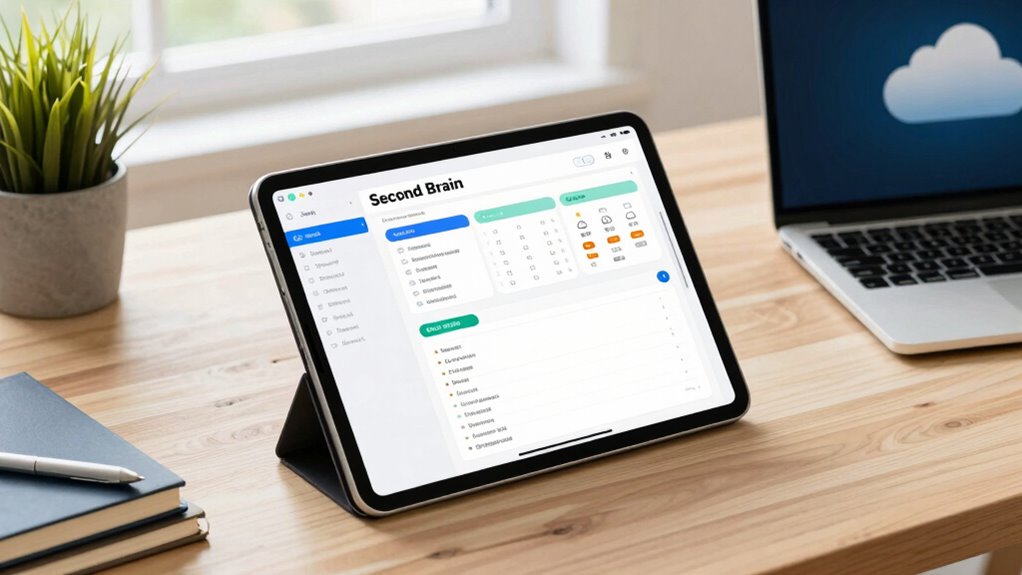
Building a second brain substantially enhances your productivity because it allows you to capture, organize, and access information quickly. This process promotes digital decluttering, reducing the overwhelm of scattered notes and files. When you offload information into your second brain, you’re freeing up mental space, making it easier to focus on what truly matters. Instead of trying to remember every detail, you rely on your system to store and retrieve knowledge efficiently. This cognitive offloading minimizes mental fatigue and keeps your mind clear, allowing you to work smarter, not harder. With a well-structured second brain, you gain instant access to ideas, references, and tasks, streamlining your workflow and boosting overall productivity. Additionally, understanding core digital concepts helps you optimize your setup for long-term adaptability and growth.
How to Choose the Right Tablet for Your Second Brain

Choosing the right tablet means considering how well it supports your favorite apps and workflows. You’ll also want to think about screen size for comfortable reading and note-taking, along with battery life to keep you productive all day. Prioritizing these factors helps make sure your second brain stays efficient and reliable. Additionally, assessing the device’s software compatibility ensures smooth integration with your existing tools and systems. For those interested in creating a seamless digital workspace, selecting a device with good ergonomics and a comfortable form factor can also improve comfort during long work sessions.
Compatibility With Apps
Since your second brain relies on seamless app integration, it’s vital to select a tablet that supports the tools you use daily. Look for devices that offer robust app integration, guaranteeing your preferred note-taking, task management, and cloud storage apps work smoothly. Cross platform compatibility is also key, especially if you switch between devices or operate within different ecosystems. A tablet that easily syncs with your desktop, smartphone, or other gadgets allows you to access your information anytime, anywhere, without hassle. Check whether the tablet’s operating system supports the apps you depend on and whether those apps are optimized for that platform. Prioritizing compatibility ensures your second brain functions efficiently, keeping your workflow uninterrupted and your information always accessible. Understanding digital ecosystems can help you choose a device that fits seamlessly into your existing setup.
Screen Size Considerations
The size of your tablet can considerably impact how effectively your second brain functions. Screen size considerations are vital because they influence your comfort and productivity. A larger display offers more space for multitasking, note-taking, and detailed reading, but it may sacrifice portability. Conversely, a smaller tablet is lightweight and easy to carry, ideal for on-the-go use, but can feel cramped for extended work. Pay attention to display resolution, as higher resolutions provide sharper text and images, reducing eye strain. Portability factors also include weight and thickness, which affect how easily you can carry your device daily. Balance these aspects based on your workflow and environment to select a tablet that enhances your second brain without hindering mobility. Additionally, considering display technology can improve visual clarity and eye comfort during long sessions. Being aware of ergonomic design principles can further reduce fatigue during prolonged use, ensuring sustained productivity. Incorporating software optimization and customizable interfaces can also streamline your workflow and improve overall efficiency. Moreover, selecting a tablet with good battery life is crucial for uninterrupted work sessions and long-term use. For extended productivity, exploring accessory options like stands or keyboards can also enhance your setup.
Battery Life Efficiency
Long battery life is essential when selecting a tablet for your second brain, as it guarantees you can work seamlessly without frequent recharges. Focus on devices with strong power management features and battery optimization capabilities to extend usage. To maximize efficiency, consider these factors:
- Check for adaptive brightness and background activity controls to reduce power drain.
- Choose tablets with high-capacity batteries that suit your daily workload.
- Look for models with efficient processors that balance performance and energy consumption.
Setting Up Seamless Cloud Sync Across Devices
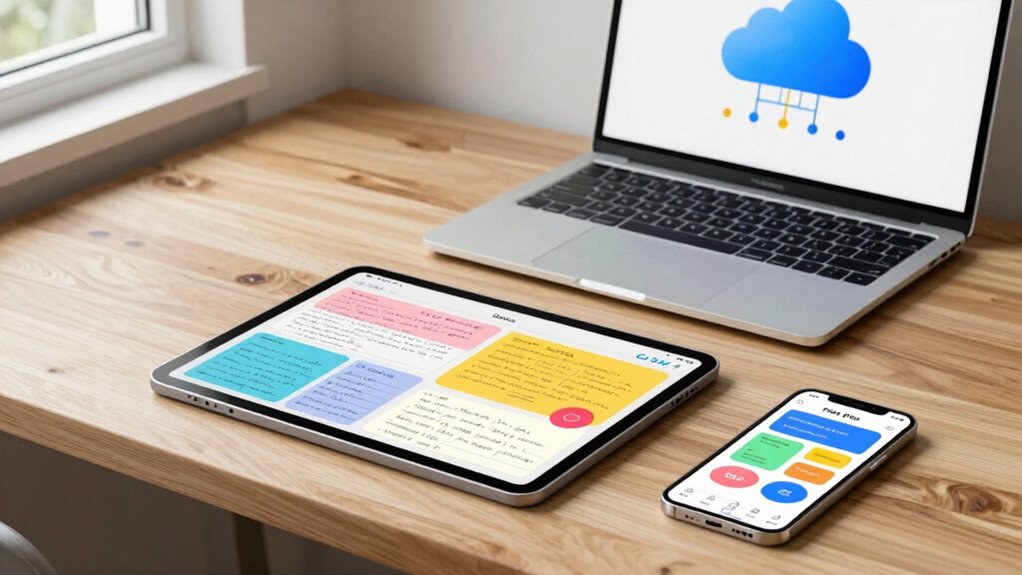
To guarantee your second brain functions smoothly across all your devices, setting up seamless cloud sync is essential. Start by choosing a reliable cloud storage service that suits your needs, ensuring it offers automatic sync features. Install the corresponding app on your tablet, laptop, and phone. Log in with the same account to enable real-time updates, so any note you create or modify appears instantly everywhere. Prioritize data security by enabling two-factor authentication and using strong passwords. Regularly review your sync settings to prevent conflicts or duplicates. Keep your cloud storage organized to avoid clutter and ensure quick access. With this setup, your notes stay consistent, secure, and accessible, making your second brain a seamless extension of your daily workflow. Incorporating long-term adaptability into your setup ensures your system remains flexible as your needs evolve over time.
Organizing Your Notes for Fast Access and Clarity

Organizing your notes effectively is essential for quick access and clear understanding. To achieve this, focus on creating a logical note hierarchy, which groups related ideas and simplifies navigation. Use mind mapping to visualize connections between topics, making it easier to locate information at a glance. Here are three tips to optimize your setup:
- Establish clear categories and subcategories for your notes.
- Use consistent naming conventions to differentiate topics easily.
- Regularly review and refine your note hierarchy to keep it relevant.
- Incorporate filter sizing and flow principles to improve your note organization and ensure your system remains efficient over time.
Creating a Clutter-Free Workflow to Keep Your Second Brain Organized

To keep your second brain organized, focus on streamlining how you categorize your notes and apply tags consistently. Clear categories help you find information quickly, while uniform tagging keeps everything connected. Implementing these practices prevents clutter and makes your workflow more efficient.
Streamlined Note Categorization
When you establish a clear and consistent system for categorizing your notes, it becomes much easier to find what you need quickly and keep your second brain clutter-free. Use techniques like mind mapping to visualize relationships between topics and simplify navigation. Color coding helps you quickly identify categories at a glance, reducing search time. To optimize your workflow, consider these tips:
- Assign specific colors to main categories for instant recognition.
- Use mind maps to organize related notes visually, making connections clearer.
- Keep categories broad but distinct, avoiding overlap to prevent confusion.
- Regularly review and refine your categorization system to adapt to your evolving needs. category management ensures your notes stay organized, accessible, and easy to maintain, creating a seamless, clutter-free second brain.
Consistent Tagging Practices
Maintaining consistent tagging practices is essential for keeping your second brain organized and easy to navigate. When you apply tagging consistency, you ensure that related notes are grouped logically, making retrieval effortless. Establish clear organizational standards for your tags—use uniform terminology, avoid synonyms, and keep tags concise. Vetted – Floating on Water Consistent tags help you quickly identify themes, priorities, or workflows without confusion. Regularly review and refine your tagging system to prevent drift and maintain clarity. By adhering to organizational standards, you create a stable structure that scales with your growing collection of notes. Implementing standardized tagging conventions enhances your overall system clarity and efficiency. Additionally, aligning your tags with relevant project types or content categories can further improve navigation and searchability. Incorporating consistent naming patterns ensures your tags remain intuitive and easy to remember, which further streamlines your workflow. Using controlled vocabularies helps prevent inconsistencies and keeps your system uniform. This disciplined approach minimizes chaos, saves time, and keeps your second brain a reliable resource for your projects and ideas.
Best Apps and Tools to Power Your Second Brain

What are the best apps and tools to power your second brain? The key is choosing tools that excel in digital note taking and seamless app integrations. First, select a versatile note-taking app like Notion or Evernote, which offer robust organizational features. Second, use tools like Zapier or IFTTT to automate workflows and connect your apps effortlessly. Third, consider cloud storage solutions like Dropbox or Google Drive for reliable sync across devices. These tools enable you to capture ideas quickly, organize them efficiently, and access everything from anywhere. Prioritize apps that integrate smoothly, so your second brain remains fluid and responsive. With the right combination, you’ll streamline your digital note taking and keep your knowledge base tidy and accessible.
Tips for Capturing Ideas and Tasks on the Go

Capturing ideas and tasks on the go requires quick, reliable methods to guarantee nothing slips through the cracks. Use voice notes to record spontaneous thoughts or important details when you’re unable to write. Most smartphones have built-in voice recording apps, making this an effortless option. Handwritten sketches are also invaluable—they help visualize concepts instantly, especially when digital tools aren’t handy. Keep a small notebook or use a tablet stylus to jot down quick sketches or notes wherever you are. Sync these captures to your cloud storage immediately, ensuring they’re safe and accessible later. Incorporating these techniques into your routine, so capturing ideas becomes seamless and immediate, prevents lost insights and maintains your second brain’s efficiency on the go. Regularly updating and organizing your digital tools can further improve your workflow and ensure your notes are always ready when needed. Additionally, understanding arcade game evolution can inspire creative ways to organize and categorize your digital notes for easier retrieval. Developing a consistent note-taking system can also enhance your ability to quickly locate and utilize your captured ideas.
How to Maintain Your Second Brain With Regular Reviews
To keep your second brain functioning effectively, scheduling regular reviews is essential. A mindful review helps you stay aligned with your goals and keeps your system current. To build habit consistency, consider these steps:
- Set a fixed time each week for review sessions.
- Go through your notes, tasks, and ideas, updating or archiving as needed.
- Identify any gaps or new priorities to keep your second brain relevant and useful.
- Incorporate simple organization techniques to maintain clarity and prevent clutter.
- Recognize how future economies might impact your planning and adapt your system accordingly.
Regular reviews ensure your system remains organized and actionable. They also reinforce the habit of engaging with your notes intentionally, preventing clutter or forgotten ideas. With consistent practice, reviewing becomes second nature, making your second brain a reliable tool for productivity and clarity.
Troubleshooting Sync and Organization Challenges

When your second brain encounters sync or organization issues, it can disrupt your workflow and create frustration. Cloud conflicts are common culprits, especially when multiple devices try to update the same note simultaneously. To troubleshoot, start by checking your internet connection—sync errors often stem from poor connectivity. Next, review your app settings to ensure cloud sync is enabled correctly. If conflicts occur, resolve them by choosing the most recent version or manually merging changes. Clearing cache or restarting your device can also fix temporary glitches. Regularly updating your apps helps prevent known bugs. Keep an eye on storage limits, as running out of space can cause sync failures. With these steps, you’ll minimize disruptions and maintain a smooth, organized second brain.
How a Second Brain Transforms Your Learning and Work

Have you ever wished for a way to learn faster and work more efficiently? Your second brain makes that possible by transforming how you process information. It enhances learning through techniques like mind mapping, which visually organizes ideas and relationships, making complex concepts easier to grasp. Additionally, note annotation helps you highlight key points and add insights directly within your notes, reinforcing understanding. With a second brain, you can:
- Quickly capture and organize ideas for easy retrieval
- Connect concepts across different topics for deeper insights
- Improve retention and understanding through active note annotation
This setup streamlines your workflow, reduces mental clutter, and makes learning and working more intuitive. Ultimately, it turns your scattered notes into a powerful, interconnected knowledge system.
Frequently Asked Questions
How Secure Is My Second Brain Data Across Devices and Cloud Services?
Your second brain data is fairly secure across devices and cloud services if you use strong data encryption and access controls. Encryption protects your information from unauthorized access, while access controls limit who can view or modify your data. Regularly update your passwords, enable multi-factor authentication, and choose reputable cloud providers with robust security measures to enhance your data’s safety across all devices.
Can I Customize My Second Brain Setup for Different Work Projects?
Yes, you can customize your second brain setup for different work projects by using project-specific customization and workflow tailoring. You can organize notes, tags, and folders tailored to each project’s needs, making it easier to access relevant information quickly. Adjust your note-taking apps, templates, and syncing preferences to match your project’s workflow, ensuring a seamless and efficient process for every task or project you’re working on.
What Backup Options Are Available if My Cloud Sync Fails?
Did you know that 30% of data loss incidents happen due to cloud sync failures? If yours fails, you can rely on offline backups stored locally on your device or external drives. Data recovery options include restoring from these backups or using recovery tools. Always keep multiple copies, and regularly update your offline backups to guarantee your notes are safe and accessible, no matter what happens with cloud sync.
How Do I Integrate Third-Party Tools With My Second Brain System?
To incorporate third-party tools with your second brain system, start by checking app compatibility and support for third-party integrations. Use APIs or automation platforms like Zapier or IFTTT to connect apps seamlessly. You can also explore plugins or extensions that enhance functionality. Keep your apps updated and review permissions regularly to guarantee smooth, secure third-party integrations, making your workflow more efficient and versatile.
Is There a Recommended Learning Curve for Beginners Setting up a Second Brain?
The learning curve for beginners is like climbing a gentle hill—manageable and rewarding. It’s generally quite beginner-friendly, especially if you start with simple tools and routines. You’ll find that most systems are designed to be intuitive, so you can gradually build your skills without feeling overwhelmed. With patience and consistency, you’ll master your second brain setup, turning complexity into clarity step by step.
Conclusion
Imagine your second brain as a trusted compass guiding you through chaos. When set up right—with the right tablet, seamless sync, and organized notes—you’ll navigate ideas and tasks effortlessly. Like a seasoned sailor relying on steady stars, your system keeps you centered and focused, turning overwhelming clutter into clear direction. With regular care, your second brain becomes your most dependable crew member—helping you learn faster, work smarter, and stay calm amid life’s storms.