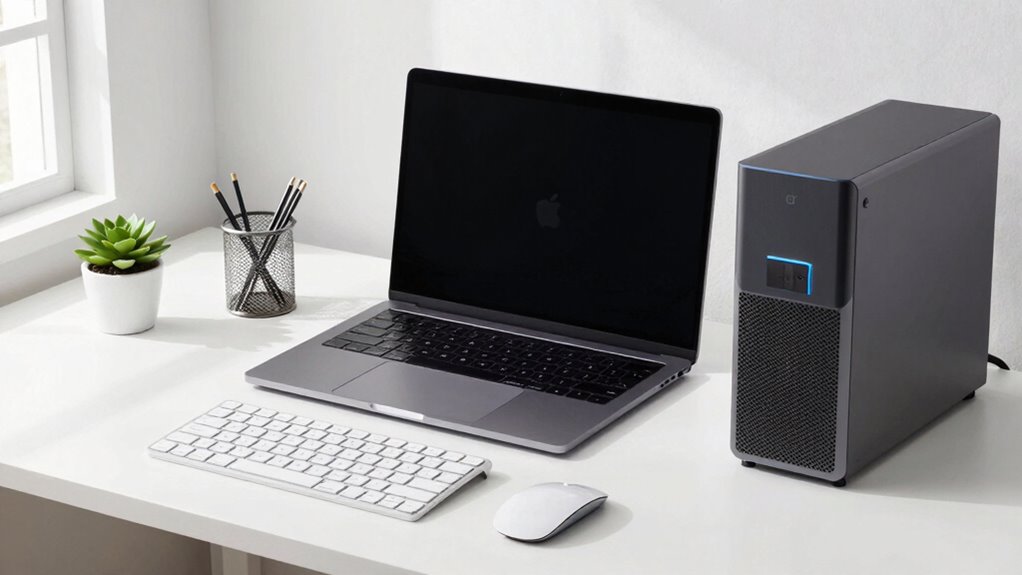

To build a cleaner Mac-and-PC desk setup, start by using wireless peripherals like keyboards and mice to eliminate tangled cords. Organize cables with clips, sleeves, or ties, and hide power strips in cable management boxes. Position devices close to your monitor with stands or docks for easy access, and keep your workspace minimal and neat. Regularly review your setup to prevent clutter and stay organized. Keep exploring for more tips on creating a sleek, efficient workspace.
Key Takeaways
- Use wireless peripherals to eliminate cable clutter and create a sleek, streamlined workspace.
- Implement cable management tools like clips, sleeves, and boxes to organize and conceal cords.
- Position devices close to monitors with stands or docks for easy access and minimal cable length.
- Regularly review and adjust cables to maintain tidiness and prevent tangles over time.
- Incorporate accessories like cable ties and management sleeves for a clean, professional-looking setup.

Building a cleaner Mac-and-PC desk setup can transform your workspace into a more efficient and visually appealing environment. The key to achieving this starts with minimizing clutter, and one of the most effective ways is by investing in wireless peripherals. Wireless keyboards and mice eliminate the tangle of cords that often clutter your desk, giving you a sleek, streamlined look. When you cut down on cables, your workspace feels more open and less chaotic. Plus, wireless peripherals offer greater flexibility—you can move your mouse or keyboard around without worrying about tangled cords or limited reach. This not only improves your comfort but also makes cleaning easier since there aren’t cords to get in the way.
Cable management plays an essential role in creating a tidy desk. Start by gathering all your cables—power cords, HDMI, USB, and others—and organizing them with cable clips, sleeves, or ties. Use cable sleeves to bundle multiple wires together, reducing visual clutter and preventing tangling. Attach cable clips along the back edge of your desk to keep cords out of sight and prevent them from dangling onto the floor or cluttering your workspace. Consider using a cable management box to hide power strips and excess cords beneath your desk. These simple steps make a big difference, creating a clean surface and reducing the risk of accidental disconnections or damage. Incorporating cable management techniques can further enhance the overall tidiness and safety of your setup. Additionally, choosing wireless peripherals can drastically reduce the number of cables needed and simplify your setup even further. Using electronic device organization**** tools can help keep your workspace orderly over time, especially as you add or replace devices.
To go a step further, position your wireless peripherals strategically. Keep your wireless keyboard and mouse close to your monitor for ergonomic comfort, and use a dedicated stand or dock to keep your devices within reach. When your peripherals are within easy access, you minimize the need for extra cables and reduce clutter on your desk surface. Pairing wireless peripherals with a docking station can also streamline your setup, consolidating all your connections into a single hub. This setup not only looks neat but also makes it easier to connect and disconnect devices as needed. Ensuring proper cable organization can help maintain a clean environment over time, preventing tangles and clutter from returning. Regularly reviewing and adjusting your cable setup can prevent clutter from accumulating and keep your workspace looking professional.

Logitech MK270 Full Size Wireless Keyboard and Mouse Combo – Black
- Wireless Range: Up to 33 feet reliable connection
- Comfortable Typing: Low-profile, quiet keys with full layout
- Durable Design: Spill-resistant, sturdy keys, adjustable tilt
As an affiliate, we earn on qualifying purchases.
As an affiliate, we earn on qualifying purchases.
Frequently Asked Questions
What Are the Best Cable Management Tools for This Setup?
The best cable management tools for your setup include cable organizers and cord clips. Cable organizers help bundle and conceal multiple cables, reducing clutter. Cord clips attach to your desk or wall, keeping cords in place and preventing tangles. Together, these tools keep your workspace tidy and efficient. Use cable organizers for bulk management and cord clips for securing individual cords, creating a clean, streamlined desk setup that’s easy to maintain.
How Can I Optimize Desk Space for Multiple Devices?
Imagine your desk as a puzzle, each piece fitting perfectly. To optimize space, use ergonomic accessories that elevate and organize devices efficiently. Incorporate decorative organizers to keep cables, pens, and gadgets tidy, creating a seamless flow. Stack monitors or use vertical stands to free surface area. This approach not only maximizes space but also enhances comfort and style, transforming your cluttered desk into a sleek, functional workspace.
What Are Eco-Friendly Cleaning Products for Electronics?
You should opt for eco-friendly cleaning products like those made from natural ingredients such as vinegar, rubbing alcohol, or plant-based solutions. These products are safe for your electronics and better for the environment, promoting sustainable electronics practices. Always use a soft, lint-free cloth and avoid harsh chemicals. Regularly cleaning with eco-conscious products helps maintain your devices while reducing your ecological footprint, ensuring a cleaner, greener workspace.
How Often Should I Clean My Keyboard and Monitor?
You should clean your keyboard weekly to maintain good keyboard hygiene and prevent dust buildup, which can cause keys to stick or malfunction. For your monitor, aim for monthly maintenance to remove dust and smudges, ensuring clear visuals. Regular cleaning not only keeps your workspace tidy but also prolongs device lifespan. Use gentle, eco-friendly cleaning products and soft cloths to prevent scratches and damage during monitor maintenance.
Can Wireless Devices Reduce Desk Clutter Effectively?
Cutting the cord really can clear up your space. Wireless peripherals help you achieve a cable-free workspace, making your desk look tidier and more organized. They reduce clutter and eliminate tangles, giving you more room to work comfortably. Plus, they’re easy to move around, so you can customize your setup as needed. Overall, switching to wireless devices is a smart move to keep your desk neat and efficient.

N NOROCME 192 PCS Cable Management Kit 4 Wire Organizer Sleeve
- Complete Cable Management Kit: Includes sleeves, ties, clips, and mounts
- Variety of Cable Clips: 6 types, eco-friendly, strong, multi-surface use
- Durable Materials: Sturdy, high-quality components for long-lasting organization
As an affiliate, we earn on qualifying purchases.
As an affiliate, we earn on qualifying purchases.
Conclusion
So, there you have it—your desk transformed into a sleek, chaos-free zone. Imagine your cables as rebellious snakes tamed into neat rows, and your clutter as tiny paper monsters banished to the trash bin. With a little effort, you’ll finally sit down at your desk instead of tripping over a jungle of gadgets. Now, enjoy your new zen-like workspace, where even your coffee mug seems calmer, whispering, “Ah, peace at last.”

OHill 16-Pack Black Cord Organizer – Adhesive Cable Clips Holder for Desk, Wall, Car – Wire Management Clips for iPhone Charger, USB, Computer Cables -Cord Keepers with Strong Sticky Backing
- 16-Pack Variety of Sizes: Includes 16 different size cable clips
- Desk Organization: Keeps cables tidy and safe on your desk
- Multi-Use Design: Suitable for desks, walls, cars, and more
As an affiliate, we earn on qualifying purchases.
As an affiliate, we earn on qualifying purchases.

Plugable Universal Laptop Docking Station Dual HDMI Monitor for Windows and Mac (Driver Required), USB 3.0 or USB-C, 2X HDMI, Gigabit Ethernet, Audio, 6 USB Ports (UD-3900)
- Flexible Connectivity: USB 3.0 or USB-C with multiple ports
- Dual HDMI Support: Supports two monitors up to 1920×1200 @ 60Hz
- High-Resolution Display: Single HDMI up to 2560×1440 @ 50Hz
As an affiliate, we earn on qualifying purchases.
As an affiliate, we earn on qualifying purchases.