

TL;DR

Get the little things that make your day delivered free with Prime
- Fast, free delivery on millions of items
- Prime Video, Amazon Music and more included
- Member-only deals all year
This approach converts a single video into all the assets needed for publishing—titles, descriptions, social posts, media kits—without relying on cloud services. It offers indie creators more control, privacy, and speed in their workflows.
Imagine finishing a video and having an entire marketing and publishing package ready in minutes. No waiting on cloud uploads, no endless copying and pasting. It’s a vision where your content transforms into a full suite of assets—titles, descriptions, social posts, media kits—without ever leaving your machine.
This isn’t just wishful thinking. The latest tools aim to make that happen. They analyze your video on multiple levels—what’s said, what’s shown, and how it all fits together—and then produce everything you need to launch and promote. Why does that matter? Because it puts you back in control, speeds up your workflow, and keeps your content private.
Key Takeaways
- Local-first publishing tools let you generate a full set of assets from one video, all processed on your machine.
- You control your data, reducing privacy risks and dependence on cloud services.
- The system produces titles, descriptions, social posts, and media kits, saving hours of manual work.
- Human review remains vital—AI is a helper, not a final decision-maker.
- Comparison tables highlight the advantages of local processing over cloud-based solutions.
As an affiliate, we earn on qualifying purchases.
How One Video Becomes a Complete Publishing Kit
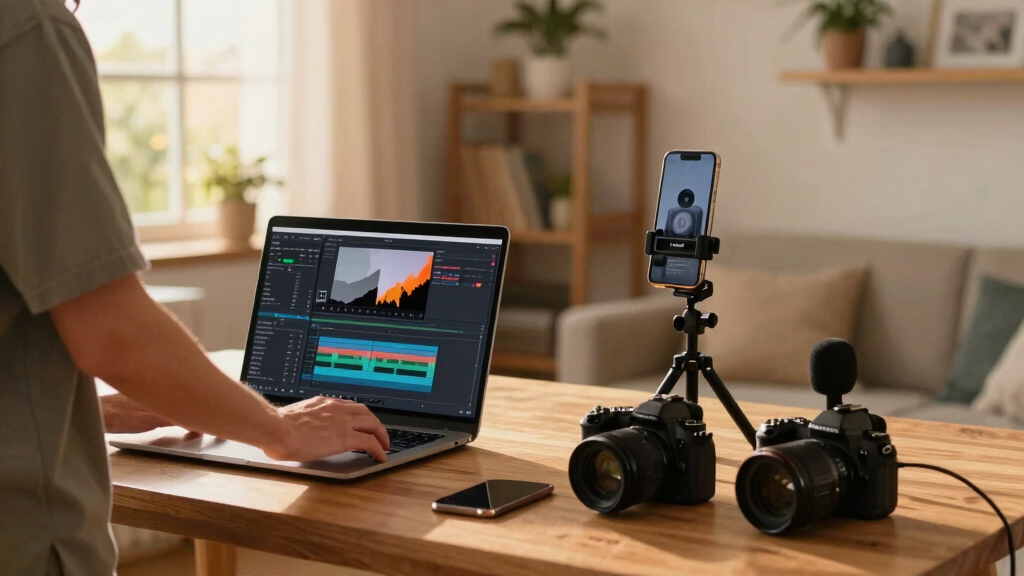
When you drop a video into this system, it’s not just a file waiting to be uploaded. The tool—like ChannelHelm—reads every layer: the audio, the visuals, and the combined story. It spots the key moments, understands what’s important, and then creates assets tailored for each platform.
For example, it generates optimized titles scored for engagement, detailed descriptions with chapters, hashtags, and thumbnails that match the content’s core hook. It even plans social posts, blog drafts, and newsletter snippets—all from a single input.
This process turns a raw video into a full marketing package, ready for review and final tweaks. It’s like having a mini publishing team in your pocket.
As an affiliate, we earn on qualifying purchases.
No Cloud, No Problem: What Does ‘Without the Cloud’ Really Mean?
“Without the cloud” means everything runs locally on your machine, not through a web service or SaaS. This gives you full control over your files and reduces dependence on online servers that might compromise privacy or slow down your workflow.
In practice, it’s like working on a powerful desktop app instead of a web dashboard. You can process, edit, and export assets without uploading to a remote server. Think of it as working in your own private studio, with all your tools and files right at your fingertips.
While many tools claim to be ‘cloud-free,’ the key here is that you keep ownership and control of your assets—no third-party servers holding your data hostage. Learn more about cloud-free publishing.

As an affiliate, we earn on qualifying purchases.
What Comes Out of the System? The Complete Publishing Package
From one video input, you get a full suite of assets ready to publish. Here’s what a typical package includes: productivity and workflow tips.
- Multiple titles, scored for engagement and character limits.
- Full descriptions with chapters, hashtags, and SEO keywords.
- Thumbnails and hook images, pulled from key moments.
- Short clips optimized for TikTok, Reels, Shorts, and social stories.
- Blog drafts and newsletter snippets.
- Social media posts tailored for each platform—X, Instagram, Facebook, Reddit, and more.
But why is this comprehensive asset generation so valuable? Because it ensures brand consistency across platforms, saves you from manual repetition, and accelerates your publishing timeline. The tradeoff is that initial setup—defining templates and parameters—requires some upfront planning. Once configured, however, it drastically reduces the time spent on repetitive tasks, letting you focus on creative refinement. This systematic approach also minimizes human error, as AI-driven suggestions eliminate inconsistencies that often creep into manual work. Ultimately, it empowers creators to scale their content production without sacrificing quality or control.

video content automation software
As an affiliate, we earn on qualifying purchases.
As an affiliate, we earn on qualifying purchases.
Real-World Use Cases for Indie Creators and Marketers
Imagine you’re launching a new course video. You upload the raw footage into the system. It automatically produces a catchy title, a detailed description, three social posts, and a set of short clips ready to post. You review, tweak a few headlines, and hit publish. All without relying on cloud services or outsourcing.
Or consider a small publisher prepping a book trailer. The tool analyzes the video, pulls out the key moments, and creates a media kit—images, snippets, metadata—ready to upload to your website and Amazon.
This workflow empowers indie creators, course instructors, and small publishers who want control, speed, and privacy—without sacrificing quality or reach. The implications are significant: it democratizes content creation, making professional-grade publishing accessible to solo operators and small teams. Discover more at our site about Christian living and growth. The tradeoffs include the need for a capable local machine and some initial setup time, but the benefits in privacy, speed, and independence often outweigh these costs.

Comparison Table: Cloud vs. Local-First Publishing Tools
| Feature | Cloud-Based Tools | Local-First Tools |
|---|---|---|
| Privacy | Data stored on servers, risk of leaks | Data stays on your machine |
| Speed | Depends on internet connection | Fast, local processing |
| Control | Limited, managed by provider | Full control over files and workflow |
| Cost | Subscription-based, ongoing fees | One-time purchase or local license |
| Flexibility | Limited to platform features | Highly customizable with local tools |
The Human Touch: Human Review Still Matters
Even with AI-generated assets, human oversight is crucial. You need to review titles, descriptions, and images to match your brand voice and ensure accuracy. The system is a powerful helper, but final approval still rests with you.
For instance, an AI might suggest a generic thumbnail, but you’ll want to pick one that truly captures the video’s essence. Similarly, a description might need a personal touch to resonate with your audience.
Think of this workflow as an assistant—fast and efficient, but still needing your expert eye to perfect the final product.

Practical Tips to Maximize Your Offline Publishing Workflow
- Set up templates for titles, descriptions, and social posts to speed up editing.
- Keep your assets organized in folders by project for quick retrieval.
- Regularly back up your local files to external drives or NAS devices.
- Use version control to track changes to your assets and scripts.
- Automate routine tasks with scripts, so you focus on creative review.
For example, a writer launching a new ebook can pre-create description templates, so the AI fills in the specifics, saving hours on each launch.
Frequently Asked Questions
What exactly does “one video in” mean?
It means you upload a single raw video file or link, which then serves as the basis for generating all your marketing and publishing assets—titles, descriptions, social posts, and more—automatically.
Does this system work offline or just without cloud services?
The idea is that all processing happens locally on your machine, giving you control and privacy. While some tools claim to be offline, ensure they don’t rely on cloud components for core functions.
What kinds of assets can it generate?
You can expect titles, descriptions, hashtags, thumbnails, short clips for social media, blog drafts, newsletter snippets, and social media posts—everything needed for a full launch.
Is it suitable for ebooks, print books, or audio books?
While primarily focused on video content and marketing assets, similar workflows are emerging for ebooks and audiobooks, especially with AI tools that analyze manuscript or audio inputs.
How accurate are the generated metadata and descriptions?
They’re quite good—especially when fine-tuned with your input. AI can identify key moments, trending keywords, and effective hooks, but a human review is still recommended for best results.
Conclusion
Turning a single video into a complete publishing kit without the cloud is no longer a pipe dream. It’s a powerful way to maintain control, speed up your workflow, and keep your work private. The future belongs to those who master local, integrated tools that do more with less dependence on online servers.
Ready to keep your content in your hands and out of the cloud? Start exploring local publishing workflows today, and watch your productivity skyrocket. Because when you control your assets, you control your future.

Halloween Picks
halloween
As an affiliate, we earn on qualifying purchases.