At night, monitor light bars matter more because they create a balanced ambient light that reduces eye strain when the surrounding environment is dark. Without proper lighting, your eyes work harder to distinguish the screen from the dark space, leading to fatigue and discomfort. Brightness adjustments alone don’t manage contrast well in low light. Using a light bar helps you stay comfortable and focused longer. Keep going to discover how proper lighting makes a real difference.
Key Takeaways
- Nighttime ambient lighting reduces eye strain caused by high contrast between bright screens and dark surroundings.
- Light bars provide necessary illumination that monitor brightness alone cannot balance in low-light conditions.
- Proper lighting during the night minimizes glare and reflections, enhancing visual comfort during prolonged use.
- Ambient light helps maintain natural pupil size, preventing fatigue and discomfort during extended screen time.
- Using light bars at night supports overall visual health and ergonomic workspace comfort in dark environments.
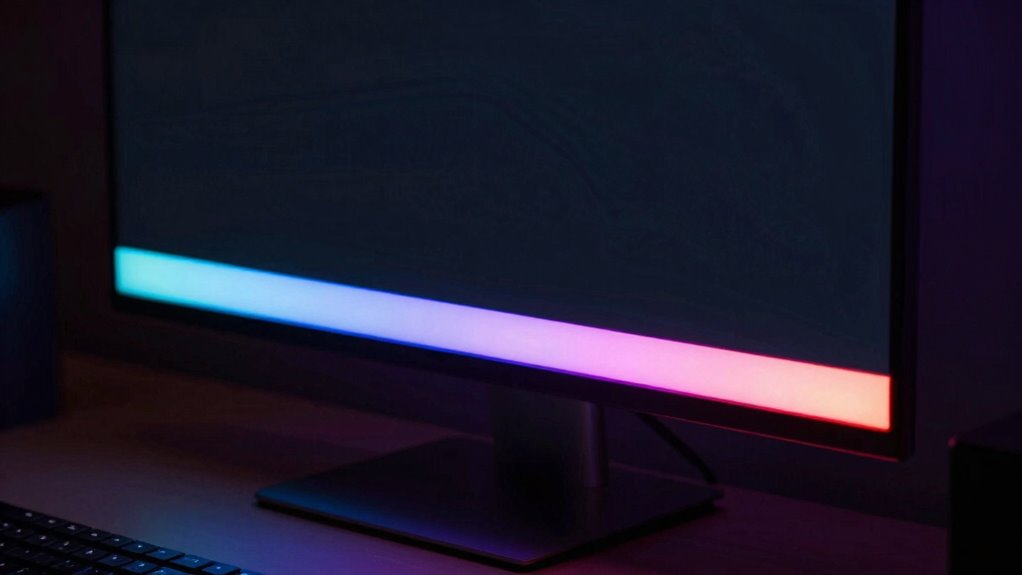
When the sun sets and darkness takes over, monitor light bars become more than just a visual enhancement—they’re essential for maintaining clarity and reducing eye strain. As ambient illumination dims around you, your eyes have to work harder to differentiate the screen from the surrounding environment. Without proper lighting, your pupils dilate to gather more light, which increases eye fatigue and discomfort over time. A well-placed light bar provides just enough ambient illumination to balance the brightness of your screen, preventing your pupils from constantly adjusting and helping you see details more clearly.
Monitor light bars are essential at night for reducing eye strain and enhancing clarity in dark environments.
During the day, natural light usually offers sufficient ambient illumination, making monitor light bars less critical. Sunlight brightens the room evenly, reducing the contrast between your screen and the surroundings. However, at night, the lack of ambient light causes your eyes to strain as they attempt to focus on a bright display in a dark room. This mismatch can lead to headaches, blurred vision, and overall fatigue. The light bar acts as a buffer, softly illuminating your workspace without causing glare or reflections on your screen, which can further contribute to eye strain. Proper lighting design can also enhance your overall workspace comfort and effectiveness.
You might think that adjusting your monitor’s brightness can solve the problem, but that’s often not enough. Brightness alone doesn’t address the imbalance between the screen and the dark environment. Instead, adding ambient illumination with a monitor light bar ensures the lighting levels are synchronized, reducing the visual stress on your eyes. This balanced lighting setup helps you maintain focus longer, especially during extended work sessions or late-night gaming. Additionally, visual ergonomics play a crucial role in designing an optimal workspace, and proper lighting is a key component. Incorporating lighting ergonomics can further improve your comfort and protect your eyesight during prolonged use. A balanced lighting environment is essential for minimizing eye fatigue and enhancing overall visual comfort. Proper lighting not only reduces eye strain but also supports healthier visual health, especially during extended periods of screen time.
Furthermore, monitor light bars contribute to overall visual comfort by reducing eye strain. When your eyes don’t have to constantly adapt to changing light conditions, you can work more comfortably and for longer stretches. The soft, directed light from the bar creates a more natural viewing environment, minimizing glare and reflections that can cause discomfort and distraction. It’s a simple addition that significantly impacts your eye health, especially when you spend hours in front of the screen after dark.
Ultimately, at night, monitor light bars become indispensable tools for creating an optimal environment. They provide the ambient illumination needed to keep your eyes comfortable, improve clarity, and cut down on eye strain. In darker settings, the right lighting isn’t just a luxury—it’s a necessity for maintaining your visual health and ensuring you can focus without unnecessary fatigue.
monitor light bar for eye strain
As an affiliate, we earn on qualifying purchases.
As an affiliate, we earn on qualifying purchases.
Frequently Asked Questions
How Do Monitor Light Bars Affect Sleep Quality?
Monitor light bars can negatively affect your sleep quality by disrupting your circadian rhythm. The ambient lighting from these bars emits blue light, which signals your brain it’s daytime, making it harder to fall asleep. At night, this interference is more pronounced, so you might find yourself taking longer to sleep and experiencing less restorative rest. To protect your sleep, consider dimming or turning off monitor light bars in the evening.
Are Certain Colors of Light Bars Better for Nighttime Use?
Bright, cool-colored light bars can disrupt your sleep more than warmer hues. For nighttime use, opt for lower color temperature light bars, which emit softer, amber or red tones that mimic ambient lighting. These colors reduce blue light exposure, helping your body produce melatonin naturally. Unlike harsh, bluish light, warm tones create a calming environment, making it easier to wind down and improve sleep quality during late hours.
Can Monitor Light Bars Reduce Eye Strain During Late-Night Work?
Monitor light bars can definitely reduce eye strain during late-night work. Choose a light bar with a warmer color temperature to minimize blue light exposure, which helps prevent eye fatigue. By adjusting the brightness and color settings, you create a more comfortable environment that reduces strain on your eyes. This way, you can work longer without discomfort, especially during late hours when your eyes are more sensitive to bright, harsh lighting.
What Are the Best Placement Tips for Light Bars at Night?
To optimize ambient lighting at night, place your light bar behind or just above your monitor, ensuring it avoids glare directly into your eyes. Maintain ergonomic positioning by keeping the light source at eye level or slightly higher, reducing eye strain. Adjust brightness to complement your screen and surroundings, creating a balanced environment. Proper placement minimizes shadows and glare, making late-night work more comfortable and less tiring for your eyes.
Do Light Bars Impact Overall Screen Visibility in Dark Environments?
Think of your screen as a stage; light bars can either illuminate or overshadow your performance. In dark environments, they substantially impact overall screen visibility by adding ambient lighting that reduces eye strain. However, if positioned poorly, they can cause screen glare, making it harder to see details. Proper placement minimizes glare and enhances clarity, ensuring the light bar’s benefits outweigh any potential distractions.
As an affiliate, we earn on qualifying purchases.
Conclusion
At night, your monitor’s light bar becomes your guiding star in a sea of darkness, shaping your focus and comfort. Just as a lighthouse guides ships safely home, a well-placed light bar guarantees you don’t lose your way in the digital world. Ignoring its importance can leave you steering blindfolded, straining your eyes and losing productivity. So, embrace its glow, and let it illuminate your path through the night’s shadows.
As an affiliate, we earn on qualifying purchases.
As an affiliate, we earn on qualifying purchases.