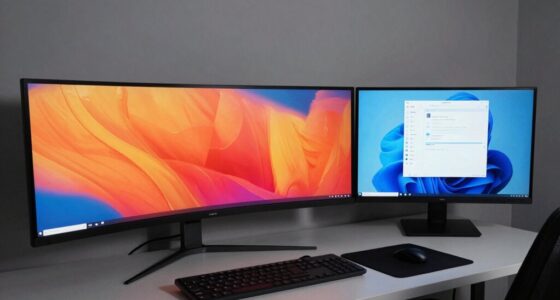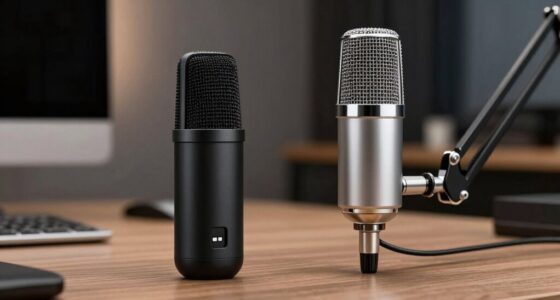
A capture card records or streams video signals from your external devices, like gaming consoles or cameras, straight to your PC with minimal delay and high quality. A video switcher, on the other hand, helps you manage multiple video sources during a live broadcast, allowing you to switch views smoothly and add effects or overlays. Together, they make your streams look professional and organized, and if you keep going, you’ll learn how to use both effectively to elevate your content.

Get the little things that make your day delivered free with Prime
- Fast, free delivery on millions of items
- Prime Video, Amazon Music and more included
- Member-only deals all year
Key Takeaways
- Capture cards record or stream video signals from external devices to your computer with minimal delay.
- Video switchers allow you to instantly change between multiple video sources during a live broadcast.
- Capture cards focus on high-quality video capture, while switchers manage multiple sources and add effects.
- Using both together provides better control, seamless transitions, and professional-looking streams.
- Capture cards ensure clear, high-resolution video; switchers enhance viewer engagement with dynamic switching.

If you’re looking to stream or record high-quality video content, understanding capture cards and video switchers is vital. Both tools help you manage multiple video sources, but they serve different purposes and are used in different ways. Knowing the difference can substantially improve your setup, especially if you’re focused on gaming performance and live streaming techniques.
A capture card is a device that records or streams video signals from an external source, like a gaming console or camera, to your computer. It acts as a bridge, capturing the video in real-time so you can broadcast it to platforms like Twitch or YouTube. When you’re gaming, a good capture card ensures your gameplay is transmitted with minimal latency and high resolution, which is essential for maintaining smooth gaming performance. It allows you to showcase your gameplay, reactions, or tutorials with clarity, giving your audience a more immersive experience. If you’re serious about live streaming techniques, a reliable capture card helps keep your video quality sharp and your stream stable, even during intense gaming sessions. Mastering video signal management can further optimize your setup and ensure seamless transmission.
A capture card transmits your game or camera signals to your PC with minimal latency and high resolution.
On the other hand, a video switcher is a device that lets you switch between multiple video sources instantly. Think of it as a control panel that allows you to toggle between different cameras, game consoles, or screens during a live broadcast. This is especially useful if you want to add variety to your stream, switching from a gameplay view to a facecam, graphics, or other media without any noticeable delay. Video switchers are popular in professional streaming setups because they give you the power to create dynamic, engaging content. They often include features like transitions, overlays, and effects, which help elevate your live streaming techniques and make your broadcasts more polished. Additionally, many switchers also support multi-view displays, making it easier to monitor all your sources at once for a more organized production.
While a capture card focuses on capturing and transmitting high-quality video, a video switcher emphasizes control and presentation. You can even use both together—capture cards bring in multiple sources, and a switcher helps you manage those sources seamlessly. This combination can maximize your gaming performance and improve the overall quality of your streams. Additionally, understanding video management tools can help you optimize your setup even further. This knowledge allows streamers to better manage multiple sources, which is essential for creating professional-looking content. In essence, if you want to produce professional-looking content, understanding how these devices work and how they complement each other will give you a considerable advantage in live streaming. Whether you’re gaming competitively or just sharing your gameplay for fun, mastering these tools ensures your content looks great and runs smoothly.
As an affiliate, we earn on qualifying purchases.
Frequently Asked Questions
Can I Use a Capture Card Without a Computer?
You can’t use a capture card without a computer because it needs one to process and record the video signal. Capture card limitations prevent it from functioning alone, as it requires software on a computer to work. Switcher customization isn’t possible without a computer either. To use a capture card effectively, you’ll need a compatible device running the right software, making it impossible to operate it independently.
Do Video Switchers Support 4K Resolution?
You might be surprised, but many video switchers do support 4K resolution, making your high-quality content possible. They’re designed for resolution compatibility and device connectivity, ensuring seamless switching between multiple 4K sources. However, not all switchers offer this feature, so check the specifications before buying. If you want crisp, detailed visuals, look for a switcher that explicitly supports 4K to meet your streaming or recording needs.
Are Capture Cards Compatible With Gaming Consoles?
Yes, capture cards are compatible with gaming consoles. They connect via various connectivity options like HDMI or USB, depending on the device. Make sure your console’s output matches the capture card’s input for seamless device compatibility. Most capture cards support popular gaming consoles, but it’s wise to check the specific device’s specifications to confirm compatibility and ensure smooth gameplay recording or streaming.
How Many Inputs Can a Video Switcher Handle?
A video switcher can handle multiple inputs, typically ranging from 2 to 8, depending on the model. You’ll want to check its video input options and signal compatibility to guarantee it matches your devices. For example, if you have several cameras or sources, pick a switcher with enough inputs and compatible video inputs like HDMI or SDI. This way, you can seamlessly switch between different video signals during your broadcast or recording.
Is There a Latency Difference Between Capture Cards and Switchers?
You’ll find that video switchers generally have less latency than capture cards, thanks to real-time processing. It’s ironic—switchers are designed to instantly change video feeds, so hardware latency is minimized. Capture cards, however, often introduce a slight delay because they process and transmit data to your computer before you see the output. So, if timing matters, switchers keep you in the moment, while capture cards might make you wait just a bit.
As an affiliate, we earn on qualifying purchases.
Conclusion
Imagine yourself at the heart of a bustling control room, where a capture card quietly records your gameplay or stream, like a dedicated scribe capturing every detail. Meanwhile, a video switcher acts like a skilled conductor, seamlessly blending scenes and adding flair. Together, they turn your raw moments into a smooth, engaging show. Understanding their roles helps you craft a seamless experience, making your content not just seen, but truly felt.
As an affiliate, we earn on qualifying purchases.
professional video switcher for streaming
As an affiliate, we earn on qualifying purchases.
As an affiliate, we earn on qualifying purchases.
Halloween Picks
halloween
As an affiliate, we earn on qualifying purchases.