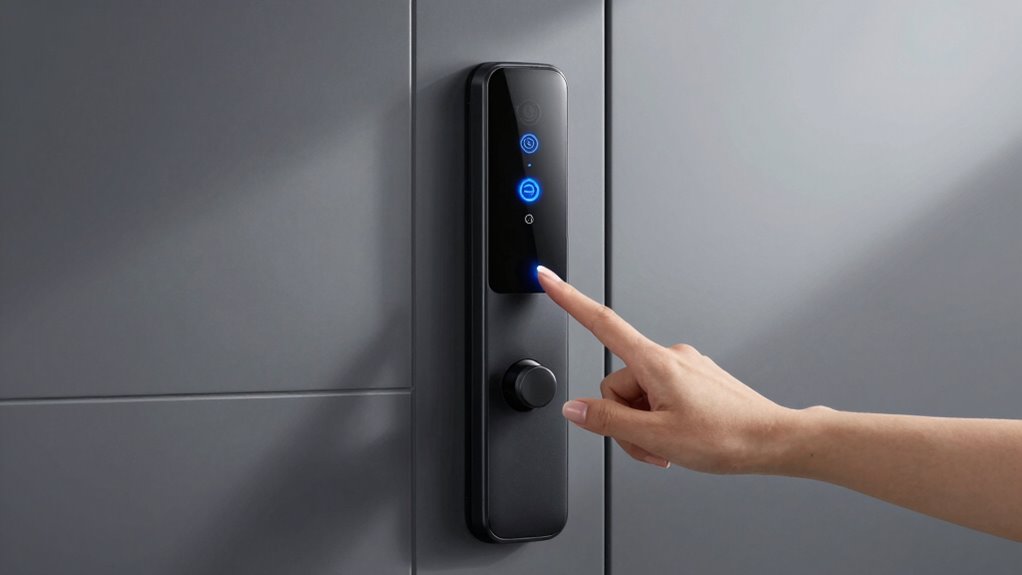
Smart locks can greatly boost your office security by providing remote access, real-time entry logs, and flexible control over who enters and when. However, security also depends on your habits—using strong passcodes, regularly updating access credentials, and being cautious when sharing keys or codes. Combining smart technology with good security practices creates a stronger defense against breaches. Want to discover more tips to make your office even safer? Keep exploring to uncover key strategies.
Prime for Young Adults — start your free trial
Fast free delivery, streaming and member deals for eligible 18–24 year olds.
As an affiliate, we earn on qualifying purchases.
Key Takeaways
- Combining smart locks with strong passcodes and regular updates enhances overall office security.
- Sharing access credentials cautiously prevents unauthorized entry and maintains control.
- Fostering a security-aware culture encourages responsible use of smart lock systems.
- Regularly reviewing access logs helps identify suspicious activity and reinforces secure habits.
- Integrating good security practices with advanced smart lock features strengthens office safety.

Are traditional office locks enough to keep your workspace secure? Probably not. While a standard lock and key have long been the go-to for office security, they come with limitations. Keys can be lost, duplicated, or stolen, leaving your space vulnerable. That’s where smart locks come into play, transforming how you secure your office environment. These advanced devices leverage access control systems and keyless entry features, giving you more control over who enters and when. Instead of handing out physical keys, you can grant access remotely via smartphone apps, making it easier to manage multiple users and keep track of entry logs. This shift not only enhances security but also streamlines operations—no more chasing down misplaced keys or changing locks after a security breach.
Smart locks enhance office security with remote access, keyless entry, and real-time entry logs.
With smart locks, access control becomes more flexible and precise. You can assign temporary codes or digital keys to visitors, cleaning crews, or contractors, ensuring they only access the office during designated times. This level of control reduces the risk of unauthorized entry and helps you maintain a secure environment without the hassle of physical keys. Keyless entry options eliminate the need for mechanical keys altogether, making it harder for intruders to pick or duplicate locks. Instead, access is granted through PIN codes, biometric scans, or smartphone credentials, which are much more difficult to compromise. Incorporating biodiversity into your security practices, such as selecting eco-friendly and energy-efficient smart lock devices, can also contribute to sustainable office management.
Implementing smart locks encourages better security habits within your team. For example, you can set up alerts for every entry and exit, keeping you informed of who’s in the office at any given time. This real-time monitoring discourages unauthorized access and promotes accountability. Additionally, you can easily revoke access when someone leaves or no longer needs entry, without changing locks or issuing new keys. These features make your security system adaptable and responsive, especially in dynamic office environments with frequent personnel changes.
Ultimately, smart locks are a crucial upgrade to traditional security measures, but they work best when paired with good habits. Relying solely on advanced technology isn’t enough; you need to enforce protocols like strong passcodes, regular updates, and cautious sharing of access credentials. Combining smart locks with a culture of security awareness ensures your workspace remains protected. In the end, security starts with smarter habits and smarter locks—making your office safer, more manageable, and more aligned with today’s technological possibilities.
As an affiliate, we earn on qualifying purchases.
Frequently Asked Questions
Are Smart Locks Compatible With Existing Office Security Systems?
Yes, smart locks are compatible with most existing office security systems. They enhance access control by allowing you to manage user authentication easily through digital keys or codes. Many smart locks integrate seamlessly with your current security infrastructure, enabling remote access and monitoring. This compatibility guarantees you can upgrade your security without overhauling your entire system, making it easier to control who enters and improve overall safety.
What Is the Average Lifespan of a Smart Lock Battery?
Imagine your smart lock’s battery as its heartbeat, quietly powering its security. On average, a smart lock’s battery lasts about 6 to 12 months. Regular battery maintenance guarantees steady power, preventing unexpected lockouts. Keep an eye on power consumption and replace batteries promptly. Proper care makes sure your smart lock stays active, safeguarding your office without interruption, and prolongs battery life to keep security running smoothly.
Can Employees Share Access Codes Securely?
Employees shouldn’t share access codes openly, as it risks compromising access code privacy. Instead, leverage employee authentication features like unique codes or PINs for each individual. This way, you maintain better control over who accesses secure areas. Encourage staff to keep their codes confidential and change them regularly. By doing so, you strengthen security protocols and reduce the chances of unauthorized entry, ensuring your office stays protected.
How Do Smart Locks Handle Power Outages?
Smart locks handle power outages effectively by including a battery backup system. When a power failure occurs, the battery backup keeps the lock functioning, guaranteeing you can still access your office securely. You won’t need to worry about losing control or being locked out during outages. Just make certain your smart lock’s battery backup is regularly maintained and has enough charge to cover potential power failures.
Are Smart Locks Vulnerable to Hacking or Cyber Attacks?
Smart locks can be vulnerable to hacking vulnerabilities if not properly secured, exposing you to cybersecurity risks. While most use encryption and regular updates to protect against cyber attacks, weak passwords or outdated firmware can increase hacking risks. To stay safe, you should choose reputable brands, enable multi-factor authentication, and keep your firmware current. Staying vigilant helps guarantee your smart lock remains secure against cyber threats.
As an affiliate, we earn on qualifying purchases.
Conclusion
You can enhance your office security by choosing smart locks, by adopting better habits, and by staying vigilant. You can trust the convenience of keyless access, the peace of mind of remote control, and the assurance of enhanced safety. You can create a secure environment by combining technology with good habits, by embracing innovation alongside awareness, and by protecting your workspace with smart solutions and smart practices. Ultimately, security starts with smart choices—and smart habits.
As an affiliate, we earn on qualifying purchases.
As an affiliate, we earn on qualifying purchases.
NFL season / tailgating Picks
team gear
As an affiliate, we earn on qualifying purchases.