

To count inventory without chaos, implement a simple barcode workflow that’s easy to follow. Use durable labels, reliable scanners, and organized storage areas to reduce errors. Train staff thoroughly to scan accurately and record counts immediately. Regularly verify barcode quality and keep processes consistent. By focusing on clear procedures and ongoing improvements, you can streamline inventory management and maintain accurate stock data. Keep exploring to discover detailed steps for flawless execution.
Key Takeaways
- Prepare clear, unique barcode labels and validate their readability before starting inventory counts.
- Use reliable handheld scanners and inventory management software with barcode support for efficient data capture.
- Organize storage areas and maintain an orderly workspace to streamline scanning and reduce errors.
- Train staff on proper scanning techniques and standardized procedures to ensure accuracy and consistency.
- Regularly verify barcode integrity and conduct periodic audits to identify discrepancies and improve workflow reliability.
Why Manual Inventory Counts Are a Pain (and How Barcode Tech Fixes It)

Manual inventory counts often cause headaches because they’re time-consuming and prone to errors. You might find yourself double-checking figures or questioning if the counts are accurate. Manual errors happen easily when counting by hand, especially with large inventories. These mistakes compromise data accuracy, leading to stock discrepancies and misplaced items. The process is slow, requiring staff to pause their daily routines, which hampers productivity. Relying on manual counts also makes it difficult to keep real-time records, causing delays in inventory updates. Barcode technology transforms this process by eliminating most manual errors. Scanning items quickly ensures precise counts, improving data accuracy and saving you valuable time. It’s a simple fix that streamlines your inventory management and reduces chaos. Implementing a barcode workflow can further optimize your inventory accuracy and efficiency, especially when paired with digital inventory systems that provide instant updates. Incorporating automated data capture enhances the overall reliability of your inventory tracking, making your operations smoother and more dependable. Additionally, integrating measurement tools used in lab and industrial settings can improve the precision of inventory data collection in specialized environments.
How to Set Up Your Barcode Inventory System (Tools and Tips)

Setting up your barcode inventory system starts with choosing the right tools and software to match your business needs. You’ll want reliable barcode scanners, labels, and inventory management software that integrate smoothly. Following best practices during setup guarantees your system runs efficiently and keeps your stock organized.
Essential Barcode Tools
To effectively set up your barcode inventory system, you’ll need the right tools that streamline tracking and minimize errors. First, secure quality barcode labels that stick well and resist wear. Second, invest in reliable handheld scanners to quickly read labels without mistakes. Third, choose a sturdy label printer to produce clear, scannable labels on demand. Fourth, have a computer or mobile device ready to input and manage inventory data seamlessly. These tools guarantee your system runs smoothly, reducing manual errors and saving time. Proper labels and scanners are the backbone of an efficient inventory process, making stock counting straightforward and error-free. Additionally, understanding the contrast ratio of your projector can significantly enhance the clarity and depth of your visuals, ensuring a more immersive viewing experience. To further improve your inventory accuracy, consider implementing standardized procedures that promote consistency across your team. With these essentials, you set a strong foundation for accurate inventory management.
Selecting Inventory Software
Choosing the right inventory software is essential for integrating your barcode system seamlessly. Look for solutions that offer robust barcode integration, ensuring quick and accurate data capture. The software should support real-time inventory updates, reducing errors and saving time. Prioritize features that provide detailed inventory analytics, helping you identify trends, track stock levels, and optimize your inventory management. Compatibility with your existing tools and devices is also *vital*, so verify that the software supports your barcode scanners and hardware. User-friendly interfaces and straightforward setup processes make daily operations smoother. By selecting software tailored to your needs, you streamline inventory counting, enhance accuracy, and gain valuable insights—key steps toward a chaos-free inventory system.
Best Practice Setup
Establishing a reliable barcode inventory system begins with selecting the right tools and organizing your workspace effectively. To guarantee smooth operations, consider these key steps:
- Choose durable barcode labels that withstand your environment and are easy to scan.
- Invest in a quality barcode scanner compatible with your inventory software.
- Set up clearly labeled storage areas to streamline inventory audits.
- Maintain an organized workspace, keeping labels and scanners accessible.
Proper setup minimizes errors during stock counts and speeds up inventory audits. Use barcode labels consistently across all products for accurate tracking. Regularly verify your barcode labels’ readability and durability. An organized workspace reduces chaos and keeps your inventory process efficient. With these best practices, you’ll create a system that’s easy to manage and scalable as your inventory grows.
Creating an Easy Barcode Workflow: Step-by-Step
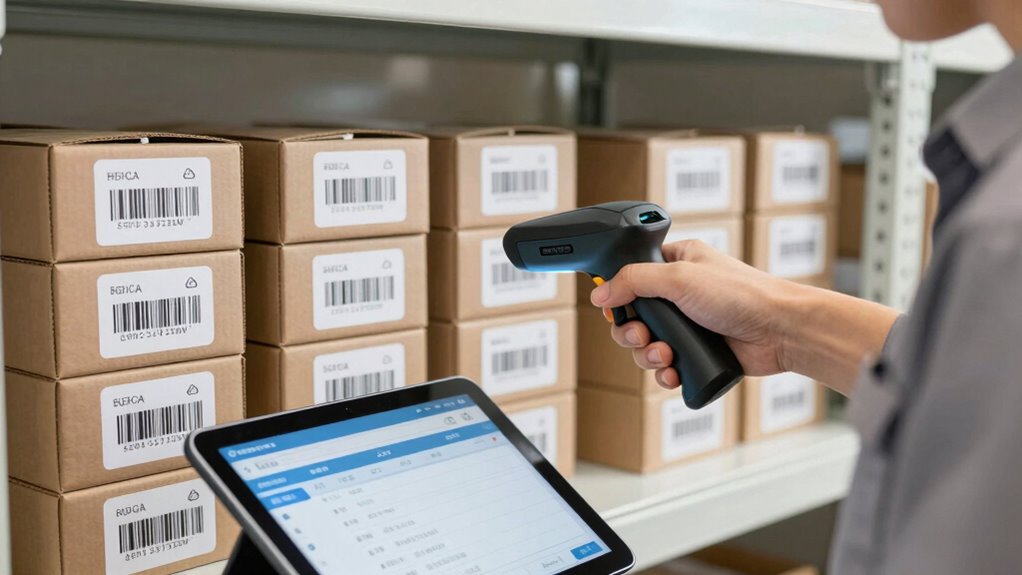
Start by preparing your inventory data to guarantee accuracy and completeness. This foundational step ensures that your counts reflect the true state of your stock and aligns with your overall goals. Ensuring proper piercing care and hygiene practices can prevent issues that might affect inventory quality, especially for products like body jewelry. Additionally, maintaining a clean and organized storage environment can further enhance inventory accuracy during the count. Incorporating tax law updates and current compliance requirements can also help you troubleshoot issues quickly during the counting process. This straightforward workflow keeps your inventory count organized and minimizes errors.
Prepare Your Inventory Data
Before you can implement an effective barcode workflow, you need to prepare your inventory data carefully. Making sure barcode accuracy is vital for smooth operations. Proper data validation helps prevent errors that could slow down counting. To get started:
- Organize your inventory list with clear, consistent item descriptions.
- Assign unique, scannable barcodes to each product, avoiding duplicates.
- Double-check data entries for accuracy and completeness.
- Validate all barcode formats to guarantee compatibility with your scanning system.
Scan and Verify Items
How can you guarantee each item is correctly identified during inventory counting? The key lies in focusing on barcode accuracy and scan speed. When you scan an item, ensure the barcode is clear and unobstructed to avoid misreads. Using a reliable scanner with fast scan speed helps you verify items quickly, reducing errors and keeping your workflow efficient. Consistently double-check each scan for confirmation on your device’s screen, making sure the barcode matches the item details. If something doesn’t scan properly, clean the barcode or reposition the item for a better read. Prioritizing accuracy over speed prevents costly mistakes later. Additionally, understanding the importance of training and behavior management can help ensure your team handles the scanning process effectively. Implementing standardized procedures for barcode handling minimizes confusion and enhances overall accuracy. Maintaining barcode quality is crucial, as damaged or poorly printed barcodes can lead to errors and delays. Regularly inspecting and replacing damaged barcodes helps uphold barcode integrity, ensuring smooth operations. Incorporating quality control measures further reduces the chance of errors arising from barcode issues. With a streamlined process for scanning and verifying, you maintain precision throughout your inventory count, avoiding chaos and ensuring data integrity.
Best Practices for Scanning and Recording Inventory Counts

Effective scanning and recording are essential to maintaining accurate inventory counts. To optimize this process, follow these best practices:
- Make certain proper barcode ergonomics by handling scanners comfortably and maintaining a steady hand to reduce errors.
- Train staff thoroughly on barcode reading techniques to improve accuracy and speed.
- Always verify that the barcode is clear and unobstructed before scanning.
- Record counts immediately after scanning to prevent data loss or mix-ups.
- Incorporate inventory management best practices to further streamline the process and reduce discrepancies. Additionally, ensure that staff are familiar with error prevention techniques to minimize mistakes during scanning. Regularly reviewing scanning protocols helps identify potential issues and enhances overall accuracy.
Common Barcode Inventory Challenges and How to Fix Them

Barcode inventory systems often face challenges that can disrupt accuracy and efficiency. One common issue is poor barcode labeling, which leads to misreads or forgotten labels. To fix this, guarantee labels are clear, durable, and properly placed on items. Another challenge is inconsistent data entry, making inventory reconciliation difficult. Implementing standardized scanning procedures and regular audits can catch discrepancies early. Additionally, damaged or illegible barcodes slow down the process and cause errors. Use high-quality printers and protective coatings to maintain label integrity. Proper label placement can also reduce misreads and improve scanning speed. Ensuring that barcode labels are durable and weather-resistant can prevent damage during handling or storage. Finally, user errors during scanning can compromise accuracy. Provide thorough training and simple workflows to minimize mistakes. Addressing these common challenges keeps your barcode inventory system reliable, streamlines inventory reconciliation, and ensures smoother operations. Incorporating vetted survival gear knowledge can also inspire contingency planning for inventory disruptions or emergencies, enhancing overall resilience.
Monitoring and Improving Your Barcode Inventory System

To keep your inventory system running smoothly, continuous monitoring and regular improvements are essential. Focus on maintaining high barcode accuracy and effective inventory auditing to prevent errors. Here are four ways to enhance your system:
- Regularly review barcode scans to identify discrepancies and improve accuracy.
- Conduct periodic inventory audits to verify stock levels and detect issues early.
- Train staff consistently on proper barcode scanning techniques to reduce errors.
- Utilize data analytics to spot trends, optimize workflows, and address inefficiencies.
Frequently Asked Questions
What Are the Costs Associated With Implementing Barcode Inventory Systems?
The costs for implementing barcode inventory systems include initial implementation expenses like purchasing barcode scanners, printers, and software. You should also consider ongoing expenses such as maintenance, training, and updates. Conduct a thorough cost analysis to weigh these expenses against the benefits of streamlined inventory management. While upfront costs can seem high, the efficiency gains often lead to long-term savings, making the investment worthwhile for your business.
How Secure Is Data Stored Within Barcode Inventory Software?
You might think barcode inventory data isn’t secure, but it actually is. Data encryption protects your information during transmission and storage, making unauthorized access nearly impossible. Access controls further enhance security by limiting who can view or modify data, ensuring only authorized personnel gain entry. While no system is infallible, combining encryption and strict access controls substantially reduces risks, keeping your inventory data safe and secure.
Can Barcode Systems Integrate With Existing ERP or Accounting Platforms?
Yes, barcode systems can seamlessly integrate with your existing ERP or accounting platforms through dedicated APIs or middleware. This guarantees smooth data flow and real-time updates, enhancing efficiency. When implementing ERP integration, prioritize data security by choosing solutions with robust encryption and access controls. This way, you maintain the integrity and confidentiality of your inventory data while streamlining operations across your business systems.
What Training Is Required for Staff to Effectively Use Barcode Technology?
You might worry staff training is complicated, but it’s straightforward. To guarantee barcode proficiency, provide hands-on training sessions that focus on scanning techniques and system navigation. Use simple guides and quick reference materials to reinforce learning. Regular practice helps staff become confident and efficient, reducing errors. Keep training short and engaging, and offer ongoing support to maintain barcode proficiency, making inventory counting faster and more accurate.
How Scalable Is a Barcode System for Growing Inventory Needs?
You’ll find that a barcode system is highly scalable for growing inventory needs, provided you plan for expansion strategies. As your inventory expands, scalability challenges like database capacity and hardware limits can arise, but these can be managed with cloud-based solutions and modular hardware. Regularly update your systems and train staff on new features to guarantee seamless growth, making your inventory management efficient and adaptable for the future.
Conclusion
With a simple barcode system, you replace chaos with clarity, turning a cluttered warehouse into a well-orchestrated symphony. No more frantic searches or missed counts—just smooth, accurate updates that keep your inventory in sync. Imagine the calm of knowing everything is accounted for, even in the busiest moments. Embrace this workflow, and watch chaos transform into confidence, making inventory management effortless and almost effortless—like a quiet, organized room in a busy world.