
The biggest mistake that weakens every meeting is a poor conference room layout that doesn’t support good communication and engagement. When furniture is arranged awkwardly or the space isn’t designed for interaction, it becomes harder for participants to see, hear, and connect effectively—especially in hybrid settings. This can block spontaneous discussions and cause distractions. If you want to discover how to improve your space and truly boost your meetings, keep exploring these key design strategies.

Get the little things that make your day delivered free — and shop member deals
- Fast, free delivery on millions of items
- Access to Prime Big Deal Days deals on October 6–7
- Prime Video, Amazon Music and more included
Key Takeaways
- Poorly arranged furniture that isolates participants hinders communication and reduces engagement.
- Ignoring sightlines and audio flow causes remote participants to feel disconnected.
- Overlooking acoustic treatments leads to disruptive noise and muffled conversations.
- Rigid, long-table layouts discourage spontaneous interaction and collaboration.
- Neglecting technology placement hampers seamless virtual and in-person communication.
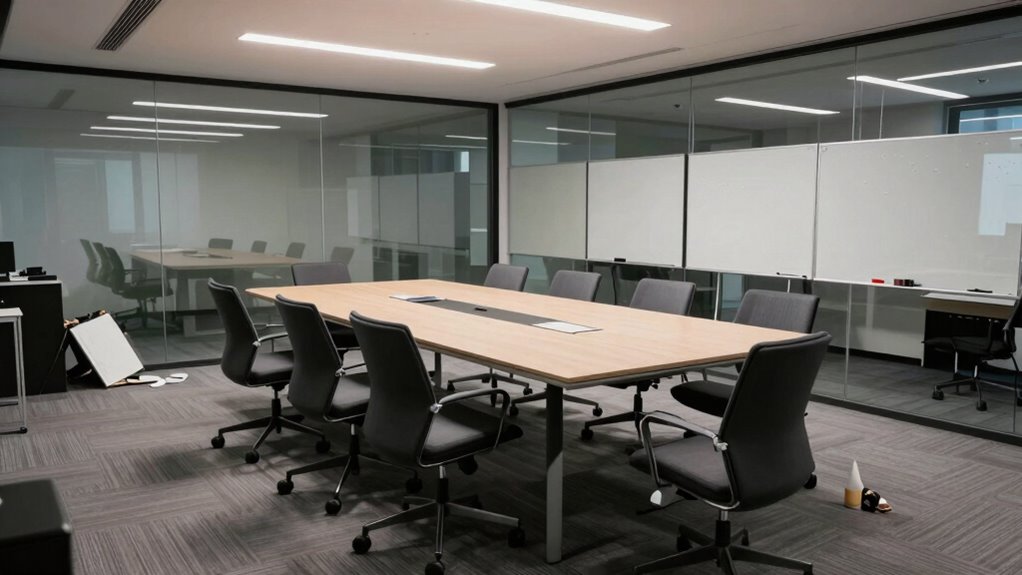
Many organizations overlook the importance of a well-designed conference room layout, which can lead to communication breakdowns and decreased productivity. One of the most common mistakes is neglecting how the space supports virtual collaboration. In today’s hybrid workplace, you need a layout that seamlessly integrates in-person and remote participants. If the room isn’t set up with the right technology and furniture, remote attendees may feel disconnected or struggle to contribute. This disconnect hampers collaboration, making meetings less effective and more frustrating. To avoid this, you should prioritize clear sightlines for video screens and microphones, guaranteeing everyone’s voice is heard. Proper placement of cameras and speakers makes virtual collaboration feel natural, fostering engagement across all participants. Additionally, technology integration plays a crucial role in creating a seamless hybrid meeting experience. Ensuring that all devices are compatible and easy to use can significantly reduce technical disruptions and improve overall meeting flow.
Prioritize seamless integration of technology and furniture to support virtual collaboration and ensure all voices are heard.
Another critical aspect often overlooked is acoustic design. Poor acoustics can turn a productive meeting into a chaotic one. If your conference room isn’t acoustically optimized, you’ll face echoes, background noise, and muffled voices, which make it difficult to understand each other. This problem worsens when multiple people speak at once or when remote participants struggle to catch what’s being said. Acoustic issues force you to repeat yourself or pause frequently, wasting valuable time. Instead, you should focus on sound-absorbing materials like acoustic panels, carpets, or ceiling tiles that minimize echo and background noise. Proper acoustic design creates a clear audio environment, allowing everyone to communicate effortlessly and stay focused on the discussion at hand. Investing in acoustic treatment can make a noticeable difference in the overall clarity and comfort of the space.
The layout also influences how well your team can engage during meetings. If the furniture arrangement is awkward—say, a long rectangular table with distant seats—you might unintentionally inhibit open dialogue. When participants are too far apart or seated in a rigid formation, spontaneous conversations decline, and engagement drops. A better approach is to choose a layout that encourages interaction, such as a round table or a collaborative U-shape, where everyone can see and hear each other easily. This fosters a more inclusive environment, boosting participation and idea-sharing. Thoughtful furniture placement and flexible arrangements can significantly enhance meeting dynamics and foster a collaborative atmosphere.
In essence, the conference room layout isn’t just about aesthetics; it’s about creating an environment that enhances communication, supports virtual collaboration, and ensures acoustic comfort. Neglecting these elements can undermine your meetings, no matter how good your agenda or technology might be. When you pay close attention to layout, acoustic design, and technology integration, you set the stage for more productive, engaging, and efficient meetings that truly serve your team’s needs.
As an affiliate, we earn on qualifying purchases.
Frequently Asked Questions
How Can I Identify if My Conference Room Layout Is Ineffective?
You can tell if your conference room layout is ineffective by observing how people interact. If attendees are struggling to see each other or the presentation, your furniture arrangement might be blocking sightlines. Also, if the lighting setup creates glare or shadows, it hampers focus. Notice if participants seem disengaged or uncomfortable—these signs indicate the layout needs adjusting for better communication and collaboration.
What Are the Most Common Signs of a Poor Meeting Environment?
You’ll notice poor meeting environments through signs like awkward furniture arrangements that hinder interaction or movement, making discussions stifled and uncomfortable. Bad acoustics optimization leads to muffled voices, echoes, or difficulty hearing, which frustrates participants and disrupts flow. If people seem disengaged, struggle to communicate clearly, or frequently ask for repetition, these are clear indicators your conference room layout needs improvement to foster better collaboration.
How Does Room Layout Impact Participant Engagement?
A good room layout is the backbone of engagement—remember, “You’re only as strong as your weakest link.” Your furniture arrangement and seating proximity directly influence participation. When seats are too far apart, it’s harder to foster interaction and collaboration. Conversely, close seating encourages eye contact and discussion. Optimizing these elements creates an environment where participants feel connected and motivated to contribute, making meetings more effective and lively.
Are There Specific Layouts That Universally Improve Meetings?
Yes, certain layouts tend to improve meetings universally. Opt for a circular or U-shaped furniture arrangement, as it promotes eye contact and open discussion. Make sure technology placement is strategic—place screens and microphones where everyone can see and hear clearly. Avoid blocking views or creating physical barriers. When furniture and tech are thoughtfully arranged, participants stay engaged, collaborative, and the meeting flows smoothly.
What Quick Fixes Can Improve a Bad Conference Room Layout?
Imagine your meeting room as a ship: poor furniture arrangement is like having a steering wheel off-center, making navigation tricky. To fix this fast, start by repositioning furniture for better sightlines and comfort. Make sure technology placement is accessible—like mounting screens at eye level and organizing cables. These quick tweaks can turn a chaotic space into a smooth-sailing environment, boosting engagement and productivity instantly.
As an affiliate, we earn on qualifying purchases.
Conclusion
If you keep your conference room layout tangled like a maze, your meetings will drift aimlessly, losing their spark. Fix that layout maze today, and watch your discussions flow smoothly like a clear river. When your space is set up right, every meeting becomes a well-orchestrated symphony, not a cacophony. Don’t let a simple layout mistake drown out your team’s voice—reshape your room, and watch collaboration bloom like a garden in full spring.
conference room furniture arrangement
As an affiliate, we earn on qualifying purchases.
As an affiliate, we earn on qualifying purchases.
video conferencing camera and microphone
As an affiliate, we earn on qualifying purchases.
As an affiliate, we earn on qualifying purchases.
NFL season / tailgating Picks
team gear
As an affiliate, we earn on qualifying purchases.