
TL;DR

Get the little things that make your day delivered free with Prime
- Fast, free delivery on millions of items
- Prime Video, Amazon Music and more included
- Member-only deals all year
Smart home devices connect to your home network so you can control or automate lights, thermostats, locks, cameras, and other equipment. Start with one clear need, check compatibility and ongoing costs, and review privacy and offline behavior before buying; energy savings and remote access depend on the product and setup.
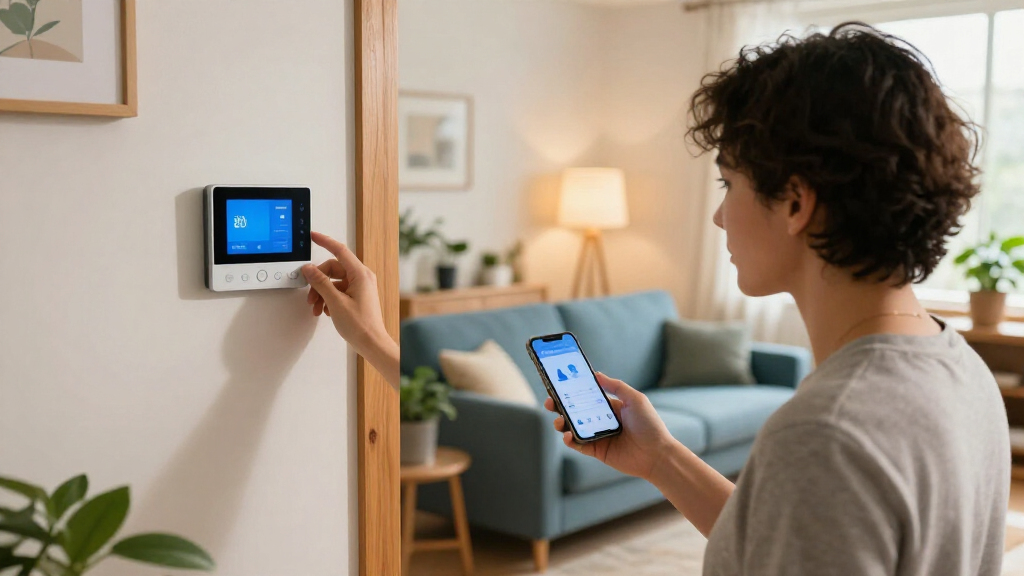
Your hallway light can switch on as you reach for the door, while the porch camera sends an alert before you take off your coat. That small bit of timing is the appeal of smart home devices: ordinary equipment can respond to your schedule, your voice, or a change around the house.
This guide explains what these devices do, where they can help, and what to check before you bring one home. You’ll see why compatibility, internet access, privacy settings, and monthly fees matter just as much as the feature list. You don’t need a futuristic house; one smart plug or motion light can solve a real daily annoyance.
Choose a first device by naming the everyday task you want it to handle.
Check the exact model’s platform support, network needs, hub requirements, and paid features.
Use unique passwords, multifactor authentication, updates, and careful camera placement to reduce privacy and account risks.
Find out which basic features work offline before relying on a device for access or safety.
Treat energy savings as something to measure; automation alone does not guarantee a lower bill.
What smart home devices can do in an ordinary home
Smart home devices are connected products you can monitor or control through an app, voice assistant, schedule, or automation. They connect to a home network so you can manage items such as lights, thermostats, plugs, locks, cameras, doorbells, sensors, and appliances. A smart label describes connectivity, though it doesn’t promise every feature works with every platform. That distinction matters because the practical value comes from a device fitting into the way your household already works, not from the connection alone.
Think of a smart plug as a tiny switch you can reach from your phone. Plug in a lamp, set it to turn on at 6:30 p.m., and the corner of the room glows before you walk in. Pair a motion sensor with a bulb and the light can come on when someone enters a dark hallway. Each action is simple; linking actions creates an automation. The benefit is often less about doing something impossible manually and more about making a small task happen reliably without remembering it.
These products can also help with access and awareness. A video doorbell may show who is at the door while you’re upstairs, and a leak detector can alert you when water gathers beneath a sink. The alert depends on power, network access, and the product’s service, so a connected device is an extra layer of information rather than a guarantee that a problem gets solved. For a leak detector, for example, an alert only helps if someone can respond promptly; it does not shut off the water unless the system includes a compatible valve.
Some systems use local processing, which lets certain commands or routines run inside your home instead of relying on a remote service. Other features still need an internet connection or cloud account. For instance, a light schedule may keep working while a camera’s remote viewing stops during an internet outage. This difference affects how dependable a device feels: local features can be quicker and less dependent on a provider, while cloud features may offer remote access or richer analysis at the cost of relying on the provider and connection.
Popular right now

LG 77-Inch OLED evo C6 4K Smart TV

Hisense E6SR Series 55-Inch 4K UHD Hi-QLED Roku Smart TV

De'Longhi Magnifica Start Fully Automatic Espresso Machine with Milk Frother, Silver
As an affiliate, we earn on qualifying purchases.
Choose one useful device before building a whole system
The best first device is the one that fixes a specific annoyance you already notice. A smart plug suits a lamp or fan with a simple schedule; a smart bulb helps when you want adjustable brightness; a thermostat can automate temperature changes. Start with a task, then pick the device that handles it without adding needless setup. This keeps the purchase tied to a benefit you can judge: if the device creates more app work or household confusion than it removes, it may not be the right solution.
- Name the problem. Maybe you forget the porch light or want to check for a leak while traveling.
- Check the setup. Confirm the product works with your phone and chosen platform, and find out whether it needs a hub, 2.4 GHz Wi‑Fi, or a particular app.
- Check the full cost. Add any hub, installation, subscription, or replacement battery to the sticker price.
- Try the basic feature. Set up one schedule or alert and see whether it fits your routine.
For example, if you often leave a reading lamp on, a smart plug may be cheaper and easier than replacing the bulb. If you want warm light at night and bright light for cleaning, a smart bulb offers more control. Those are different jobs, even though both products can switch a light on and off. The extra flexibility of a bulb is useful only if you’ll use it; otherwise, it adds cost and another connected component to maintain.
Accessibility matters, too. Voice control, remote buttons, and automatic routines can make everyday tasks easier for some people, but the setup and interface vary. Keep the regular wall switch or manual control usable where possible, so visitors or household members can operate the room without learning your app. A fallback also helps when a phone is out of reach, a network is down, or the person who configured the routine is away.
Check compatibility before you buy
Compatibility depends on the exact model and feature, not just a product’s “smart” label. Before you buy, check whether it works with your phone, voice assistant, app, hub, and any devices you already own. A bulb that pairs with one platform may not appear in another, and some functions may require extra hardware. The consequence can be more than inconvenience: a device that cannot join your existing setup may need a separate app or hub, making routines harder to manage and raising the real cost.
| Check | What to confirm | Example |
|---|---|---|
| Platform | Supported assistant and home app | A lock may support Apple Home but not your current voice assistant. |
| Network | Wi‑Fi band or other connection needs | Some products require 2.4 GHz Wi‑Fi, while your phone may be using 5 GHz during setup. |
| Hub | Whether a separate bridge or controller is needed | A sensor may need its maker’s hub to communicate with the app. |
| Ongoing features | Which alerts, recordings, or automations require a fee | Live camera viewing may be free while saved video costs extra. |
Matter is an interoperability standard designed to help compatible devices work across participating smart home platforms. Thread is a low-power networking technology used by some products. They can make a mixed setup easier, but support varies by product, platform, and feature; check the current specifications for the exact model. The practical payoff is potential flexibility if you change phones or assistants later, but a shared standard does not guarantee that every advanced feature is available everywhere.
Picture a household with one person using an iPhone and another using an Android phone. Before choosing a door lock, check whether both can manage access and whether the lock still works with its keypad or key if an app is unavailable. A little label reading can save a return trip and a frustrating evening with a half-configured device. It also exposes who will be able to administer the device day to day, an important consideration when access needs to be shared without giving everyone full control.
Protect your privacy without giving up useful features
Smart devices may collect account, usage, audio, video, or sensor data, depending on the product and the features you turn on. A camera pointed at a front path can record visitors; a voice assistant may process spoken requests; a motion sensor can reveal when a room is occupied. Decide which information the device needs and who should be able to see it. Data collection matters because it can expose routines or private moments, especially when an account is shared or information is stored outside the home.
Placement changes the privacy picture. A camera aimed at the front step may help you spot a delivery, while one facing a living room captures ordinary family moments. Review recording zones, microphone controls, storage duration, and shared-account access. If you invite a dog walker into a camera app, check whether they can also view older recordings. Narrowing the view or limiting account permissions can preserve the feature you value while reducing how much incidental activity is captured.
Use a strong, unique password for each account, turn on multifactor authentication when available, and install software updates. These steps reduce avoidable account risk, though they cannot remove every weakness in a product or service. If a device offers only a shared household password, ask who still has access before relying on it for a sensitive task. An account takeover could expose camera feeds or let someone alter settings, so account protection is part of deciding whether remote access is worth enabling.
There’s a tradeoff between convenience and collection. An AI camera summary might save you from scrubbing through hours of footage, but it may depend on a subscription and additional processing. A useful rule: turn on the features you can explain and value, and leave the rest off. That keeps a bright red alert from flashing on your phone for information you never wanted collected. It also gives you a clearer basis for deciding whether a paid feature delivers enough benefit to justify its cost and data use.
Plan for outages, subscriptions, and changing support
Smart home devices rely on different combinations of Wi‑Fi, power, hubs, cloud services, and accounts, so an outage can affect one feature while leaving another intact. Remote access usually depends on both an account and an internet connection. Some basic functions work offline, but that behavior varies by device and setup. Knowing which parts fail together helps you judge whether a product is suitable for a convenience, like a lamp, or a function you need in an urgent situation.
Imagine the internet drops during a storm. A scheduled light may still run if its timer lives inside the bulb or hub, but a camera’s phone alerts may stop if they depend on a cloud service. A smart lock might retain keypad entry while remote unlocking becomes unavailable. Look up offline behavior before you choose a device for a task you can’t afford to lose. That check should cover the fallback too: confirm you can still enter, turn on a light, or receive an alarm through another method.
Budget beyond the device price. A camera advertised for $60 could require a monthly fee for saved video, while a smart thermostat might need professional installation or compatible wiring. Some products also require a hub. Check whether subscriptions renew automatically and what features remain if you cancel. Comparing the cost over a few years can reveal when a lower upfront price becomes more expensive than a product with fewer recurring charges.
Support matters over time. Manufacturers may stop providing updates or end cloud services, and support periods differ. Before purchase, look for clear information about software updates and what happens when service ends. For example, if a connected oven loses its app support, you should still be able to use its regular controls. A device should add a useful option, not make an everyday task depend entirely on a service you can’t control. Long-term support is therefore part of reliability, not just a technical detail: it affects whether today’s purchase remains useful after the product line or service changes.
Use automation to save time and possibly energy
Automation can reduce wasted effort and may reduce energy use, but savings depend on the home, device, habits, and settings. A smart thermostat can follow a schedule, while smart lights and plugs can switch off at chosen times. The technology makes a setting easier to repeat; it doesn’t guarantee a smaller bill. A routine saves energy only when it changes what would otherwise have happened, such as turning off a light that would have stayed on.
Suppose you leave for work at 8 a.m. A thermostat routine could adjust the temperature when the house is empty and return to a comfortable setting before you arrive. If your schedule changes daily or someone stays home, a rigid timer may make the room uncomfortable and save little. You might need a presence sensor or a manual override to fit real life. The tradeoff is convenience against precision: a fixed routine is simple, while sensors and overrides can adapt better but add setup and possible failure points.
Start with one routine you can observe: turn off a lamp at midnight, or dim the hallway light after 10 p.m. Check the energy use or bill over time if you want to know whether it helped. A plug’s app may report usage, but the number is only useful when you compare it with a clear baseline, such as how many hours the lamp used to stay on. Without that comparison, a usage chart can look informative while saying little about whether the automation made a difference.
Automation works best when it feels like a quiet helper. A motion sensor can brighten the path to the bathroom without waking the whole house, while an overly sensitive sensor may flick lights on every time a cat pads past. Adjust the trigger, test it for a few nights, and let the routine earn its place. Good routines account for how people actually move through the home, because an automation that repeatedly surprises or annoys someone is likely to be disabled.
Frequently Asked Questions
What counts as a smart home device?
A smart home device connects to a network so you can control or monitor it through an app, assistant, schedule, or automation. Examples include lights, plugs, thermostats, locks, cameras, doorbells, and sensors. The word “smart” doesn’t guarantee compatibility with every platform.
Do smart devices need Wi‑Fi or a hub?
Some use Wi‑Fi directly, while others need a hub or another connection method. Many products require 2.4 GHz Wi‑Fi, but requirements vary by model. Check the product specifications and your router setup before buying.
Will smart devices work if the internet goes down?
It depends on where the device runs its functions. A local schedule or keypad may keep working, while remote access, cloud video, and some voice features may stop. Look up the exact model’s offline behavior if you rely on it for an important task.
Can smart home devices lower energy bills?
Smart thermostats, lights, and plugs can automate settings that may reduce energy use. The outcome depends on your home, settings, and habits, so savings are not guaranteed. Try one routine and compare usage over time to see whether it helps.
Do smart cameras or locks require a monthly subscription?
Some core features may work without a fee, while saved camera recordings, advanced alerts, or AI summaries can require a subscription. Smart locks may also offer paid services or need a separate hub. Check the current plan terms and what remains if you cancel.
Conclusion
Pick one recurring annoyance, then buy the simplest compatible device that can address it. Check the setup, ongoing fees, privacy controls, and offline behavior before you commit, and test one routine in your actual home.
A good smart home doesn’t need to announce itself. It’s the porch light that’s already glowing when the evening turns blue.