
To get the full benefit of a 4K webcam, you need to optimize your entire setup. This means ensuring your lighting is bright and even, your internet connection is fast and stable, and your hardware can handle the high resolution without lag. If any element is lacking, the video quality drops regardless of your camera’s capability. Keep going, and you’ll discover how to set everything up for the best results.
Key Takeaways
- Proper lighting ensures 4K webcams capture sharp, detailed images instead of grainy or washed-out footage.
- Sufficient internet bandwidth prevents lag, pixelation, and frame drops that undermine 4K video quality.
- Adequate processing power is needed to handle the large data load of 4K resolution effectively.
- Camera settings must be optimized for environment conditions to fully utilize 4K capabilities.
- A well-calibrated environment, including monitor setup, enhances color accuracy and overall video clarity.
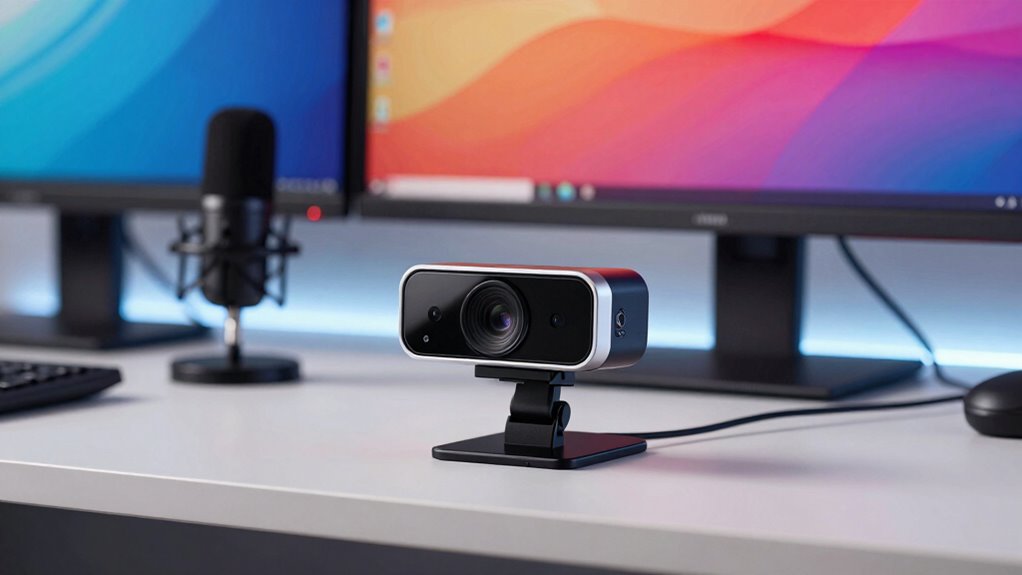
A 4K webcam can considerably improve your video quality, but only if your entire setup is optimized to support it. Higher resolution cameras capture more detail, but that detail is only visible if other elements of your setup work together seamlessly. Lighting conditions play a vital role here. Even the best camera can’t produce a clear, sharp image if your environment is poorly lit or unevenly illuminated. Soft, natural light is ideal, but if you’re indoors, guarantee your lighting is bright enough and evenly distributed to avoid shadows and glare. Position your light sources to face you, not behind, to prevent backlighting that can make you appear dark or silhouetted. Without proper lighting, the extra pixels of a 4K webcam go to waste, as the image appears grainy or washed out. Ensuring your internet bandwidth is sufficient is equally important, as streaming or recording in 4K demands a significant amount of data transfer, often requiring at least 15-25 Mbps upload speed for a smooth, buffer-free experience. If your internet connection is slow or unstable, you’ll notice lag, pixelation, or dropped frames, regardless of your camera’s resolution. This can be frustrating, especially during live calls or streaming sessions. To maximize your webcam’s potential, guarantee your internet connection is fast enough and stable enough to handle high-resolution video. Consider wired Ethernet connections over Wi-Fi, as they tend to offer more consistent speeds, reducing interruptions. Also, close other bandwidth-heavy applications during your video sessions to prioritize your webcam feed. Beyond lighting and bandwidth, other factors matter. Your computer’s processing power should be sufficient to handle 4K video, which can be taxing. Use a recent processor and enough RAM to manage the data load smoothly. Additionally, adjust your camera settings to match your environment — don’t set your webcam to 4K if your lighting or bandwidth can’t support it, as it will lead to subpar results. Remember, a high-resolution webcam is only as good as the supporting conditions around it. When lighting conditions are optimized and your internet bandwidth is sufficient, you’ll truly see the difference in your video quality. Without these supporting elements, even a top-tier 4K webcam remains underutilized, and your video quality suffers. Proper video setup ensures you get the most out of your equipment and helps avoid common pitfalls that undermine video quality.
A well-rounded setup also includes monitor calibration to ensure your display accurately represents colors and details, which is crucial for professional video quality.

EMEET S600L 4K Webcam with Adjustable Desktop Overhead Stand, 4 Lighting Modes, Rainbow Effect, 1/2" Sensor, 0.2S PDAF, 2 Mics, Dial Control, 4K Webcam with Tripod for OBS/Twitch/YouTube/Zoom/PC/Mac
- Adjustable Overhead Stand: Foldable arm with height and angle adjustment
- Whiteboard Mode: Selects area for zoom and enhancement
- AI-Coordinated Ring Light: Synchronizes lighting with image capture
As an affiliate, we earn on qualifying purchases.
As an affiliate, we earn on qualifying purchases.
Frequently Asked Questions
Can a 4K Webcam Improve Low-Light Video Quality?
A 4K webcam can improve low-light video quality if it features good low-light enhancement and a high-quality camera sensor. The sensor’s sensitivity determines how well it captures light, and low-light enhancement technology boosts image brightness without adding noise. So, if your 4K webcam has these features, it can considerably enhance your video quality in dim environments, making your videos clearer and more detailed even in challenging lighting conditions.
Do 4K Webcams Require More Powerful Computers?
Yes, 4K webcams generally require more powerful computers due to resolution limitations and hardware compatibility. Higher resolution captures more data, demanding better processors, more RAM, and advanced graphics cards to handle the increased load smoothly. If your setup isn’t compatible or lacks sufficient hardware, you might experience lag, poor image quality, or connectivity issues. Make sure your computer meets the recommended specs before upgrading to a 4K webcam to maximize its benefits.
Is a 4K Webcam Necessary for Professional Streaming?
Think of professional streaming like a symphony—every element must harmonize. A 4K webcam isn’t strictly necessary; your lighting setup and audio quality matter more for clarity and engagement. If your visuals are sharp but your audio is muffled, viewers won’t stay. A good 1080p camera with proper lighting and clear audio can outperform a 4K camera that’s poorly set up. Focus on the whole package for true professionalism.
How Much Does a 4K Webcam Typically Cost?
A 4K webcam typically costs between $150 and $400, depending on the brand and features. While the resolution benefits are impressive, you need to take price considerations into account alongside your setup quality. Higher-end models offer better image clarity, but investing in a quality microphone and good lighting is equally important. If you’re serious about professional streaming, the extra cost can be worthwhile, but make certain your entire setup supports 4K for the best results.
Will a 4K Webcam Make My Videos Automatically Better?
A 4K webcam isn’t a magic wand; it’s more like a high-quality lens that needs proper lighting and setup to shine. Yes, it can improve detail, but only if you optimize frame rate and manage video compression effectively. Without these adjustments, your videos might look worse, with lag or pixelation. So, a 4K camera helps, but only when your entire setup is tuned for top performance.

UGREEN Cat 8 Ethernet Cable 6FT, High Speed Braided 40Gbps 2000Mhz Network Cord Cat8 RJ45 Shielded Indoor Heavy Duty LAN Cables Compatible with Gaming PC PS5 PS4 PS3 Xbox Modem Router 6FT
- High-Speed Data Transfer: Supports 40 Gbps and 2000 MHz bandwidth
- Anti-Interference Design: Shielded with F/FTP, pure copper, gold-plated connectors
- Durable and Flexible: Cotton braided exterior, bends over 10,000 times
As an affiliate, we earn on qualifying purchases.
As an affiliate, we earn on qualifying purchases.
Conclusion
So, don’t just splash out on a 4K webcam and hope for perfect video. Remember, even the best camera won’t shine if your lighting’s poor or your internet’s sluggish. Picture yourself confidently hosting a call—sharp, clear, and professional—because you’ve optimized your entire setup. When everything’s aligned, that stunning 4K image truly makes an impact, turning simple video calls into memorable, high-quality experiences. It’s the full package that counts.

Lavsoul 4K Webcam with Microphone for PC & Streaming Computer Camera
- Ultra HD 4K Clarity: Stunning 4K video at 30fps or 1080p at 60fps
- High-Quality CMOS Sensor: Captures vibrant colors and low-light details
- Fast AutoFocus: Locks onto your face instantly for sharp images
As an affiliate, we earn on qualifying purchases.
As an affiliate, we earn on qualifying purchases.

KOTIN Prebuilt Gaming PC RTX 5070 12GB, Ryzen 7 9700X, 32GB DDR5, 1TB SSD
- Powerful Graphics and CPU: RTX 5070 12GB and Ryzen 7 9700X
- High-Speed Memory and Storage: 32GB DDR5 RAM and 1TB SSD
- Integrated Smart Display: 11.3-inch screen shows system stats
As an affiliate, we earn on qualifying purchases.
As an affiliate, we earn on qualifying purchases.