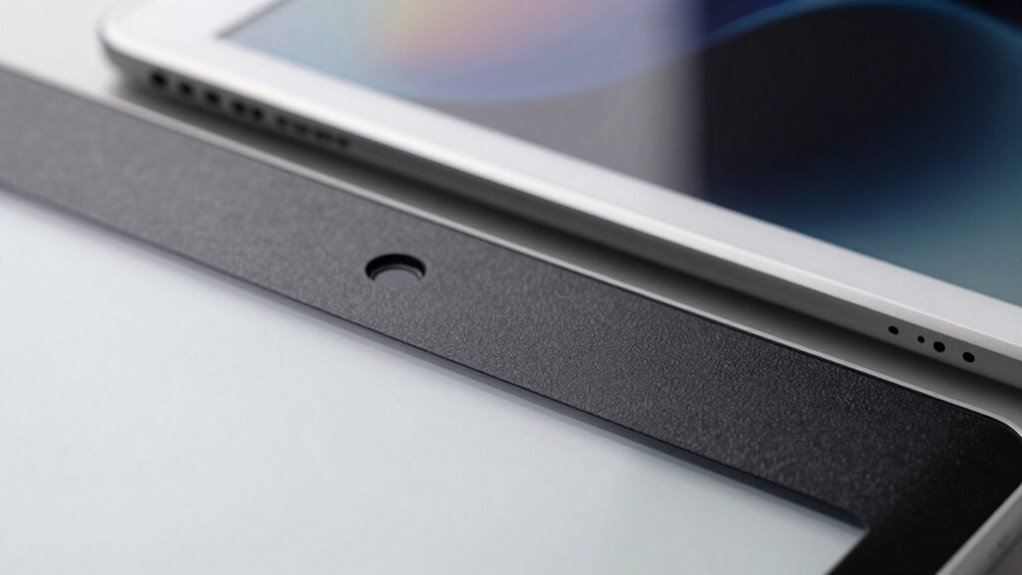

E-Ink tablets give you a natural, paper-like look and feel that reduces eye strain and minimizes distractions. Unlike iPads’ backlit screens, E-Ink displays don’t emit light directly into your eyes, making long sessions more comfortable. They only use power when updating content, so the battery lasts weeks. This efficient design helps you stay focused without interruptions. Keep going to discover more about how these devices can change your attention habits.
Key Takeaways
- E-Ink screens mimic ink on paper, creating a natural reading experience that reduces distractions and enhances focus.
- Unlike iPads, E-Ink displays do not emit light, minimizing eye strain and allowing longer, more comfortable reading sessions.
- Low power consumption and minimal refresh rates keep the device distraction-free and promote sustained attention.
- E-Ink’s static display maintains content without flickering or notifications, unlike backlit screens that can interrupt concentration.
- Longer battery life enables extended use without frequent recharges, fostering uninterrupted focus on reading or studying.

Have you ever wondered why E-Ink tablets are gaining popularity for focused reading and productivity? It’s because they offer an experience that’s quite different from traditional screens like iPads. When you dive into digital reading on an E-Ink device, you’ll notice how natural it feels—more like reading a physical book than scrolling through a backlit screen. This is no accident; E-Ink technology mimics the appearance of ink on paper, reducing eye strain and making long reading sessions more comfortable. Unlike tablets with LCD or OLED screens, E-Ink displays don’t emit light directly into your eyes, so you can read for hours without feeling fatigued. This makes them perfect for those who want to focus deeply on their material without distractions. Additionally, E-Ink displays are designed to be low-power screens, which significantly contributes to their extended battery life. The energy-efficient nature of E-Ink technology also aligns with sustainable living practices by reducing energy consumption.
E-Ink screens mimic ink on paper, reducing eye strain and enhancing comfortable, focused reading sessions.
One of the biggest advantages E-Ink tablets have over other digital devices is their exceptional battery longevity. Because they only consume power when updating the display, they can last for weeks on a single charge, even with regular use. This is a significant benefit if you’re someone who values uninterrupted study or reading sessions. You won’t have to worry about constantly plugging in your device or running out of juice in the middle of an important task. Instead, you can focus on what matters—your reading or note-taking—without the hassle of frequent recharging. This extended battery life not only enhances productivity but also encourages more extensive reading, since you’re not limited by battery life. Incorporating long-lasting batteries into your device choice can make a meaningful difference in your daily routine.

Musnap Ocean 64GB+4GB 7”eBook Reader Supports Handwriting, 7”E-Ink Paper Tablet with Long Battery Life for Reading and Writing (Not Included Musnap Stylus Pen)
- Display Type: 7” E Ink glare-free touchscreen
- Adjustable Settings: Brightness and color temperature adjustment
- Performance: Octa-core 2.2GHz processor with 4GB RAM
As an affiliate, we earn on qualifying purchases.
As an affiliate, we earn on qualifying purchases.
Frequently Asked Questions
Can E-Ink Tablets Run All Types of Apps Like iPads?
E-ink tablets can’t run all types of apps like iPads because of app compatibility and software limitations. They mainly support simple reading and note-taking apps, often through specialized stores or web versions. Unlike iPads, which run full-featured operating systems supporting diverse apps, e-ink devices prioritize battery life and readability, so their software ecosystem is limited. This makes them unsuitable for running complex or multimedia-rich applications.
How Long Does the Battery Last on E-Ink Tablets?
Battery life on e-ink tablets lasts like a marathon runner, often stretching weeks on a single charge due to their power efficiency. You’ll find that their battery longevity far surpasses iPads, since e-ink screens only consume power when changing content. This makes e-ink tablets ideal for long reading sessions or travel, saving you from constant recharging and ensuring that you stay focused without interruption.
Are E-Ink Screens Reflective or Transmissive Displays?
You’ll find that e-ink screens are reflective displays, utilizing reflective technology to show images by bouncing ambient light off their surface. Unlike transmissive displays, which rely on backlighting, e-ink screens don’t emit light directly. This makes them easier on your eyes and easier to read in bright sunlight. Their transmissive properties are minimal, meaning they’re designed for clarity in various lighting conditions without the need for a built-in light source.
Do E-Ink Tablets Support Color Displays?
Yes, e-ink tablets support color displays, turning the monochrome world into a vibrant canvas. You’ll notice improved color accuracy, making images pop with life, though not as vividly as on backlit screens. These displays are designed for durability, resisting scratches and fading over time. While they may not dazzle with every hue, they provide a reliable, eye-friendly experience perfect for reading and light media, like a sturdy, colorful book.
Is There Any Eye Strain Difference Between E-Ink and LCD Screens?
You’ll notice less eye strain with e-ink screens because they mimic paper, reducing blue light exposure and glare. This enhances eye comfort during long reading sessions, and visual clarity remains sharp without flickering like LCD screens. In contrast, LCDs can cause more eye fatigue over time, especially if you’re sensitive to blue light. So, for prolonged reading, e-ink provides a more comfortable, eye-friendly experience.

XPPen 3 in 1 Color Digital Notebook 10.95'' Paper Note Taking Tablet with 16384 Pressure Levels Battey-Free X3 Pro Pencil 2 Magnetic Folio 6+128GB Magic Note Pad for Writing/Reading/Meeting/Study
- Device Type: Normal Android Tablet, Not E-Ink
- Color Modes: Monochrome, Light, Nature Modes
- Display Technology: AG Nano-Etched LCD with NXTpaper 3.0
As an affiliate, we earn on qualifying purchases.
As an affiliate, we earn on qualifying purchases.
Conclusion
Switching to an e-ink tablet feels like slipping into a peaceful lake after a busy day. You notice how the gentle, paper-like display helps you focus, much like how a quiet morning walk clears your mind. Studies show that users often experience less eye strain and better concentration. So, if you’re tired of the glare and distractions of an iPad, embracing an e-ink tablet can be like finding a calm, focused oasis amid chaos.

Musnap Ocean C 64GB+4GB 7” Color eBook Reader Supports Handwriting, 7” Color E-Ink Paper Tablet with Long Battery Life for Reading and Writing (Not Included Musnap Stylus Pen)
- Display: 7-inch color E Ink touchscreen with adjustable brightness
- Performance: Octa-core 2.2GHz processor with 4GB RAM
- Storage: 64GB internal storage for books and files
As an affiliate, we earn on qualifying purchases.
As an affiliate, we earn on qualifying purchases.
As an affiliate, we earn on qualifying purchases.